How to Animate a Logo or Character From Claude, Cursor or VS Code With MCP
By the Charmotion team · Updated
To animate a logo or character from an AI assistant, connect an animation service's remote MCP server to Claude, Cursor, VS Code or ChatGPT, sign in once through OAuth, then ask in plain language. A good workflow lets you approve the design and the motion concept before anything is built, then returns files and embed code your coding assistant can add.
Key takeaways
- MCP (Model Context Protocol) is an open standard that lets assistants call tools on external servers; remote servers use the Streamable HTTP transport.
- Remote MCP servers that need an account use OAuth: your assistant opens a browser, you sign in and approve, and no API key is pasted into chat.
- Claude, Cursor, VS Code and ChatGPT each add remote servers differently; the steps below follow each vendor's own docs as of November 2026.
- A good animation workflow has checkpoints: design, review, build, export, embed, with your approval before anything uses your plan.
- Connect only servers you trust and read what each tool can do; the MCP spec requires hosts to get your consent before invoking a tool.
Already have a character or logo? See examples in real app screens: splash, onboarding, loading and empty-state screens, with the animation that plays in each.
What is MCP (Model Context Protocol)?
MCP is "an open-source standard for connecting AI applications to external systems." The official site compares it to "a USB-C port for AI applications": one standard way for Claude, ChatGPT, Cursor, VS Code and other clients to reach outside tools.
The current specification (revision 2026-07-28) defines three things a server can offer:
- Tools: "Functions for the AI model to execute," such as design a logo or export a video.
- Resources: "Context and data, for the user or the AI model to use."
- Prompts: "Templated messages and workflows for users."
Messages are JSON-RPC 2.0. A server runs either locally over stdio or remotely over Streamable HTTP, where "each message is an HTTP POST to a single MCP endpoint." Animation services are remote servers: the rigging, rendering and file storage happen on their machines, and your assistant only sends requests and shows results.
Why animate through an MCP server instead of asking the AI directly?
A chat model can write animation code: CSS keyframes, an SVG animation or a short script. That is often enough for a spinner or a fade. It is not enough for a mascot with ten moods or a polished logo launch animation, because those need a pipeline the model does not have: image analysis, rigging, rendering, file export and somewhere to store the results.
An MCP server gives the assistant tools for that pipeline. In practice that changes three things:
- Real files come back, such as a Rive file, MP4 or transparent WebM, with download links instead of code you have to debug.
- Long jobs are tracked. A build that takes minutes returns an id, and a status tool reports progress until it is ready.
- The same assistant can embed the result. In Cursor, VS Code or Claude Code, the assistant that received the files can also edit your project to add them.
If the logo has to stay exactly as designed, check what kind of AI the server uses before you start: see can AI animate a logo without changing it.
How does sign-in work for a remote MCP server?
Through OAuth, defined in the MCP authorization spec, which is based on OAuth 2.1. You see a browser window: you sign in to the service and approve what the assistant may do. Behind that:
- The server answers an unauthenticated request with HTTP 401 and points to its Protected Resource Metadata, which every protected MCP server "MUST implement."
- The client discovers the authorization server and gets a client ID. The spec lists three ways: Client ID Metadata Documents (which clients "SHOULD" support), pre-registration, or Dynamic Client Registration, which the 2026-07-28 revision marks as deprecated but keeps for compatibility.
- The client runs the authorization code flow with PKCE and a
resourceparameter that names the MCP server, so the token works only for that server. - Every later request carries the token in an
Authorization: Bearerheader.
For you this means no API key to copy or leak, permissions you can see on the approval screen, and access you can revoke on the service's side.
How do you add a remote MCP server in Claude and Claude Code?
Claude (web and desktop app). Anthropic's help center (November 2026) says custom connectors using remote MCP are available on Free, Pro, Max, Ultra, Team and Enterprise plans, and "Free users are limited to one custom connector." On Pro or Max:
- Open Customize, Connectors, click + Add, then Add custom connector.
- Enter a name and the remote MCP server URL, then Continue.
- Check the detected authentication settings and choose when to sign in, then click Add.
On Team and Enterprise, an Owner adds the connector in Organization settings, then members connect it from Customize, Connectors. Claude "connects to your remote MCP server from Anthropic's cloud infrastructure," so the server must be reachable on the public internet.
Claude Code. Add the server from the terminal, then sign in from inside Claude Code:
claude mcp add --transport http <name> <server-url>
# then, inside Claude Code:
/mcp
The /mcp command lists your servers; pick the new one and "follow the steps in your browser to log in."
How do you add a remote MCP server in Cursor and VS Code?
Cursor. Create .cursor/mcp.json in a project, or ~/.cursor/mcp.json in your home folder for every project, and give the server a url:
{
  "mcpServers": {
    "animation": { "url": "https://example.com/mcp" }
  }
}
Cursor supports stdio, SSE and Streamable HTTP, and its docs say "Cursor supports OAuth for servers that require it," using "the authorization code flow with PKCE." Sign in from the MCP settings when Cursor asks.
VS Code (GitHub Copilot). Run MCP: Add Server from the Command Palette, choose HTTP and enter the endpoint. Or add it to .vscode/mcp.json; VS Code's format uses servers:
{
  "servers": {
    "animation": { "type": "http", "url": "https://example.com/mcp" }
  }
}
VS Code's docs say "A remote HTTP server can require an account or sign-in" and advise you to "Review any server trust or authentication prompts before accepting them." Its configuration reference also has an oauth setting for servers that need a specific client ID, and keeps client secrets out of mcp.json.
Can you add a custom MCP server to ChatGPT?
Yes, as of November 2026, through ChatGPT Plugins. OpenAI's Apps SDK docs describe these steps:
- Go to ChatGPT Plugins, select the plus button and choose Add custom MCP server.
- Enter a name and description.
- Under Connection, enter the server URL including the
/mcppath. - Configure authentication, review the risk warning, and select Create as a plugin.
- Review the tools ChatGPT discovered on the server.
OpenAI recommends OAuth with Client ID Metadata Documents where the authorization server supports them, and notes dynamic client registration is also supported. It adds that "Account and workspace policies apply to adding and using custom MCP servers," so a work account may need an admin's approval.
What does a good animation workflow over MCP look like?
Five steps, with a checkpoint after each one. You can say all of it in plain language; the assistant picks the tools.
| Step | What you ask | What a good server returns |
|---|---|---|
| 1. Design | "Design a logo for my podcast app Hushwave: calm, navy and coral." Or share your own logo. | An image to look at, and a design id to reuse |
| 2. Review | "Check the spelling, then suggest launch animation ideas." | A few concepts to choose from, before anything is built |
| 3. Build | "Build concept 2." | A job id, progress, and a clear note if it uses your plan |
| 4. Export | "Give me MP4 and a transparent WebM." | Download links in the formats you need |
| 5. Embed | "Add it to the hero of this Next.js site." | Code per platform and notes your coding assistant can follow |
Habits that keep it smooth:
- Approve before spending. The MCP spec says hosts "must obtain explicit user consent before invoking any tool," and a well-designed server also says which steps use your plan. Read those prompts instead of allowing everything.
- Look at the image yourself. Ask the assistant to show the design and check letters and colors before the build.
- Do the embed in your coding tool. Building in a chat app and embedding in Cursor, VS Code or Claude Code works well: connect the same server in both.
- Check accessibility. Ask the assistant to respect reduced motion; see accessible animation.
For prompts you can paste into a coding assistant once you have the files, see AI prompts to add an animated splash mascot. For the Rive web runtime itself, Rive's docs recommend the @rive-app/webgl2 package.
What should you check before connecting an MCP server?
Treat a remote MCP server like any app you give account access to. Anthropic warns that custom connectors "allow you to connect Claude to arbitrary services that have not been verified by Anthropic," and OpenAI's MCP docs list prompt injection, excessive data requests and unintended write actions as the main risks.
- Who runs it? Use the URL from the service's own site, not a copy from a forum.
- What can each tool do? Read the tool list your client shows. Read-only tools and tools that spend credits or change data are different risks.
- What does it receive? The service's privacy policy should say whether it sees your chat or only tool inputs.
- How do you disconnect? You should be able to remove the server in your client and revoke access on the service's side.
How does Charmotion's MCP server handle logo and character animation?
Charmotion runs a public remote MCP server (Streamable HTTP) at https://charmotion.app/mcp, with OAuth sign-in on charmotion.app using a one-time email code. Its tools follow the five steps above:
- Design:
design_logoanddesign_charactercreate an original logo or character on a plain background (each uses one AI design; the free plan includes 2).retry_designmakes another version. - Review: for a logo,
start_motionproposes three concepts for a website hero or an app launch animation, at no cost. For a character,get_expressionsshows the expressions it adds before the set builds, andapprove_expressionssaves your choice. - Build:
build_motionbuilds the chosen concept (5 to 30 minutes, checked withget_motion), andrefine_motionapplies changes.create_character_setbuilds a Rive file with looping moods, one-shot reactions and a launch intro. - Export:
export_videosmakes MP4, GIF and transparent WebM and MOV in about a minute. - Embed:
get_motionandget_character_setreturn code per platform and AI_README integration notes for your coding assistant.
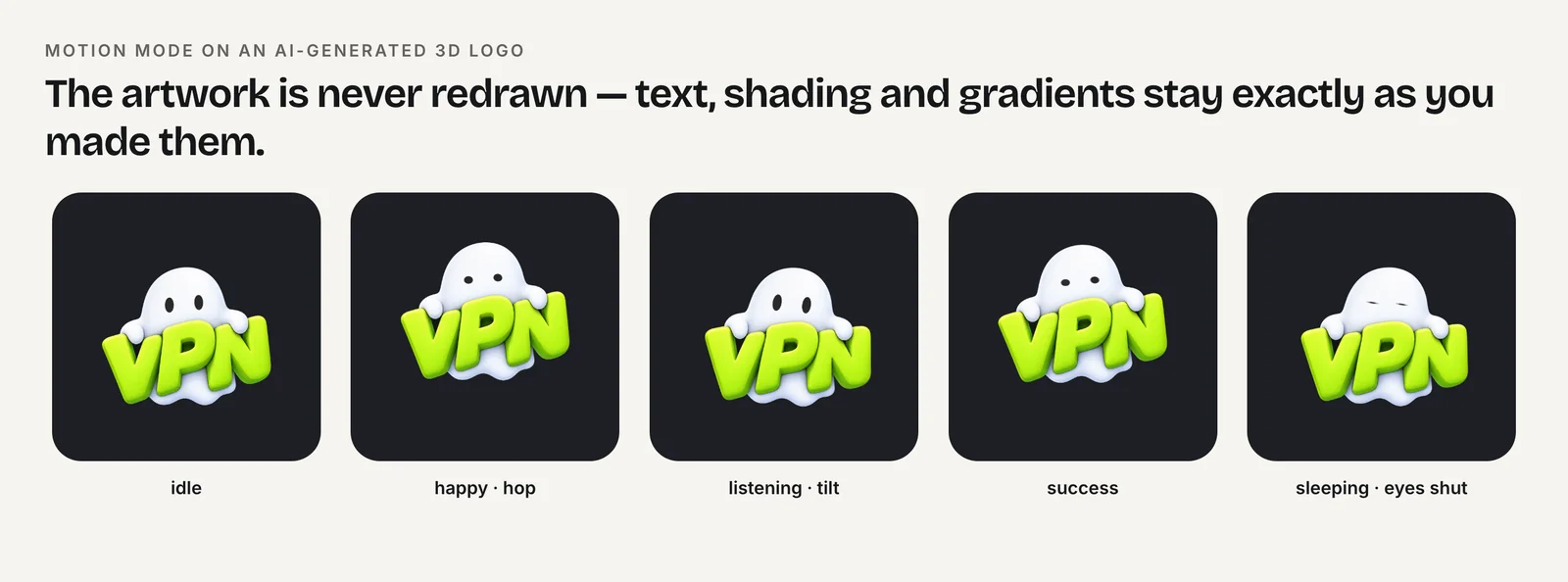
The assistant asks before any step that uses your plan. To use your own image, share a public https link (PNG, JPEG or WebP, at least 512 px, up to 10 MB; logos can also be SVG), since most assistants can't pass an attached file to a tool yet. Setup for Claude, Claude Code, Cursor, VS Code and Codex is on the MCP server page; plans are on pricing.
Animate a logo from an AI assistant over MCP
- Add the remote MCP server. In Claude use Customize, Connectors, Add custom connector; in Claude Code run claude mcp add --transport http; in Cursor or VS Code add the URL to mcp.json; in ChatGPT use Plugins, Add custom MCP server.
- Sign in with OAuth. When the client asks, sign in on the service's site in your browser and approve the permissions.
- Design or share the logo. Ask the assistant to design a logo, or share a public link to your own file, then check spelling and colors.
- Pick a concept. Ask for motion concepts and choose one before anything is built or uses your plan.
- Build and export. Let the build run, check progress with the status tool, then export the formats you need.
- Embed it. In your coding assistant, ask it to add the animation using the returned code and integration notes, with reduced motion handled.
Frequently asked questions
Do I need an API key to use a remote MCP server for animation?
Usually not. Servers that follow the MCP authorization spec use OAuth: your assistant opens a browser, you sign in to the service and approve access, and the client stores a token that only works for that server.
Why can't Claude connect to my MCP server?
Claude connects to custom connectors from Anthropic's cloud, so the server must be reachable on the public internet; servers on localhost or behind a firewall won't work without allowlisting. Free plans are also limited to one custom connector.
Can the same MCP server work in Cursor and in the Claude app?
Yes, if it is a remote server reachable over the internet. Add the same URL in each client you use and sign in from each one when it asks.
Sources
- What is the Model Context Protocol (MCP)?, Model Context Protocol
- Specification (revision 2026-07-28), Model Context Protocol
- Transports, Model Context Protocol
- Authorization, Model Context Protocol
- Get started with custom connectors using remote MCP, Claude Help Center
- Connect Claude Code to tools via MCP, Claude Code Docs
- Model Context Protocol (MCP), Cursor Docs
- Use MCP servers in VS Code, Visual Studio Code Docs
- MCP configuration reference, Visual Studio Code Docs
- Connect from ChatGPT, OpenAI Apps SDK
- Building MCP servers for ChatGPT and API integrations, OpenAI
- Web (JS) runtime, Rive
- Charmotion MCP server, Charmotion