Twitch Animated Emotes From a Mascot Animation
By the Charmotion team · Updated
Twitch animated emotes are square GIFs. Upload one GIF between 112×112 and 4096×4096 px, up to 1 MB, in auto-resize mode, or three GIFs at 28, 56 and 112 px, up to 512 KB each, in manual mode. Each GIF can have at most 60 frames and must not flash or flicker more than 3 times in one second.
Key takeaways
- Animated emotes must be square GIFs with no more than 60 frames.
- Auto-resize: one GIF from 112 to 4096 px, 1 MB max. Manual: 28, 56 and 112 px, 512 KB each.
- The first frame becomes the static thumbnail, so start on a readable pose.
- Pick reactions with a big silhouette change (nod, wave, jump); faces vanish at 28 px.
- Twitch's help page says animated emotes play on Android and web; check the page for current iOS support.
Already have a character or logo? See your character in real app screens: splash, onboarding, loading and empty-state screens. It's free, runs in your browser and uploads nothing.
What are Twitch's animated emote requirements?
From Twitch's Animated Emotes help page:
| Rule | Auto-resize mode | Manual mode |
|---|---|---|
| Files | One GIF | Three GIFs: 28×28, 56×56, 112×112 px |
| Size range | 112×112 to 4096×4096 px | Exact sizes above |
| File size | 1 MB max | 512 KB max each |
| Shape | Square (same height and width) | |
| Frames | 60 maximum | |
| Flashing | "Must not flash or flicker more than 3 times within a 1 second period" | |
| Thumbnail | First frame by default, or a custom static image | |
Animated emotes use their own slots. Affiliates start with 5 animated slots and can unlock up to 20; Partners can earn up to 60 Tier 1 animated slots plus 5 for Tier 2 and 5 for Tier 3. New uploads are reviewed by people unless you're eligible for instant upload, so expect "Pending Approval" for a while.
Twitch also notes that "Android users will see emotes animated throughout the app" while it is "still working to bring the animated experience to iOS users." Check on the devices your viewers use.
Which mascot animations make good emotes?
Emotes are reactions, so one-shot moves usually beat ambient loops. A mapping that works for most channels:
| Chat meaning | Mascot animation |
|---|---|
| Hi, welcome | wave |
| Hype, GG, win | success (celebrate) or happy |
| Agree, yes | yes (nod) |
| Nope, disagree | no (head shake) |
| Thinking, hmm | thinking |
| Lurk, sleepy, BRB | sleeping |
| Sad, F | sad |
| Look, alert | attention |
Each must read in under 3 seconds at 20 fps (60 frames). Short reactions fit naturally. For a loop, check that the cut point doesn't jump.
How do I keep an emote readable at 28 px?
28×28 is the size most viewers see in chat, and MakeEmoji's guide calls it "the real quality test for readability." What survives at that size:
- Silhouette changes. A whole-body nod, jump or wave. A subtle eyebrow raise disappears.
- A tight crop. Head and shoulders, filling the square. Empty margins waste most of 28 pixels.
- Thick outlines and few colors. GIF has a 256-color palette per frame anyway; at 28 px, fewer colors look crisper.
- A readable first frame. It doubles as the static thumbnail.
Use manual mode if auto-resize blurs your 28 px version, and make that size from the same crop as the 112 px one so the set stays consistent.
How do I convert a transparent WebM into Twitch emote GIFs?
Start from a transparent master, such as a VP9-alpha WebM of one reaction. For auto-resize mode, one 512 px GIF capped at 60 frames:
ffmpeg -c:v libvpx-vp9 -i reaction.webm -t 3 -filter_complex "fps=20,scale=512:512:flags=lanczos,split[a][b];[a]palettegen=reserve_transparent=1[p];[b][p]paletteuse=alpha_threshold=128" -frames:v 60 -loop 0 emote.gifFor manual mode, the three sizes, with fewer colors and no dithering so small sizes stay clean:
for s in 112 56 28; do
  ffmpeg -c:v libvpx-vp9 -i reaction.webm -t 3 -filter_complex \
    "fps=20,scale=${s}:${s}:flags=lanczos,split[a][b];[a]palettegen=reserve_transparent=1:max_colors=128[p];[b][p]paletteuse=alpha_threshold=128:dither=none" \
    -frames:v 60 -loop 0 emote-${s}.gif
done
In our test on a 1.5-second reaction these produced 30-frame GIFs of 32 KB (112 px), 15 KB (56 px) and 7 KB (28 px), well under the limits. Then check:
- Frames:
-t 3atfps=20plus-frames:v 60keeps you at 60 or fewer. - Size: 1 MB for auto-resize, 512 KB per file for manual. Lower fps or
max_colorsif you're over. - Edges: GIF transparency is 1-bit, and chat can be light or dark, so a soft glow or shadow will fringe. Prefer hard outlines; see transparent GIF halos.
The -c:v libvpx-vp9 before -i matters: without it ffmpeg's default decoder drops the WebM's transparency.
Can Charmotion make Twitch emotes?
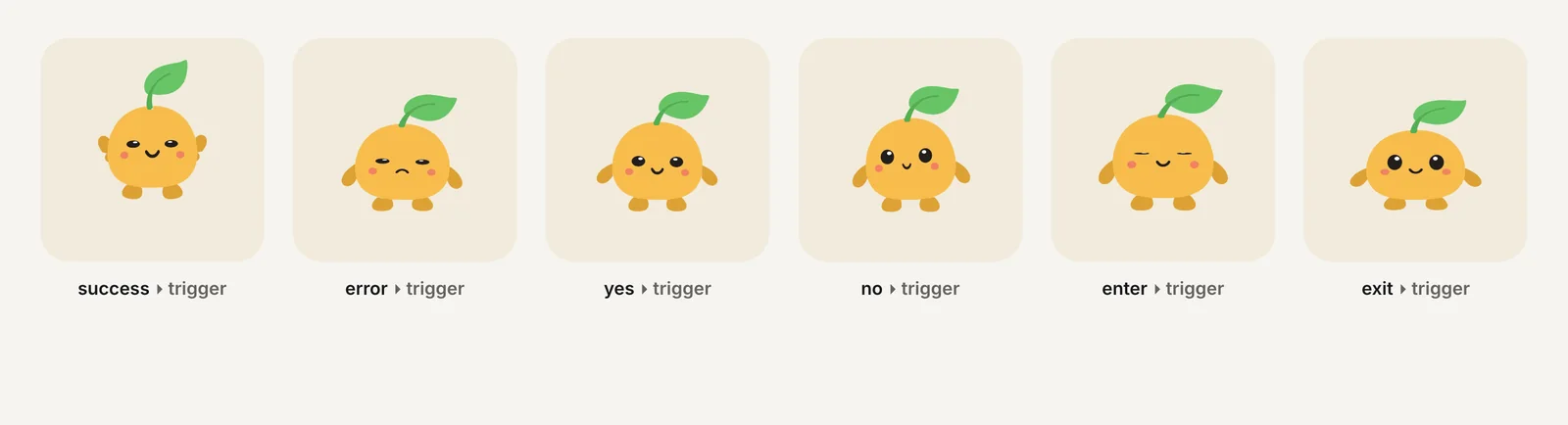
Not as a finished emote pack. Charmotion turns one image of your mascot into 17 animations, and every paid plan (from $20/month) includes each as a transparent 1080×1080 WebM that you can feed to the commands above. The reactions (success, yes, no) and moods (wave, sleeping, sad, thinking) map directly to the table. You do the cropping, sizing and upload.
The 480 px GIFs in every set are on a solid background, so they aren't suitable as transparent emotes. And if you only need simple motion on an existing static emote, Twitch's free Easy Animate applies Shake, Rave, Roll, Spin, Slide In or Slide Out to a PNG for you.
Frequently asked questions
Why don't my animated Twitch emotes move on iPhone?
Twitch's help page says animated emotes play throughout the Android app but that it is "still working to bring the animated experience to iOS users." Viewers can also turn off Emote Animations in chat settings, which applies on web and Android.
Can a Twitch animated emote be a WebM or APNG?
No. Twitch's animated emote upload takes square GIFs only: one GIF for auto-resize mode or three for manual mode. Convert WebM or APNG sources to GIF first, keeping the result to 60 frames or fewer.
Who can upload animated emotes on Twitch?
Affiliates and Partners, who get dedicated animated emote slots. Affiliates start with 5 and can unlock up to 20; Partners can earn up to 60 Tier 1 slots plus 5 each for Tier 2 and Tier 3. Uploads are reviewed unless you qualify for instant upload.
Quick answers from this guide
Sources
- Animated Emotes, Twitch Help
- Emote Guidelines, Twitch Help
- Twitch emote size guide, MakeEmoji
- FFmpeg filters documentation (palettegen, paletteuse), FFmpeg