Food Delivery App Mascots: Order Status to Moods
By the Charmotion team · Updated
Map each order status to one mascot state: order placed to a success reaction, preparing to a loading loop, driver arriving to attention, delivered to success, and cancelled to a brief sad loop or calm idle beside the refund details. Animate it in the app, attach GIFs to key pushes, and use small stills in Live Activities.
Key takeaways
- One status, one state; the ETA and the facts always live in text.
- Live Activities last up to eight hours, update within 4 KB of data and need images no larger than the presentation, so use small stills.
- Android Live Updates list food delivery tracking as an appropriate use and don't allow custom RemoteViews.
- iOS push attachments accept GIFs up to 10 MB; save them for placed, arriving and delivered.
- A character set has no map, route, scooter ride or walk cycle; tracking UI stays your own.
Already have a character or logo? See your character in real app screens: splash, onboarding, loading and empty-state screens. It's free, runs in your browser and uploads nothing.
Which mascot state fits each order status?
| Order status | State | Text beside it |
|---|---|---|
| Browsing, empty basket | idle (0) or wave (2) | Nearby restaurants |
| Order placed | success, then idle (0) | Order number, ETA |
| Restaurant accepted | yes | "The restaurant has your order" |
| Preparing | loading (5) | ETA, updated |
| Picked up, on the way | loading (5) or happy (1) | Courier name, ETA |
| Arriving, courier nearby | attention (9) | "Arriving in 2 min" |
| Delivered | success, then happy (1) | Delivery time, rate the order |
| Delayed | idle (0) | New ETA and the reason, if known |
| Cancelled | sad (4) once, or idle (0) | Refund amount and timing |
| Writing a review | listening (6) | None |
| Restaurants closed for the night | sleeping (8) | Opening time |
In code, keep the mapping in one place so every surface agrees. A Charmotion .riv takes a mood number for loops and triggers for one-shots (Rive inputs):
const MOOD = { idle: 0, happy: 1, wave: 2, sad: 4, loading: 5, listening: 6, sleeping: 8, attention: 9 };

const BY_STATUS = {
  placed:    { fire: "success", mood: MOOD.idle },
  accepted:  { fire: "yes",     mood: MOOD.loading },
  preparing: { mood: MOOD.loading },
  arriving:  { mood: MOOD.attention },
  delivered: { fire: "success", mood: MOOD.happy },
  delayed:   { mood: MOOD.idle },
  cancelled: { mood: MOOD.sad },
};

function showStatus(status) {
  const step = BY_STATUS[status];
  const inputs = rive.stateMachineInputs("CharacterStateMachine");
  if (step.fire) inputs.find((i) => i.name === step.fire)?.fire();
  const mood = inputs.find((i) => i.name === "mood");
  if (mood) mood.value = step.mood;
}
How playful can a delivery mascot be?
Playful at the ends, calm in the middle. Order placed and delivered are good moments for a reaction. Delays, cancellations, missing items and refunds are not.
- Delays: idle with a new ETA. No jokes about lateness and no sad face; a hungry user waiting longer doesn't want the app's feelings.
- Cancellations: if your brand is light, one short sad loop next to the refund details is acceptable, because the loss is shared and the next step is clear. If your brand is restrained, use idle.
- Missing or wrong items: no mascot on the support form. Plain text and a fast resolution.
- Never blame. Don't let the character imply the courier or the restaurant is at fault. NN/g's error-message guidance also advises against humor and blame in errors (NN/g).
Can the mascot appear in Live Activities and Live Updates?
Yes, as small still images that change with the status, not as a looping animation.
iOS Live Activities. Apple's documentation says a Live Activity can be active for up to eight hours, that static and dynamic data together can't exceed 4 KB, and that image assets must be no larger than the presentation size, or the system might fail to start it (Apple). The system animates only content changes, for up to two seconds (Apple). So:
- bundle a small PNG per mood in the widget extension,
- send only the status string in the update, and pick the image locally,
- let the system's image transition be the "animation" when the status changes.
Android Live Updates. Android's guidance lists "active food delivery tracking" as an appropriate use, requires styles such as ProgressStyle, and says the notification must not have a custom content view (Android Developers). The tracker icon can be updated dynamically, which is a natural place for a tiny mascot still.
The Live Activity and widget limits guide goes deeper on sizes and workarounds.
How do I add the mascot to push notifications?
On iOS, a notification service extension downloads the image and attaches it before the notification is shown. Attachments can be JPEG, GIF or PNG up to 10 MB, or video up to 50 MB (Apple). On Android, BigPictureStyle is documented around a bitmap, so send a still (Android Developers).
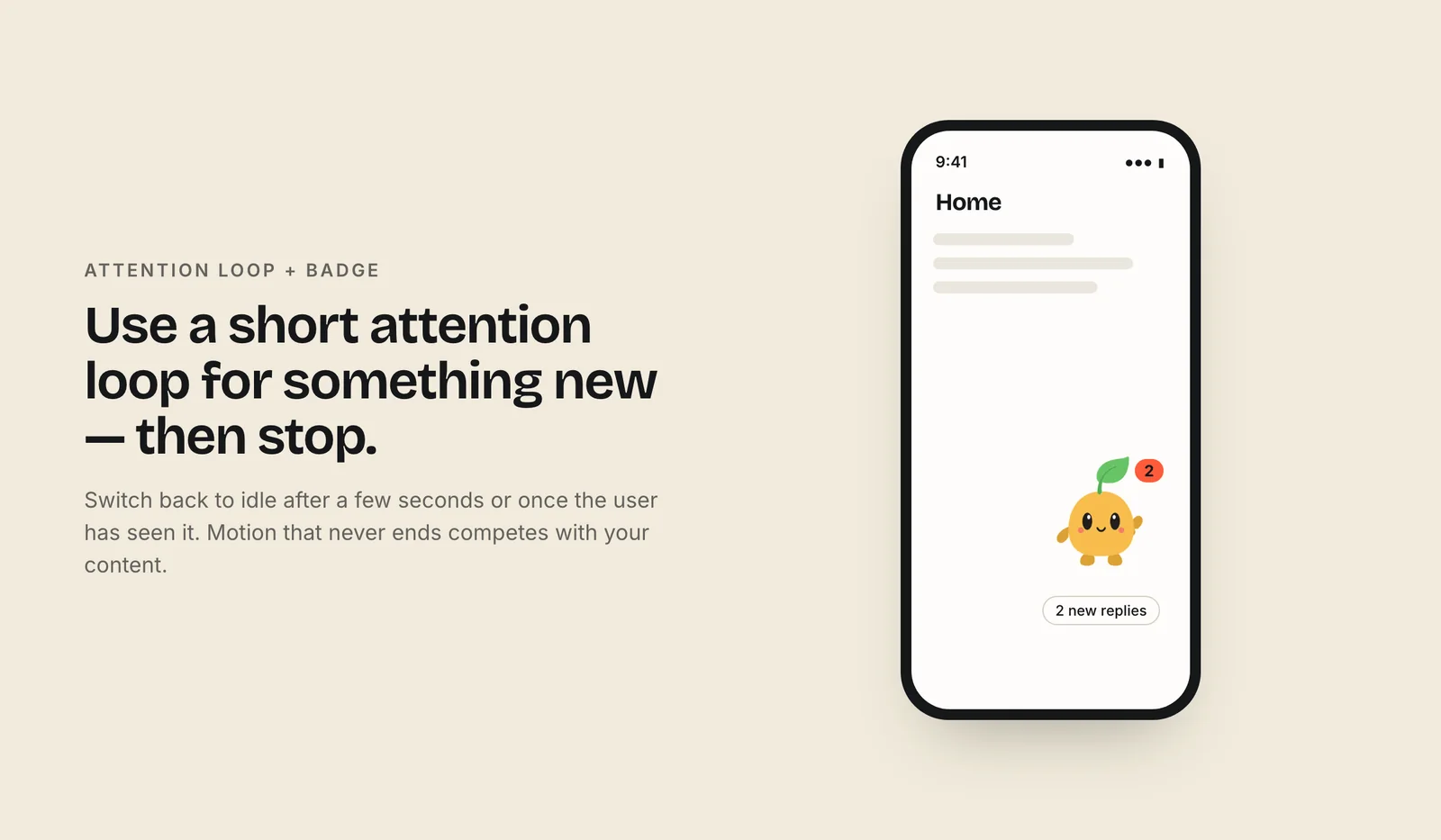
- Pick three moments. Order placed, arriving and delivered. An image on every status change is noise.
- Text first. The title and body must say everything; many users never expand the notification.
- Keep it small. A short GIF loads fast on a weak signal outside the door.
Which file goes on which surface?
| Surface | File |
|---|---|
| Order tracking screen | Rive .riv driven by status, or one MP4 per state |
| Live Activity, Live Update, widget | Small PNG stills, one per mood |
| iOS push | GIF attachment |
| Receipt email | GIF with the success pose first |
| Social and ads | 9:16 video |
Make stills from any clip with ffmpeg, for example ffmpeg -ss 0.5 -i arriving.mp4 -frames:v 1 arriving.png, then scale them to the presentation size.
What can't a mascot set do for delivery tracking?
A Charmotion set animates your one character in 17 ways: ten loops including loading, attention, happy, sad and sleeping, six one-shot reactions including success and yes, and a launch intro. That covers every status above. It doesn't include:
- a map, a route or a moving dot,
- the character riding a scooter or bike, walking, or carrying a bag,
- a progress bar or ETA countdown drawn into the animation,
- outfits such as a courier uniform.
Put the character next to your own progress component and map, not inside them. Every set covers MP4, 9:16 and GIF for push, email and social, plus the .riv and transparent video for the in-app tracker (paid plans, from $20/month).
Frequently asked questions
Should a delivery app mascot look sad when an order is late?
No. Use a calm idle state with the new ETA in text. A hungry customer waiting longer doesn't need the app's feelings, and jokes about lateness tend to backfire. Save sad, if you use it at all, for a cancellation shown next to clear refund details.
Can I put an animated mascot in an iOS Live Activity?
Not as a loop. Live Activities animate only content changes, for up to two seconds, keep update data within 4 KB and need images no larger than the presentation. Bundle a small still per mood in the widget extension and switch the image when the order status changes.
Which order updates deserve a push notification image?
Order placed, courier arriving and delivered. Those are the moments people look at their phone. Attach an image to those three and keep other updates text-only, so the mascot stays a signal rather than noise. The notification text must make sense without the image.
Quick answers from this guide
Sources
- Displaying live data with Live Activities, Apple Developer Documentation
- Animating data updates in widgets and Live Activities, Apple Developer Documentation
- Live updates, Android Developers
- UNNotificationAttachment, Apple Developer Documentation
- NotificationCompat.BigPictureStyle, Android Developers
- Error-Message Guidelines, Nielsen Norman Group
- Inputs (web runtime), Rive