Mascot Animation States: Loading, Success, Error
By the Charmotion team · Updated
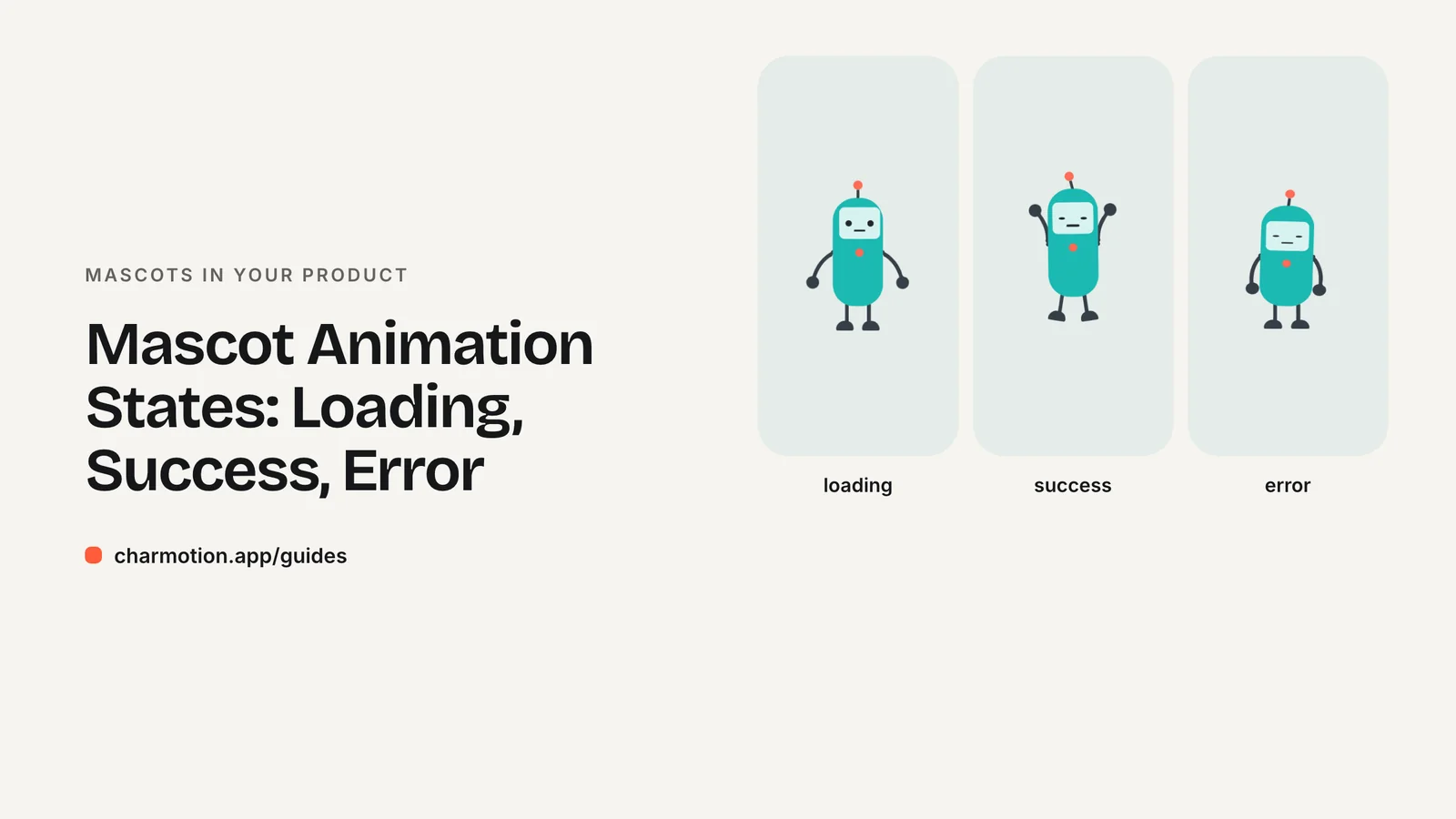
An app mascot needs loops for ongoing conditions (idle, loading, empty, attention) and one-shots for events (success, error, greeting). Map each app event to one state, return to idle when it ends, and stop looping when nothing is happening. Most apps are well covered by six to eight states.
Key takeaways
- Loops describe a condition that lasts; one-shots describe an event that just happened.
- Skip the loading animation for waits under about a second, and switch to a progress bar past ten seconds.
- Every one-shot should return to the current loop, so the mascot never gets stuck mid-reaction.
- Motion that runs longer than five seconds next to other content needs a way to pause or stop it under WCAG 2.2.2.
Which mascot states cover most app moments?
Start from your app's events, not from a list of cute animations. This table covers what most apps need:
| App event | Mascot state | Type |
|---|---|---|
| App open, nothing happening | Idle (breathing, blinking) | Loop |
| Request or upload in progress | Loading | Loop |
| AI is generating or processing | Thinking | Loop |
| List, inbox or search is empty | Sleeping or calm idle | Loop |
| New message, unread item | Attention | Loop |
| Save, payment or task completed | Success | One-shot |
| Request failed, validation error | Error | One-shot |
| First launch, onboarding step | Wave or enter | One-shot |
| User confirms or declines | Yes / no | One-shot |
| Mascot leaves the screen | Exit | One-shot |
Two rules keep this manageable. Only one loop is active at a time. One-shots play over the current loop and hand back to it when they finish. That is exactly how a Rive state machine is usually wired: a number or enum picks the loop, triggers fire the reactions.
Before adding a state, ask where it will appear and what triggers it. If you cannot name a screen and an event, leave it out. It is also worth listing which screens should never show the mascot, such as settings, checkout forms and anything where users need to concentrate. A character in the wrong place costs more attention than it earns.
When should the mascot show loading vs thinking?
Use loading for mechanical waits: network calls, uploads, saving. Use thinking when the product is doing something that feels like work on the user's behalf, such as generating text, analyzing a photo or planning a route. The distinction is about tone. Thinking implies an answer is coming.
Timing matters more than the animation itself. Nielsen Norman Group's guidance on progress indicators:
- Under about 1 second: show no indicator. A flash of animation feels like a glitch.
- About 2–10 seconds: a looped indicator, which is where a loading or thinking mascot fits.
- Over 10 seconds: a percent-done or step indicator, because a loop alone stops reassuring people.
(NN/g, progress indicators). In practice, start the loading state after a short delay so fast responses never trigger it. For long jobs, keep the mascot but add a progress bar or a status line next to it.
For deeper timing advice, see animation duration and loading UX.
How should success and error one-shots feel?
One-shots should be short and unmistakable. The user has just done something and wants confirmation, not a show.
- Success: a quick hop, nod or small celebration. Keep it proportional. Saving a draft deserves a nod; finishing a 30-day streak can earn more.
- Error: sympathetic, not comic. A wince or shrug works. Never make the mascot look like it is laughing at the user. Always pair it with a text message that says what went wrong and what to do.
- Yes / no: a nod or head shake for confirmations, quizzes and choices.
Keep reactions brief. Material Design's motion guidance puts typical mobile transitions around 300 ms and notes that durations above 400 ms can feel slow (Material Design). A character reaction can run longer than a UI transition because it carries emotion, but it should finish well inside the time the user spends reading the result.
Do not block the interface while a one-shot plays. The user should be able to tap the next button immediately. When the reaction ends, the mascot returns to whatever loop was active, usually idle.
What should the mascot do on empty states and onboarding?
Empty states are the most common place a mascot earns its keep. An empty inbox or a "no results" screen is a moment of nothing, and a calm character fills it without adding noise. Good choices:
- A sleeping or slow idle loop for "nothing here yet."
- A thinking pose for "no results," next to suggestions for a new search.
- A pointing or attention pose aimed at the button that fixes the empty state, such as "Add your first project."
Onboarding suits an enter or wave one-shot on the first screen, followed by idle. Avoid replaying the greeting on every screen of the flow. Once is a welcome; five times is a delay. If the mascot appears on each step, use small reactions (a nod when a step is completed) rather than repeating the entrance.
When the user leaves the flow, an exit one-shot can take the character off screen cleanly instead of cutting it mid-pose.
When should a mascot ask for attention?
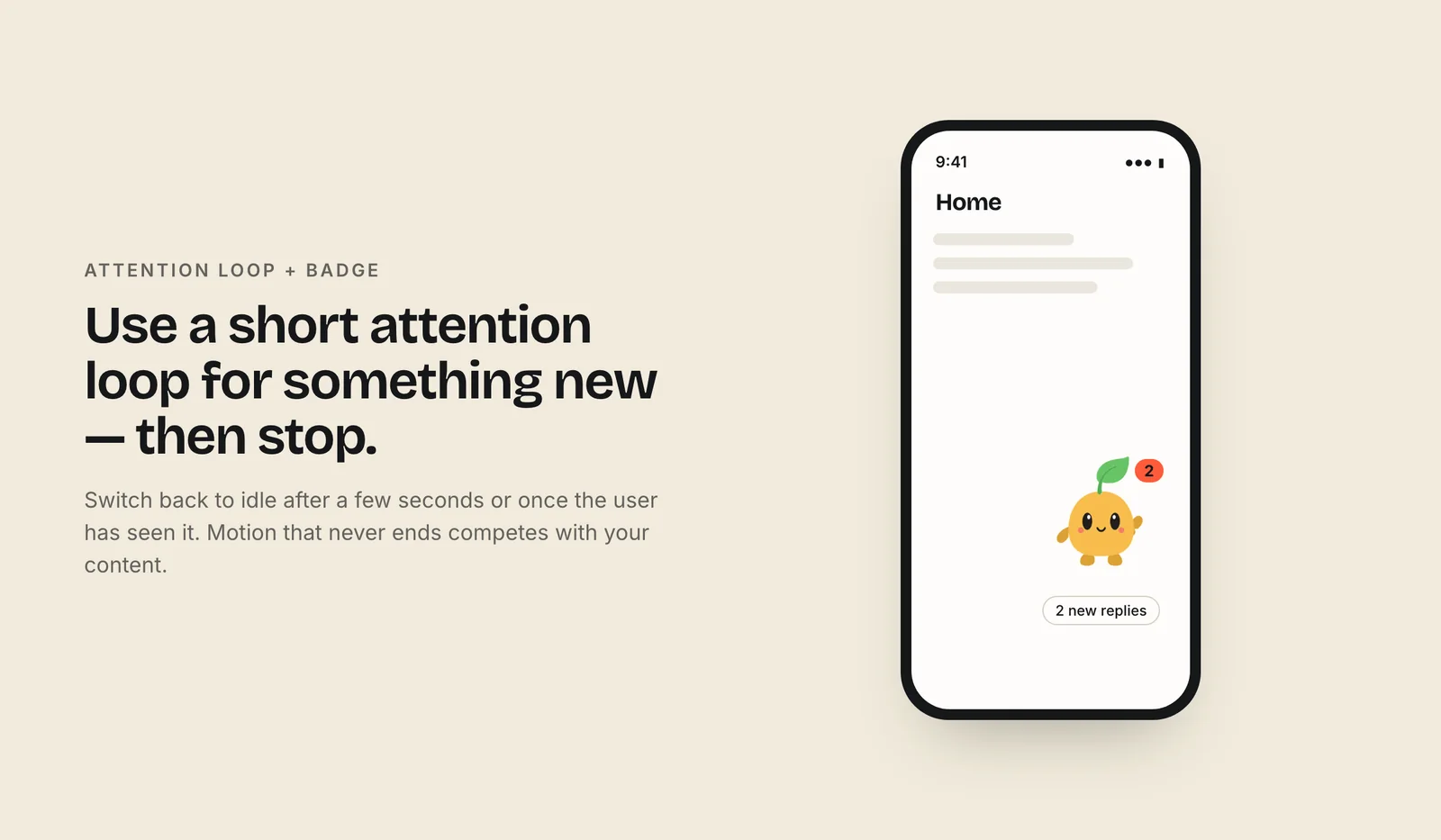
An attention loop is the most powerful state and the easiest to overuse. Reserve it for something the user would genuinely want to know about: a new message, a reward ready to claim, a step they have not completed.
Guidelines:
- Tie it to a real, visible signal such as a badge or banner. The mascot reinforces the signal; it is not the only signal.
- Stop the loop as soon as the user opens the item or dismisses it.
- Do not stack attention with other motion on the same screen.
- Cap how long it runs. After a few cycles, drop back to idle and leave the badge in place.
Never use attention to push upsells on a loop. Users learn quickly to ignore a character that always wants something, and that also weakens the state for moments that matter.
How do I wire mascot states to app events?
Keep one small function that translates app state into mascot state. The rest of your code never talks to the animation directly.
// mood numbers: 0 idle, 5 loading, 8 sleeping, 9 attention
function mascotMood(app) {
  if (app.isLoading && app.elapsedMs > 800) return 5;
  if (app.unread > 0) return 9;
  if (app.items.length === 0) return 8;
  return 0;
}

// one-shots are triggers, fired on events
onSaveSucceeded(() => mascot.fire("success"));
onSaveFailed(() => mascot.fire("error"));
In Rive, the loop is usually selected with a number input and reactions with trigger inputs. With the legacy input API you set a number input's value and call fire() on a trigger (Rive docs). Rive now recommends data binding (view models) for new work; existing input-based files keep working (Rive migration guide).
Charmotion's Rive files follow this pattern: a mood number from 0 to 9 picks one of ten loops, and success, error, yes, no, enter and exit are triggers that return to the current mood when done. See Rive state machines for framework code.
How do I keep mascot motion from annoying users?
A mascot that never stops moving becomes wallpaper at best and a distraction at worst. Build restraint in from the start:
- Respect reduced motion. On the web, check
prefers-reduced-motion: reduce(MDN). In SwiftUI, readaccessibilityReduceMotion. Show a static pose instead of loops. - Offer pause or stop. WCAG 2.2 SC 2.2.2 requires a way to pause, stop or hide motion that starts automatically, lasts more than five seconds and appears alongside other content, unless it is essential (W3C). A loading animation during which nothing can be done can count as essential.
- Let it rest. After a period of no interaction, settle into a still pose. Rive state machines can settle and stop advancing when nothing changes, which also saves battery (Rive docs).
- No flashing. Nothing should flash more than three times per second.
- One character per screen. Two animated mascots compete for attention.
- Watch for repetition. A success reaction that is charming the first time can grate on the fiftieth. For actions users repeat constantly, use a smaller reaction or none.
More detail in accessible animation and reduced motion.
Frequently asked questions
What animation states does an app mascot need?
Most apps need idle, loading, success and error first. Then add an empty-state loop such as sleeping, a greeting for onboarding, and an attention loop for notifications. Chat and voice features also need listening, thinking and talking states. Add each one only where it maps to a real event.
What is the difference between a loop and a one-shot?
A loop repeats for as long as a condition is true, such as loading while a request runs. A one-shot plays once in response to an event, such as success after a save, and then hands control back to the loop that was active before it started.
Should I show a loading animation for fast requests?
No. Nielsen Norman Group recommends no indicator for waits under about one second, because a brief flash of animation feels like a glitch. Delay the loading state slightly so fast responses never show it, and add a progress bar for waits over ten seconds.
Does an animated mascot need a pause button?
Often, yes. Under WCAG 2.2 SC 2.2.2, motion that starts automatically, lasts over five seconds and sits beside other content needs a pause, stop or hide option unless it is essential. Settling into a still pose after a few seconds also avoids the issue.
Sources
- Progress Indicators Make a Slow System Less Insufferable — Nielsen Norman Group
- Duration & easing — Material Design
- Understanding SC 2.2.2: Pause, Stop, Hide — W3C WAI
- prefers-reduced-motion — MDN Web Docs
- accessibilityReduceMotion — Apple Developer Documentation
- State Machines (web runtime) — Rive
- Inputs (web runtime) — Rive
- Data Binding migration guide — Rive