How to Make an Animated Mascot for Your App
By the Charmotion team · Updated
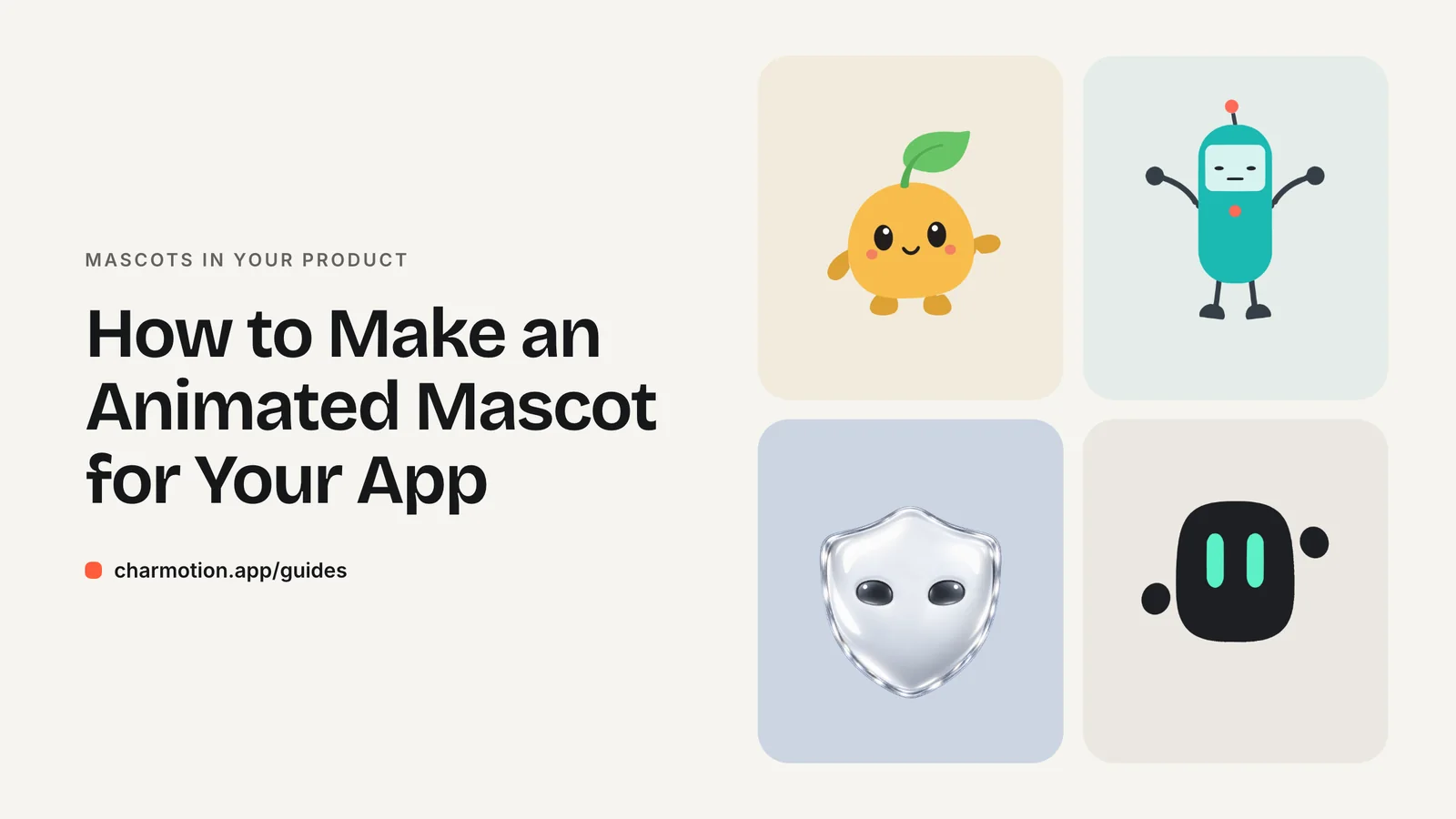
To make an animated mascot for your app, design a front-facing character from flat, clearly separated shapes, decide which app states it must cover, then animate those states as loops and one-shots. You can hire an animator, rig it yourself in Rive or After Effects, or use an automated service.
Key takeaways
- Design for motion first: flat shapes, separate parts (eyes, mouth, arms) and a front view are far easier to rig.
- Plan states before animating. Most apps need idle, loading, success, error, an empty state and a greeting.
- Ship one interactive file (Rive or dotLottie) for in-app use and video files for marketing and app store previews.
- Cost and time scale with the number of states and how hand-crafted the motion is, not with the size of the character.
Why do apps use animated mascots?
A mascot gives your product a face for moments that are otherwise dead air or bad news. A spinner says "wait." A character that looks busy says "we're on it." An error screen with a sympathetic shrug reads less like a crash and more like a hiccup.
The best-known example is Duolingo. Its team built character lip sync on Rive state machines, so the same characters can react and talk across every course without a separate video for each line (Duolingo blog).
You do not need Duolingo's scale to get the benefit. A small app usually gets most of the value from a handful of states placed where users already pause:
- Waiting: loading, uploading, generating.
- Nothing here yet: empty lists, first launch, no search results.
- Outcomes: a completed purchase, a saved file, a failed request.
- Hellos and goodbyes: onboarding, sign-in, a feature tour.
The mascot should support the interface, never replace it. Keep text labels and buttons doing the real work, and let the character set the tone.
How should you design a mascot so it is easy to animate?
Most animation pain comes from decisions made in the drawing stage. A character that looks great as a single illustration can be very hard to move. Before you commit to a design, check it against this list:
- Front-facing pose. A front or near-front view lets eyes, mouth and arms move symmetrically. Side views and three-quarter turns need extra drawings for every state.
- Flat, solid shapes. Solid fills and clean outlines deform cleanly. Heavy textures, photographic detail and complex gradients make rigging harder.
- Separate parts. Keep body, eyes, mouth, arms and accessories on their own layers or groups. If the eyes are baked into the head, you cannot blink.
- Simple silhouette. A readable outline at 48–64 px means the character still works in a toolbar or a list row.
- Room to move. Leave space around the character in the canvas so a hop or a wave does not get clipped.
- Plain background. Deliver the character on a transparent or single-color background, not inside a scene.
If you already have a mascot that breaks some of these rules, it can still be animated. It just limits which techniques work, as covered in the PNG section below.
What states should an app mascot have?
Think in two kinds of animation. Loops run for as long as a condition is true, like loading or listening. One-shots play once in response to an event, like success or error, then hand back to whatever loop was running.
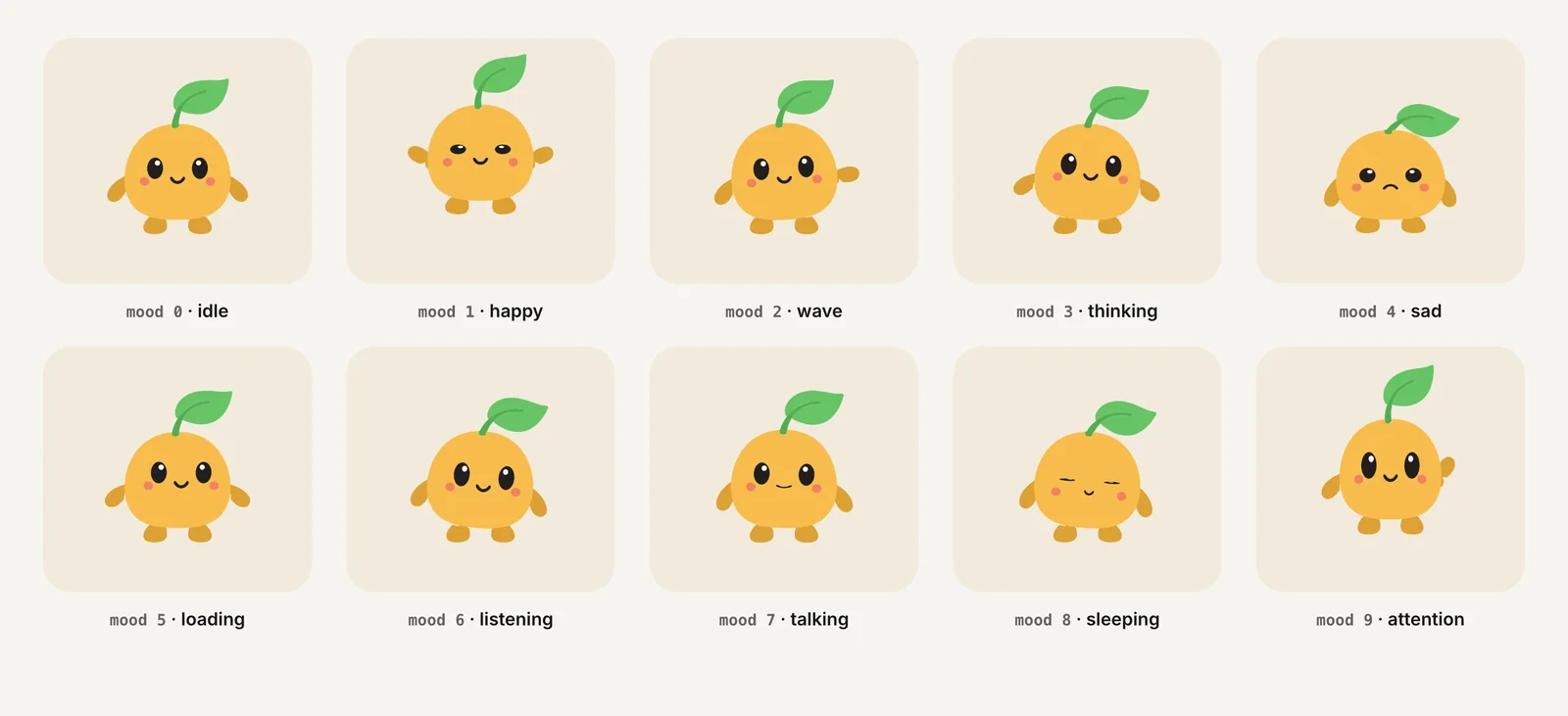
A practical starter set:
| State | Type | Typical use |
|---|---|---|
| Idle | Loop | Default resting pose with blinks |
| Loading / thinking | Loop | Requests, uploads, AI generation |
| Sleeping or calm | Loop | Empty states |
| Attention | Loop | Something new to look at |
| Success | One-shot | Completed action |
| Error | One-shot | Failed action |
| Wave / enter | One-shot or loop | Onboarding and greetings |
Add listening and talking if the mascot fronts a chat or voice feature. The guide on mascot animation states maps each one to specific app events.
Decide early how every one-shot ends. The cleanest rule is that a reaction always returns to the loop that was running before it, so a success during loading goes back to loading, and a success during idle goes back to idle. Write that rule down for whoever animates the character, because it decides how the first and last frames of each one-shot must look.
What are your options for animating a mascot?
There are four realistic routes. They trade money for time and control in different ways.
| Option | Best when | Trade-off |
|---|---|---|
| Hire a character animator | The mascot is central to your brand and you want custom acting | Highest cost and longest schedule; revisions add up |
| Rig it yourself in the Rive editor | Someone on the team will learn rigging and state machines | Low cash cost, real learning curve |
| Lottie via After Effects | Your designers already work in After Effects | Strong for linear motion; interactivity lives in dotLottie state machines |
| Automated service | You need a full state set quickly from an existing image | Less bespoke acting than a hand-animated set |
Lottie renders After Effects animations exported as JSON with the Bodymovin plugin (lottie-web). The newer dotLottie format can bundle several animations and state machines in one file (dotLottie). Rive is built around state machines from the start, which suits a mascot that switches between many states; see Rive vs Lottie.
Charmotion is one example of the automated route. You upload a mascot image and get 17 animations, usually within 1–2 hours: ten loops selected by a mood number (0–9), six one-shot triggers and a launch intro. They come as one Rive file of about 35–45 KB plus MP4, GIF and transparent WebM and MOV files.
Can I animate an existing PNG mascot?
Yes, but how depends on what the PNG contains.
Flat vector-style artwork (solid fills, clear outlines) can be separated into parts, either by retracing it as vector shapes or by cutting the layers out. Once body, eyes, mouth and arms are separate, an animator can rig each part with bones and swap mouth shapes for talking.
Painted, 3D-rendered or gradient-heavy artwork is harder to split. Retracing it as vector usually loses the look. The alternative is to keep the original pixels and deform them: remove the background, place a mesh over the image, bind it to a few bones and bend the artwork for squash, stretch, tilts and hops. Blinks can be added by locating the eyes and animating just that region.
Whichever route you choose, the source image matters:
- Use the highest resolution you have, ideally 1,000 px or more on the short side.
- Prefer a front-facing character on a plain background.
- Avoid photos of real people or objects and side views, which most rigging approaches handle poorly.
The same techniques apply to logos; see how to animate a logo from a PNG.
Which format should I ship: Rive, Lottie or video?
Use an interactive format inside the product and video everywhere else.
- In the app or web app: a Rive file or a dotLottie file. One file holds every state, and your code switches between them. Rive's official runtimes are open source under the MIT License (Rive docs).
- On a marketing site: transparent video works well for a single looping hero. Ship VP9 WebM with alpha for Chrome, Edge and Firefox, plus HEVC with alpha for Safari, which drops the WebM alpha channel (Jake Archibald).
- Social posts, app store previews, decks: MP4.
- Email and docs: GIF as a fallback preview only.
Video is simple to embed but each state is a separate file, and switching between clips is never as seamless as switching states in a state machine. For a full comparison, read GIF vs WebM vs MP4 vs Rive.
How long does mascot animation take and cost?
There is no reliable industry price list, so be wary of anyone quoting a single number. What drives cost and time is predictable, though:
- Number of states. Each loop and one-shot is its own piece of work. Ten states cost far more than three.
- Rigging effort. A character designed with separate parts rigs quickly. One flattened illustration may need to be redrawn first.
- Acting quality. Bespoke, hand-timed motion with personality takes longer than a reusable set of motions.
- Interactivity. Wiring a state machine and testing every transition adds time beyond drawing frames.
- Revisions. Agree on the number of revision rounds up front.
To keep a project small, start with idle, loading, success and error. Ship those, watch where users actually see the mascot, then add states. A mascot that appears in four well-chosen places beats one with twenty animations nobody triggers.
How to create an animated app mascot
- Design for motion. Draw a front-facing character with flat shapes and separate parts for body, eyes, mouth and arms, on a plain background.
- List your states. Pick the app moments the mascot covers and mark each as a loop (loading, idle) or a one-shot (success, error).
- Choose a production route. Hire an animator, rig it yourself in Rive or After Effects, or use an automated service, based on budget and timeline.
- Animate and wire the states. Build the loops and one-shots in one interactive file and connect them to app events through inputs or data binding.
- Export for each channel. Use Rive or dotLottie in the product, transparent WebM plus HEVC MOV on the web, and MP4 for social and store previews.
- Test with reduced motion. Check that the app falls back to a static pose when the user has asked the system to reduce motion.
Frequently asked questions
What is the easiest way to animate an app mascot?
The easiest way is to start from a flat, front-facing character with separate parts and use a tool built around states, such as the Rive editor or an automated service. Avoid starting with a painted side-view illustration, which needs far more manual work to rig and often has to be redrawn first.
Should my mascot be vector or raster?
Vector is easier to animate because each part can be moved and reshaped cleanly at any size. Raster artwork can still be animated by deforming its pixels with a mesh and bones, which keeps 3D shading and gradients that vector tracing would lose.
How many animations does an app mascot need?
Most apps need four to start: idle, loading, success and error. Add an empty-state loop, a greeting for onboarding and attention for notifications next. Chat and voice assistants also need listening and talking. Add new states only where the mascot will actually appear in your app.
Is Rive or Lottie better for a mascot?
Both work. Rive is designed around state machines, which suits a mascot that switches between many states. Lottie suits teams already animating in After Effects, and dotLottie now supports state machines too. Pick the one your team can produce and maintain.
Sources
- How Duolingo's characters lip sync (visemes) — Duolingo Blog
- Runtimes: getting started — Rive
- lottie-web — Airbnb on GitHub
- dotLottie — LottieFiles
- Video with alpha transparency on the web — Jake Archibald
- prefers-reduced-motion — MDN Web Docs