Rive State Machine: Inputs, Triggers & Moods
By the Charmotion team · Updated
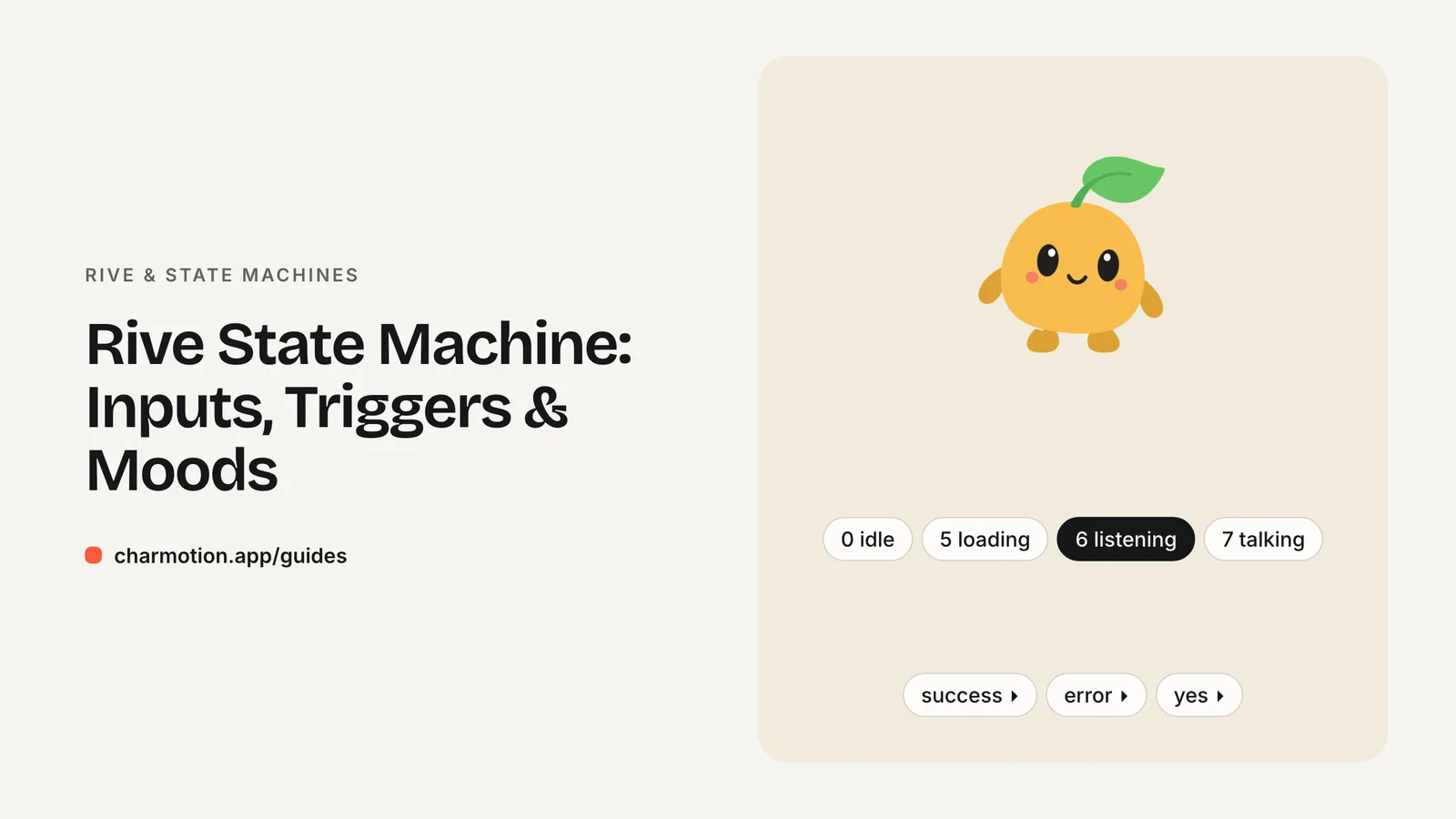
A Rive state machine is a graph inside a .riv file that decides which animation plays and when. States hold animations, transitions connect them, and conditions on transitions read values your code sets. Rive now recommends data binding (view models) for those values; the older number, boolean and trigger inputs still work.
Key takeaways
- States hold animations; transitions with conditions decide when to move between them.
- Inputs come in three types: number, boolean and trigger.
- Use numbers or booleans for persistent loops and triggers for one-shot reactions.
- Inputs are deprecated in favor of data binding, but existing files keep working.
What is a Rive state machine?
A state machine is the logic layer of a Rive file. It sits on top of timeline animations and answers one question every frame: what should be playing now?
- States usually hold a single animation, such as an idle loop, or a blend of several.
- Transitions are arrows between states. Each can have a duration, which makes Rive blend the outgoing and incoming animations instead of cutting.
- Conditions on transitions read values from outside the animation, such as "mood equals 5" or "success was fired".
- Special states: Entry runs first, Any State lets a transition fire from wherever the machine currently is, and Exit ends a layer.
- Layers let several state graphs run at once, for example body motion on one layer and blinking on another.
Your app never plays animations by name. It changes values, and the state machine reacts. That keeps animation logic inside the file, where the designer can tune it without code changes.
State machines can also settle: when the runtime detects that nothing will change further, it stops advancing, which saves work for static end states.
What are number, boolean and trigger inputs?
Inputs are the original way code talks to a state machine. There are three types:
| Type | Holds | Typical use |
|---|---|---|
| Number | A float you set and read | Choosing among many states, levels, progress |
| Boolean | true or false | An on/off state, such as hovered or muted |
| Trigger | A momentary event you fire | One-shot reactions: success, error, tap |
Trigger vs boolean is the common question. A boolean stays true until you set it false, so it suits conditions that last. A trigger is consumed by the transition that reads it, so it fires once and resets itself. Use a trigger when you would otherwise set a boolean true and immediately back to false.
A number input is the cleanest way to choose among many mutually exclusive loops. One mood number with values 0 to 9 replaces ten booleans that you would have to keep consistent yourself.
On the web, the legacy API returns inputs from stateMachineInputs(). Triggers have fire(); numbers and booleans have a value property:
import { Rive } from "@rive-app/webgl2";

const r = new Rive({
  src: "/character.riv",
  canvas: document.querySelector("canvas"),
  stateMachine: "CharacterStateMachine",
  autoplay: true,
  onLoad: () => {
    r.resizeDrawingSurfaceToCanvas();
    const inputs = r.stateMachineInputs("CharacterStateMachine");
    const mood = inputs.find((i) => i.name === "mood");
    const success = inputs.find((i) => i.name === "success");
    mood.value = 5;   // loading loop
    success.fire();   // one-shot reaction
  },
});
Query inputs inside onLoad; before the file loads they do not exist. Note the singular stateMachine option, which replaced stateMachines in web runtime v2.41.0.
How do looping states differ from one-shot triggers?
Most interactive characters need two kinds of motion:
- Loops represent an ongoing condition: idle, loading, listening, sleeping. They should play for as long as the condition is true, so they are selected by a persistent value (a number or boolean).
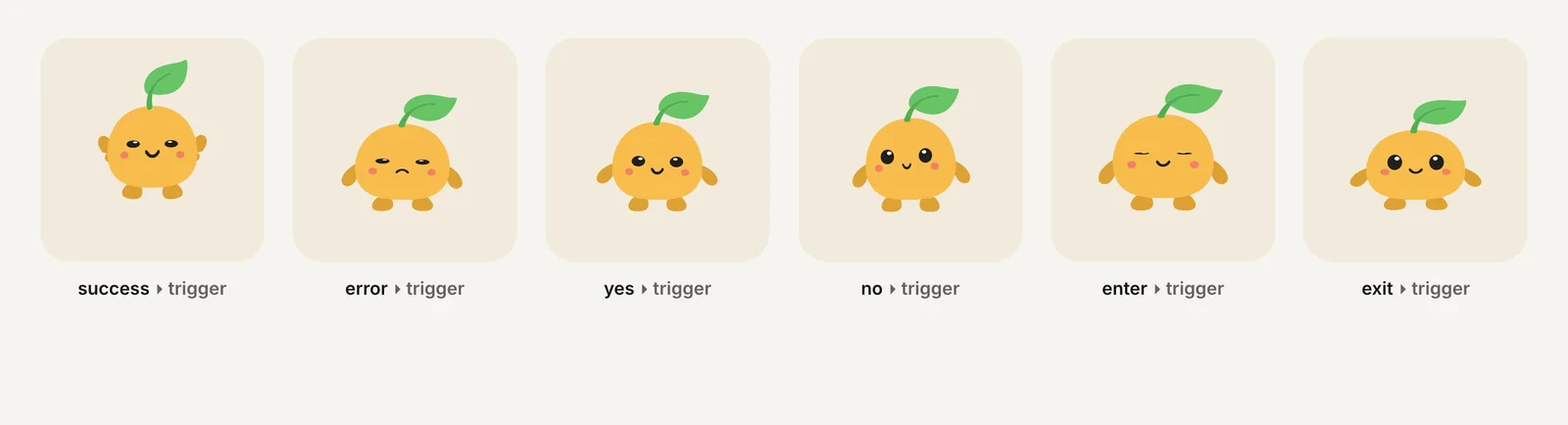
- One-shots represent an event: a payment succeeded, an upload failed, the user said yes. They play once and should then hand back to whatever loop is current, so they are fired by triggers.
The usual wiring is a transition from Any State to each one-shot, conditioned on its trigger, and an exit transition at the end of the one-shot that returns to the loop matching the current number value. Done this way, your code can set the loop and fire reactions independently without tracking what is playing.
Two details matter in practice. First, give loop-to-loop transitions a short blend duration so mood changes look smooth rather than snapping. Second, decide whether a loop change should interrupt a one-shot. Usually it should not: if a request finishes and you fire success and set the mood back to idle in the same frame, you still want the full success reaction to play.
Are Rive state machine inputs deprecated?
Yes. Rive has deprecated state machine inputs, and listening to events at runtime, in favor of data binding. Its runtime docs now open the inputs pages with a deprecation notice: use data binding for new projects, and plan to migrate existing ones.
Deprecated does not mean broken. Rive's migration guide states that you do not need to update existing files, and that inputs and events will continue to work as expected. Support differs by runtime, though:
- Web, React, Android and Flutter: input APIs still work.
- Apple: inputs work only in the legacy Apple runtime. The new Apple runtime supports data binding only.
- React Native: the Nitro runtime logs warnings for input methods in v0.5 and removes them in v0.6.
To migrate a file, open it in the Rive editor, choose Convert Inputs to View Models from the hamburger menu, then update your code to set values on the view model instead of inputs.
What is Rive data binding?
Data binding connects a view model, a typed set of properties defined in the editor, to anything in the file: state machine conditions, text, colors, positions. Your code gets a view model instance and sets its properties.
Compared with inputs, view model properties support more types. Inputs are limited to numbers, booleans and triggers; view models add strings, enums, colors, nested view models, lists, images and artboards. Properties can also be observed, so the animation can report values back to your code.
On the web, the equivalent of the inputs example looks like this:
const r = new Rive({
  src: "/character.riv",
  canvas: document.querySelector("canvas"),
  stateMachine: "CharacterStateMachine",
  autoplay: true,
  autoBind: true,
  onLoad: () => {
    const vmi = r.viewModelInstance;
    vmi.number("mood").value = 5;
    vmi.trigger("success").trigger();
    vmi.number("mood").on((event) => console.log(event));
  },
});
With autoBind: true, the runtime creates and binds the default view model instance for you. The property names here assume a file whose view model has mood and success properties. A file that only has inputs has no view model, so this code would find nothing; use the inputs API for those files.
How does Charmotion's mood input map to states?
Charmotion files follow the loop-plus-trigger pattern above with one number input and six triggers on a state machine named CharacterStateMachine.
mood | Loop | mood | Loop |
|---|---|---|---|
| 0 | idle | 5 | loading |
| 1 | happy | 6 | listening |
| 2 | wave | 7 | talking |
| 3 | thinking | 8 | sleeping |
| 4 | sad | 9 | attention |
Mood changes blend over 220 ms. The triggers success, error, yes, no, enter and exit each play a one-shot and then return to whatever mood is set. exit leaves the character hidden until enter is fired. Mood changes never cut a one-shot short. A second machine, LaunchStateMachine, plays a launch intro once and then idles.
Every Charmotion file ships both ways: pick CharacterViewModelMachine with autoBind: true and set viewModelInstance.number("mood") or fire viewModelInstance.trigger("success") for Data Binding, or pick the default CharacterStateMachine and use the input API above. Both machines hold the same 10 loops and 6 one-shots.
Frequently asked questions
How do I switch animations with a Rive state machine?
Change the value the state machine's transitions are listening to. Set a number or boolean input, or a view model property, and the matching transition moves to the new state. You do not call animations by name; the file's transition conditions decide what plays when a value changes.
What is the difference between a trigger and a boolean in Rive?
A trigger fires once and resets itself after a transition consumes it, so it suits one-shot events like success or tap. A boolean keeps its value until you change it, so it suits lasting conditions like hovered or muted. Use triggers for events and booleans for states.
Do I have to migrate my Rive files to data binding?
No, not immediately. Rive says existing files with inputs keep working. Migrate when you need the new Apple runtime or React Native Nitro v0.6+, or richer property types. The editor's Convert Inputs to View Models command handles the file side; you then update your runtime code.
Why can't my code find a state machine input?
Usually because the file has not finished loading, or a name does not match exactly. Query inputs in the onLoad callback, check that you passed the correct state machine name, and compare input names character by character, including case and spaces. Files converted to view models no longer expose inputs.
Sources
- Web runtime: State machines — Rive
- Web runtime: Inputs (legacy) — Rive
- Web runtime: Data binding — Rive
- Data binding migration guide — Rive
- Apple runtime: Inputs (legacy) — Rive
- React Native migration guide — Rive