Rive in Svelte and SvelteKit (Svelte 5 Guide)
By the Charmotion team · Updated
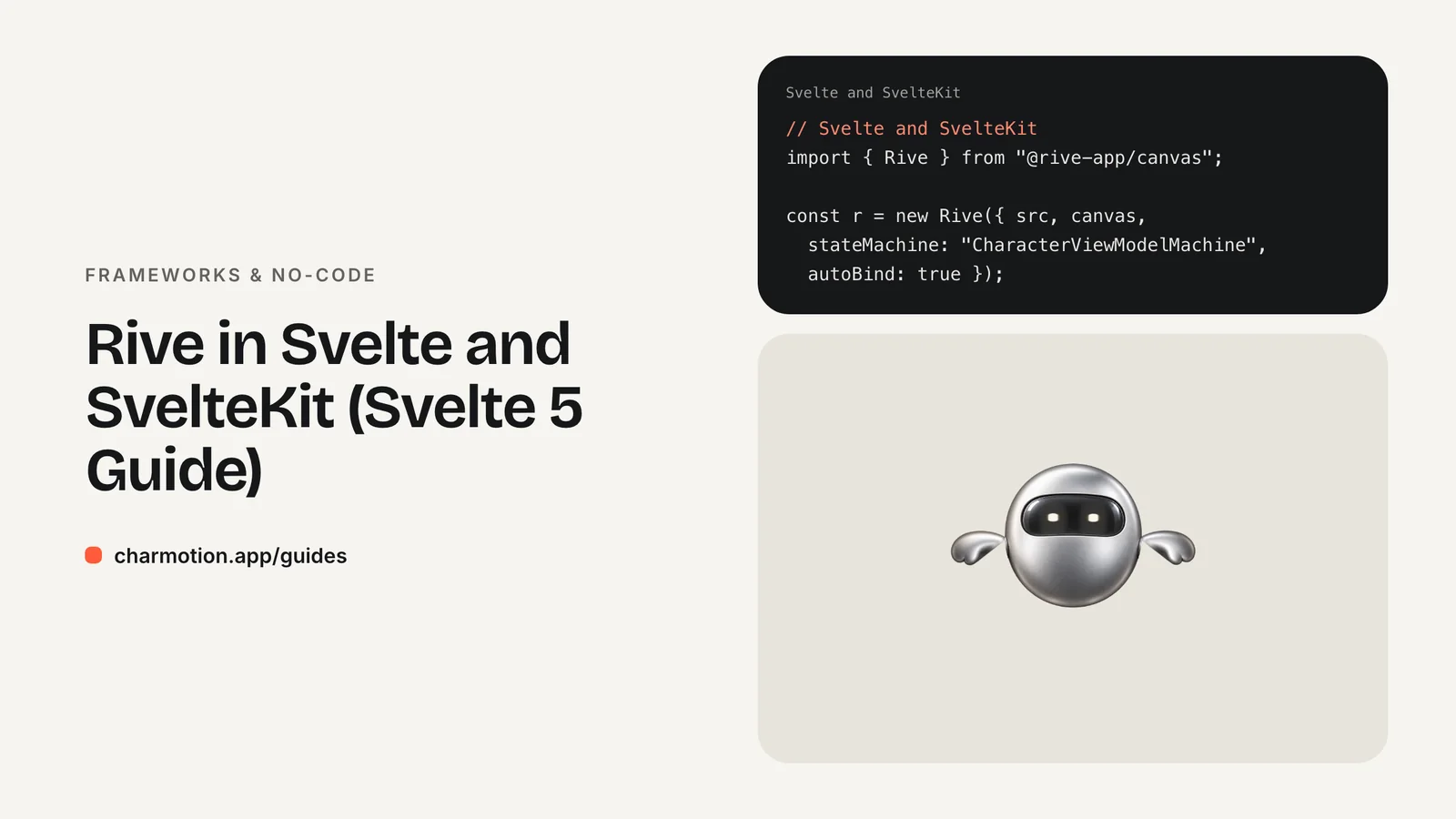
Svelte has no official Rive runtime, so you use the web runtime @rive-app/canvas directly. Create the instance inside onMount, which never runs during server rendering, with autoBind: true. Update the mood view model number from an $effect, fire triggers from event handlers, and return a synchronous cleanup that calls r.cleanup().
Key takeaways
- Rive lists no Svelte runtime;
@rive-app/canvasworks in any Svelte 5 component. onMountdoesn't run on the server, so SvelteKit SSR can stay on.- Keep the
onMountcallback synchronous so its returned cleanup function runs. - Hold the instance in a
$state.rawvariable so$effectre-runs once it exists. - Put .riv files in
static/and load them from the root path.
Does Rive have a Svelte package?
Not an official one. Rive's documentation covers official runtimes for the web, React, Apple, Android, Flutter, React Native and game engines, and lists four community runtimes: Angular, C#, Qt and RiveCMP. There is no Svelte or SvelteKit entry. Some community wrappers exist on npm, but they are small projects that may lag behind the runtime.
The dependable route is Rive's own web runtime, which is framework-agnostic. A Svelte component already gives you what it needs: a canvas element through bind:this, a mount hook and a teardown hook.
| Need | Package |
|---|---|
| Interactive character with states | @rive-app/canvas (or @rive-app/webgl2) |
| Linear Lottie clip | @lottiefiles/dotlottie-svelte |
Install with npm install @rive-app/canvas. Rive recommends the canvas package when a page shows many animations at once, since it isn't subject to the browser's WebGL context limit. The WebGL2 package has the same API if you need the Rive Renderer.
How do I mount Rive in onMount with SSR on?
Svelte's docs state that onMount does not run in a component rendered on the server, so creating the Rive instance there is SSR-safe without turning SSR off. Here is a complete Svelte 5 component:
<script>
  import { onMount } from "svelte";
  import { Rive } from "@rive-app/canvas";

  let { mood = 0 } = $props();
  let canvas;
  let r = $state.raw(null);

  onMount(() => {
    const instance = new Rive({
      src: "/character.riv",
      canvas,
      stateMachine: "CharacterViewModelMachine",
      autoplay: true,
      autoBind: true,
      onLoad: () => {
        instance.resizeDrawingSurfaceToCanvas();
        r = instance; // ready: the $effect below runs now
      },
    });
    return () => instance.cleanup(); // sync callback, so this runs
  });

  $effect(() => {
    const prop = r?.viewModelInstance?.number("mood");
    if (prop) prop.value = mood;
  });

  export function fire(name) {
    r?.viewModelInstance?.trigger(name)?.trigger();
  }
</script>

<canvas bind:this={canvas} width="320" height="320"
        role="img" aria-label="Animated mascot"></canvas>
The static import is fine in SvelteKit because nothing runs until onMount. If a bundler or package still complains during server rendering, import it dynamically inside the hook, or guard code outside components with browser from $app/environment.
How do I bind a mood prop to the view model with $effect?
$effect re-runs whenever a reactive value it read changes. In the component above it reads two: the mood prop and r. That is why r is declared with $state.raw and assigned in onLoad: the effect first runs with r still null, does nothing, and runs again the moment the file is ready, applying the initial mood. After that, every prop change writes straight to the view model.
$state.raw rather than $state matters. Plain $state makes objects deeply reactive with proxies, which you don't want around a WASM-backed runtime object. The raw variant only tracks reassignment.
A parent then drives the mascot with ordinary props and a component reference:
<script>
  import Mascot from "$lib/Mascot.svelte";
  let mascot;
  let saving = $state(false);

  async function save() {
    saving = true;                       // mood 5: loading
    try { await api.save(); mascot.fire("success"); }
    catch { mascot.fire("error"); }
    finally { saving = false; }          // mood 0: idle
  }
</script>

<Mascot bind:this={mascot} mood={saving ? 5 : 0} />
<button onclick={save}>Save</button>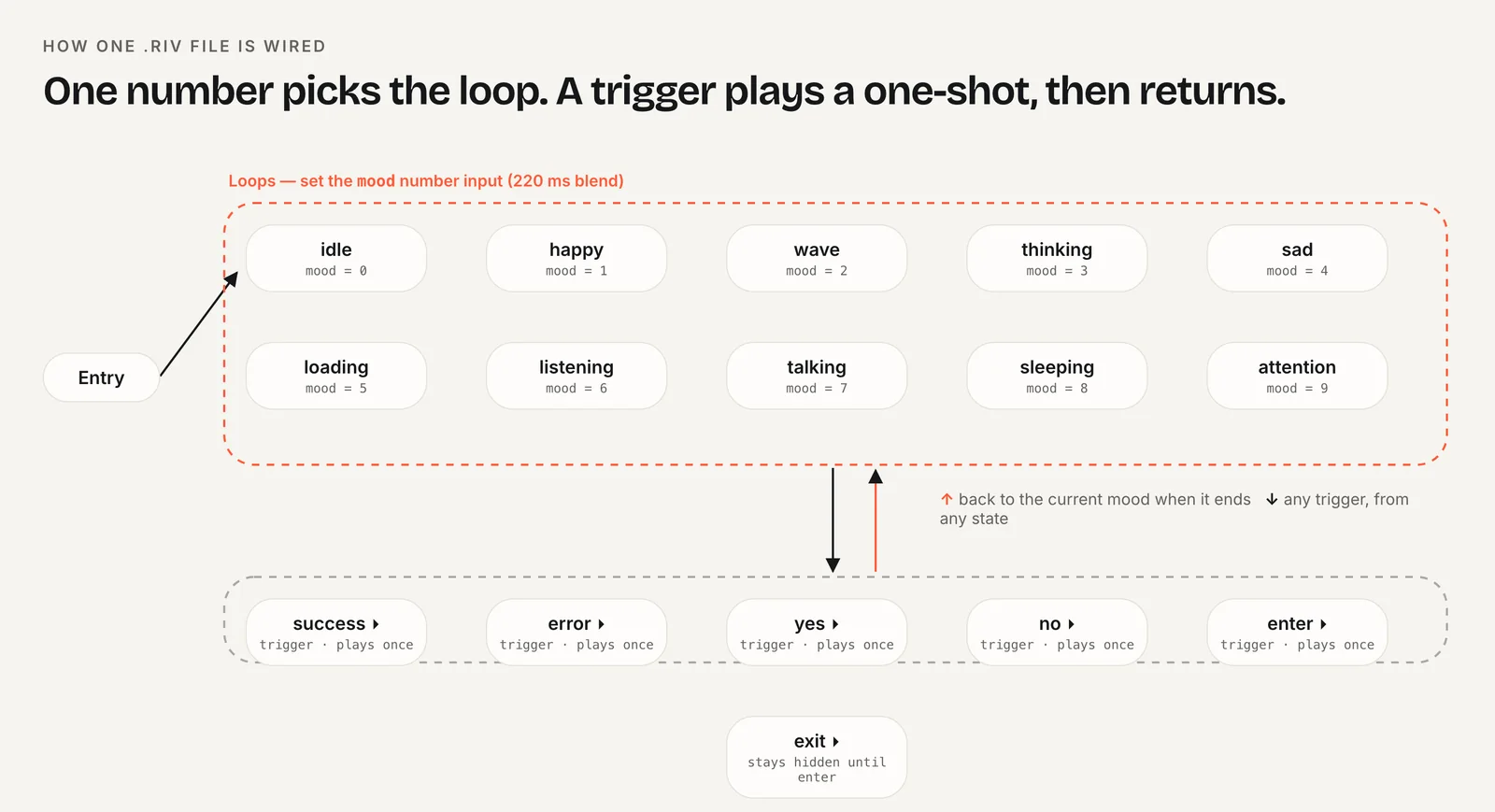
Moods are states, so they belong in props. Triggers are one-off events, so they go through the exported fire() function.
Where do I put .riv files in SvelteKit?
Put them in static/. SvelteKit serves that folder from the site root, so static/character.riv loads as /character.riv, exactly as in the component above. Files there are copied as-is, without hashing, so give a new name to a changed file (for example character-v2.riv) or set short cache headers if you replace it often.
A .riv file is usually small. The bigger download is the runtime's rive.wasm, which the web runtime fetches from unpkg by default. To serve it yourself, tell the runtime where it lives before the first instance is created:
import { RuntimeLoader } from "@rive-app/canvas";
import riveWasmUrl from "@rive-app/canvas/rive.wasm?url";

// Run once, before the first new Rive(...)
RuntimeLoader.setWasmUrl(riveWasmUrl);
Vite's ?url import copies the wasm into your build and returns its URL. Rive's docs require the wasm version to match the installed @rive-app package, and importing it from the package guarantees that. Self-hosting is worth doing for offline-capable apps, strict content security policies and pages that preload the mascot.
How do I clean up on destroy?
Return a function from onMount that calls cleanup() on the instance, as shown above. Rive's docs explain that cleanup() removes the low-level C++ objects created during the instance's lifetime; skipping it leaks memory on every navigation that remounts the component.
There is one trap. Svelte only uses the returned function when the callback passed to onMount is synchronous. An async callback returns a promise, so your cleanup is silently ignored. If you need to await a dynamic import, either use onDestroy for the cleanup or keep the outer callback synchronous:
onMount(() => {
  let instance;
  import("@rive-app/canvas").then(({ Rive }) => {
    instance = new Rive({ /* same options as above */ });
  });
  return () => instance?.cleanup();
});
Also stop work you started outside Rive: remove event listeners and disconnect any IntersectionObserver you used to lazy-start the animation.
How do I respect prefers-reduced-motion?
Check the media query before playing and keep the character still when it is set. prefers-reduced-motion reports the visitor's operating system setting and has two values, no-preference and reduce.
const reduce = matchMedia("(prefers-reduced-motion: reduce)").matches;

const instance = new Rive({
  // ...same options as above
  autoplay: !reduce,
});
With autoplay: false the runtime still draws the first frame of the state machine, so the mascot appears as a static pose. You can still set the mood so the pose matches the situation. Call this inside onMount, because matchMedia doesn't exist on the server.
For a ready-made file, Charmotion turns one character or logo image into 17 animations in about one to two hours, delivered as a single .riv with a Character view model: a mood number (0 idle, 1 happy, 2 wave, 3 thinking, 4 sad, 5 loading, 6 listening, 7 talking, 8 sleeping, 9 attention) and success, error, yes, no, enter and exit triggers, alongside MP4, GIF and transparent WebM and MOV exports.
Rive vs dotLottie in Svelte: which should I use?
Use dotLottie for a clip that plays the same way every time, and Rive for a character that reacts to your app.
- dotLottie:
npm install @lottiefiles/dotlottie-svelte, then render theDotLottieSveltecomponent with a .lottie or .json source. Good for success checks, onboarding illustrations and loaders. - Rive: one .riv holds idle, loading, success and every other state, with transitions handled by the state machine. Your Svelte code only writes a number or fires a trigger.
The deciding question is whether your code must say what happens next. If the answer is "keep looping until the request finishes, then celebrate", a state machine saves you from juggling several files and timing their hand-offs yourself. See Rive vs Lottie for the full comparison.
How to add a Rive character to a SvelteKit app
- Install the runtime. Run
npm install @rive-app/canvasand copy the .riv intostatic/. - Create the component. Bind a canvas with
bind:thisand create the Rive instance in a synchronousonMountwithautoBind: true. - Track readiness. Assign the instance to a
$state.rawvariable inonLoad. - Bind the mood. In
$effect, setr.viewModelInstance.number("mood").valuefrom the prop. - Fire triggers. Export a function that calls
trigger(name).trigger()on the view model. - Clean up. Return
() => instance.cleanup()fromonMount.
Frequently asked questions
Do I need to disable SSR to use Rive in SvelteKit?
No. Svelte documents that onMount doesn't run during server rendering, so creating the Rive instance there keeps the page server-rendered. Only the canvas markup is sent from the server, and the animation starts once the component mounts in the browser. Setting ssr = false for the route is unnecessary.
Why doesn't my onMount cleanup run?
Your onMount callback is probably async. Svelte only uses a returned cleanup function when the callback is synchronous, because an async function returns a promise instead. Keep the callback synchronous and handle the dynamic import with .then(), or move the cleanup into onDestroy.
Does this work in Svelte 4?
The runtime calls are the same. Replace $props() with export let mood = 0, replace $effect with a reactive statement such as $: if (r) setMood(mood), and make r a normal let. onMount, bind:this and the cleanup function work identically.
Quick answers from this guide
Sources
- Web (JS) runtime — Rive
- Web runtime: Data binding — Rive
- Preloading WASM — Rive
- Lifecycle hooks — Svelte
- $effect — Svelte
- $app/environment — SvelteKit
- dotlottie-web: players for web, React, Vue, Svelte and web components — LottieFiles on GitHub
- prefers-reduced-motion — MDN Web Docs