Rive in Vue 3 and Nuxt: Setup, Data Binding, SSR
By the Charmotion team · Updated
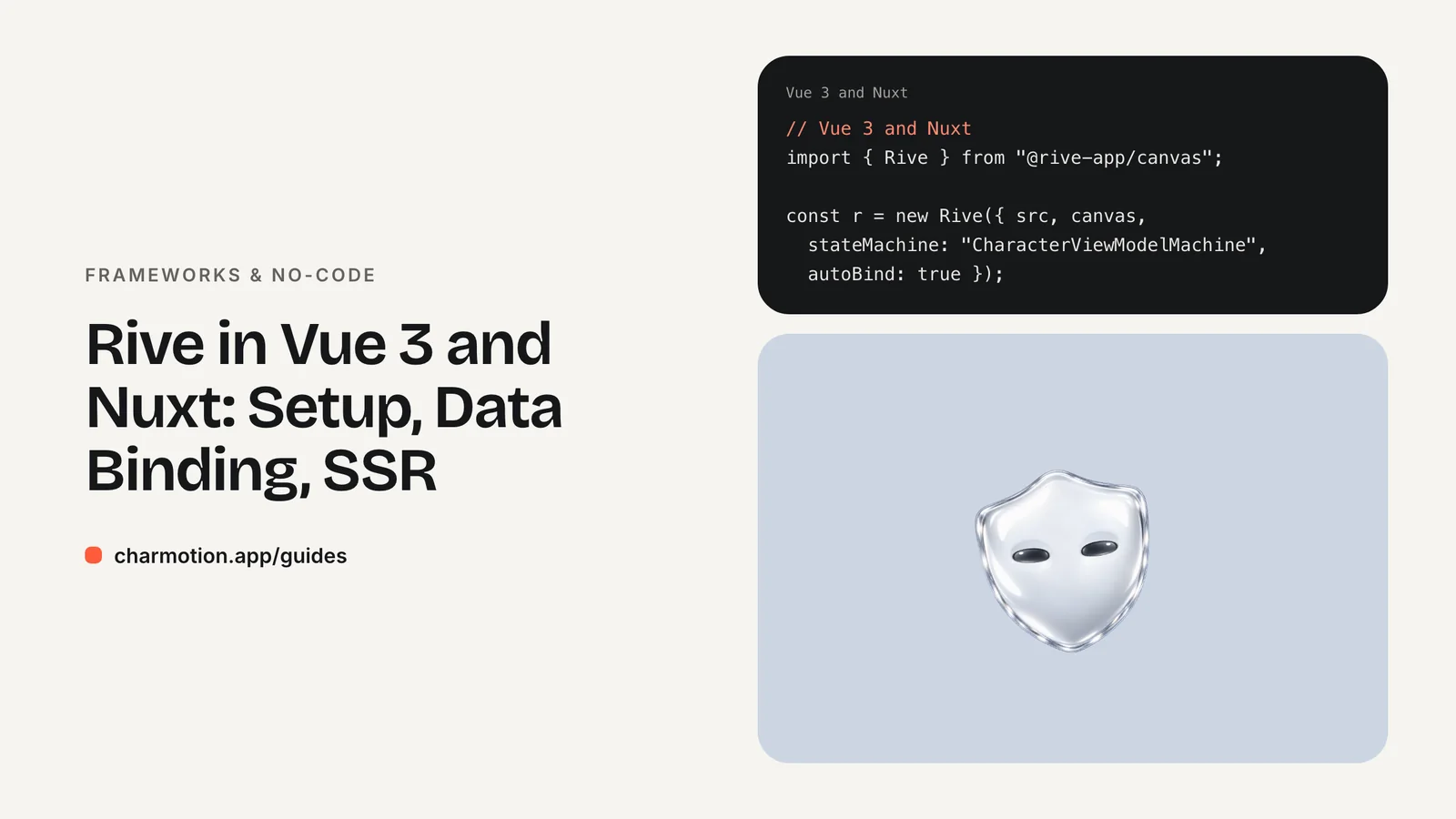
Rive has no official Vue runtime, so Vue 3 and Nuxt apps use the web runtime @rive-app/canvas directly. Create the Rive instance in onMounted with autoBind: true, set view model properties from a watcher, and call cleanup() in onUnmounted. In Nuxt, render the component client-only because canvas and WASM need a browser.
Key takeaways
- There is no Rive package for Vue;
@rive-app/canvasor@rive-app/webgl2works in any Vue 3 component. - Create the instance in
onMounted, never insetuptop level, and keep it out ofref(). - With
autoBind: true, setr.viewModelInstance.number("mood").valueand call.trigger("success").trigger(). - Call
r.cleanup()inonUnmountedto free the WASM objects. - In Nuxt, use a
.client.vuecomponent or<ClientOnly>to avoid server-side errors.
Is there an official Rive package for Vue?
No. Rive maintains official runtimes for the web (JavaScript), React, Apple platforms, Android, Flutter and React Native, among others. Its documentation lists four community runtimes (Angular, C#, Qt and RiveCMP for Compose Multiplatform) and none of them is for Vue. An older Rive help page that told Vue developers to use the web runtime has since been removed, and the advice still holds.
That is less of a gap than it sounds. The web runtime is framework-agnostic: it needs a <canvas> element, a .riv file and a state machine name. Vue gives you exactly the hooks you need to provide those at the right time.
| Need | Package | Notes |
|---|---|---|
| Rive in Vue or Nuxt | @rive-app/canvas | 2D canvas renderer; no WebGL context limit |
| Rive with advanced effects | @rive-app/webgl2 | Same API, Rive Renderer on WebGL2 |
| Lottie in Vue | @lottiefiles/dotlottie-vue | Official LottieFiles component |
| Nuxt server rendering | <ClientOnly> or .client.vue | Canvas and WASM are browser-only |
Rive describes @rive-app/canvas as suited to pages with many animated canvases because it isn't bound by the browser's WebGL context limit. Pick @rive-app/webgl2 if your file uses features that need the Rive Renderer; the code below is identical apart from the import.
How do I load a .riv in onMounted and clean it up in onUnmounted?
Install the runtime with npm install @rive-app/canvas and put the file in public/, which Vite and Nuxt both serve from the site root. Then create a component that owns one Rive instance:
<script setup>
import { watch, onMounted, onUnmounted, useTemplateRef } from "vue";
import { Rive, Layout, Fit } from "@rive-app/canvas";

const props = defineProps({ mood: { type: Number, default: 0 } });
const canvas = useTemplateRef("canvas");
let r = null; // plain variable: don't wrap the instance in ref()

function setMood(value) {
  const prop = r?.viewModelInstance?.number("mood");
  if (prop) prop.value = value;
}

function fire(name) {
  r?.viewModelInstance?.trigger(name)?.trigger();
}

onMounted(() => {
  r = new Rive({
    src: "/character.riv",
    canvas: canvas.value,
    stateMachine: "CharacterViewModelMachine",
    autoplay: true,
    autoBind: true,
    layout: new Layout({ fit: Fit.Contain }),
    onLoad: () => {
      r.resizeDrawingSurfaceToCanvas();
      setMood(props.mood);
    },
  });
});

watch(() => props.mood, setMood);
onUnmounted(() => r?.cleanup());
defineExpose({ fire });
</script>

<template>
  <canvas ref="canvas" width="320" height="320"
          role="img" aria-label="Animated mascot" />
</template>
Vue's onMounted runs after the component's DOM exists, so the canvas ref is set. useTemplateRef needs Vue 3.5; on older versions use const canvas = ref(null). Keep the Rive instance in a plain variable or shallowRef: a deep reactive proxy around a WASM-backed object adds overhead and can break identity checks inside the runtime.
cleanup() matters more than it looks. Rive's docs say it removes the low-level C++ objects created during the instance's life. Without it, every route change that remounts the mascot leaks memory.
How do I switch moods and fire triggers from Vue?
The component above already does both. The watch on props.mood writes the new value to the bound view model, and the exposed fire() method plays a one-shot reaction. A parent drives it like any other component:
<script setup>
import { ref, useTemplateRef } from "vue";
import CharacterRive from "./CharacterRive.vue";

const mascot = useTemplateRef("mascot");
const saving = ref(false);

async function save() {
  saving.value = true;               // mood 5: loading
  try {
    await api.save();
    mascot.value.fire("success");
  } catch {
    mascot.value.fire("error");
  } finally {
    saving.value = false;            // back to mood 0: idle
  }
}
</script>

<template>
  <CharacterRive ref="mascot" :mood="saving ? 5 : 0" />
  <button @click="save">Save</button>
</template>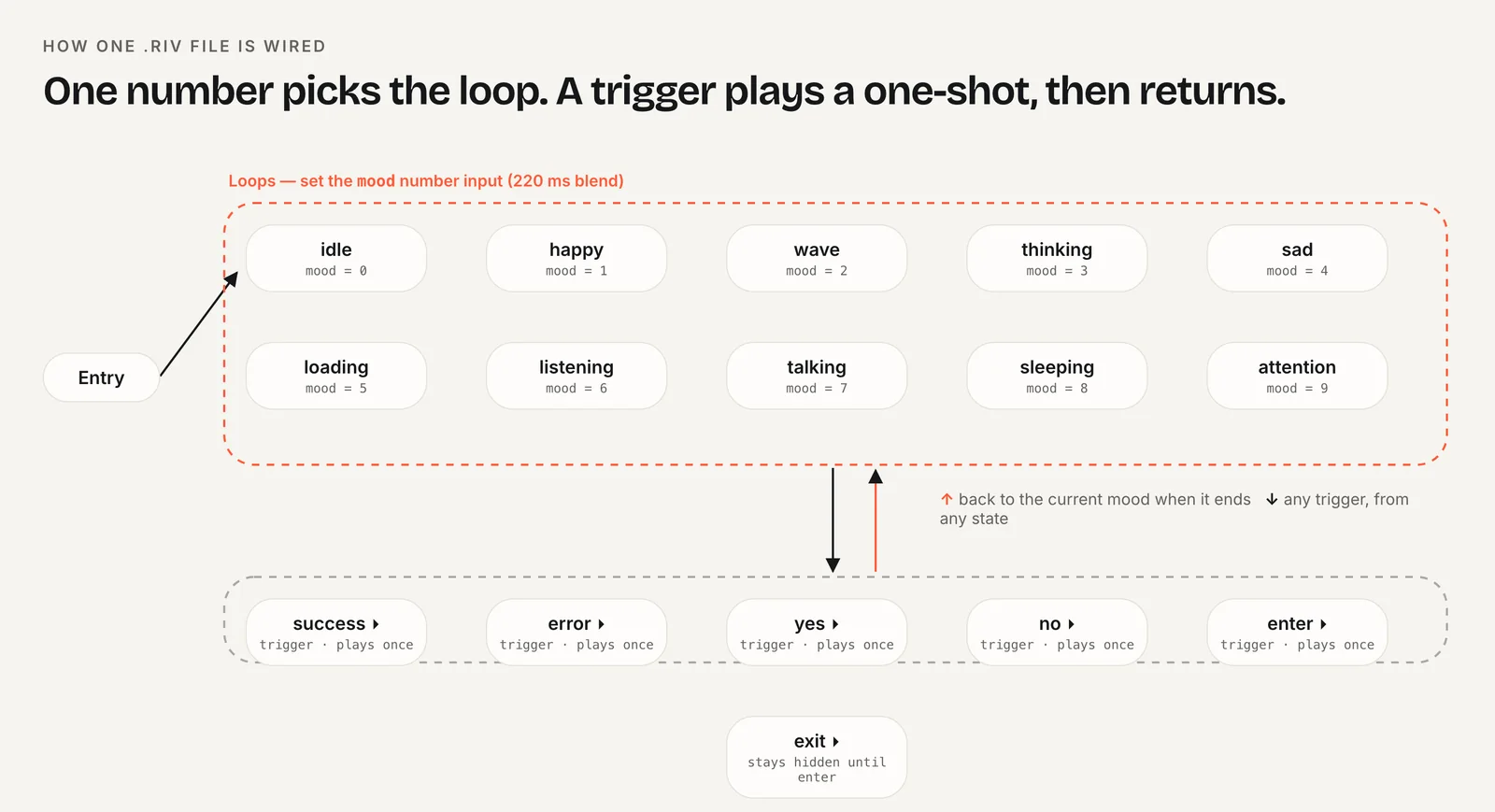
Keep app state as the source of truth and derive the mood from it, as the :mood binding does. Triggers are events, not state, so they go through a method rather than a prop.
If a file uses the older input system instead of view models, the same pattern works with r.stateMachineInputs("CharacterStateMachine"): find the input by name, set .value on a number and call .fire() on a trigger. The state machine guide explains both systems.
How do I use Rive in Nuxt without SSR errors?
Nuxt renders pages on the server first, where there is no window, no canvas and no WebAssembly loader for Rive. onMounted never runs on the server, so the component above is mostly safe already. The remaining risk is the import itself: if a module touches browser globals when it is imported, the server bundle throws window is not defined.
Nuxt gives you two ways to keep the component out of server rendering:
- Name the file
CharacterRive.client.vue. Nuxt then renders it only on the client, and it is left out of the server render. - Wrap it in
<ClientOnly>. The slot renders only in the browser, and the#fallbackslot is rendered on the server.
<ClientOnly>
  <CharacterRive :mood="2" />
  <template #fallback>
    <img src="/character-poster.png" width="320" height="320" alt="">
  </template>
</ClientOnly>
The fallback image keeps the layout stable and gives crawlers and slow connections something to see. If you'd rather keep a single universal component, move the import into the hook: const { Rive } = await import("@rive-app/canvas") inside an async onMounted. Register onUnmounted synchronously in setup, not after the await, or Vue can't associate it with the component.
How do I self-host rive.wasm in Vite or Nuxt?
By default the web runtime downloads rive.wasm from unpkg the first time you create an instance. That is convenient, but it adds a third-party request and fails in offline or locked-down environments. Rive's docs show how to point the runtime at your own copy with RuntimeLoader.setWasmUrl(), and they stress that the wasm file version must match the installed @rive-app package version.
With Vite (which Nuxt uses), the ?url suffix copies the file into your build and returns its hashed URL, so the version always matches package.json:
import { RuntimeLoader } from "@rive-app/canvas";
import riveWasmUrl from "@rive-app/canvas/rive.wasm?url";

// Run once, before the first new Rive(...)
RuntimeLoader.setWasmUrl(riveWasmUrl);
Put this in a small module that the Rive component imports, or in a Nuxt client plugin (plugins/rive.client.js). Because the URL comes from the installed package, upgrading @rive-app/canvas upgrades the wasm automatically. Don't copy rive.wasm into public/ by hand: the next package update would leave the two out of sync.
Self-hosting also lets you preload the file on pages where the mascot sits above the fold, with a <link rel="preload"> for the wasm URL, so it downloads in parallel with your JavaScript.
Rive or Lottie for a Vue mascot?
Both work in Vue. The choice depends on whether your code needs to tell the animation what to do next.
- Lottie suits linear clips: a success check, an empty-state illustration, a spinner. LottieFiles publishes
@lottiefiles/dotlottie-vue, which renders<DotLottieVue autoplay loop src="…" />and plays .lottie and .json files. Switching between moods means swapping files or segments. - Rive suits characters with states. One .riv holds every loop and reaction, the state machine handles transitions, and your component only writes a number or fires a trigger.
If you don't have a Rive file yet, Charmotion builds one from a character or logo image in about one to two hours: 17 animations in a single .riv with a Character view model (a mood number from 0 to 9 for idle, happy, wave, thinking, sad, loading, listening, talking, sleeping and attention, plus success, error, yes, no, enter and exit triggers). The file also keeps the legacy CharacterStateMachine inputs, and the set includes MP4, GIF and transparent WebM and MOV exports for places where a canvas doesn't fit.

How to add a Rive character to a Vue 3 or Nuxt app
- Install the web runtime. Run
npm install @rive-app/canvasand place the .riv file inpublic/. - Create the component. Add a canvas with a template ref and create
new Rive({ ..., stateMachine: "CharacterViewModelMachine", autoBind: true })inonMounted. - Bind the mood. Watch the
moodprop and setr.viewModelInstance.number("mood").value, also once inonLoad. - Expose triggers. Expose a method that calls
r.viewModelInstance.trigger(name).trigger()for success and error. - Clean up. Call
r.cleanup()inonUnmounted. - Handle Nuxt SSR. Name the file
.client.vueor wrap it in<ClientOnly>with a poster image fallback.
Frequently asked questions
Can I use @rive-app/react-canvas in a Vue app?
No. The React package depends on React hooks and rendering. In Vue, use @rive-app/canvas or @rive-app/webgl2, the framework-agnostic web runtimes that the React package itself wraps. The API for loading files, binding view models and cleaning up is the same one documented on Rive's web runtime pages.
Why does Nuxt say window is not defined when I import Rive?
The import ran during server rendering, where browser globals don't exist. Rename the component to CharacterRive.client.vue so Nuxt renders it only in the browser, wrap it in <ClientOnly>, or import @rive-app/canvas dynamically inside onMounted. Any of the three keeps the runtime off the server.
Should the Rive instance go in a ref?
Keep it in a plain variable or a shallowRef. A deep ref() wraps the instance in a reactive proxy, which adds overhead and can interfere with the WASM-backed objects inside it. Your template never needs to read the instance directly, so it doesn't need to be reactive at all.
Does the mood watcher run before the file loads?
It can, which is why the setter checks that viewModelInstance exists before writing. The onLoad callback then applies the current prop value once the file is ready, so the first mood is never lost. After that, every prop change goes straight to the bound view model.
Quick answers from this guide
Sources
- Web (JS) runtime — Rive
- Web runtime: Data binding — Rive
- Preloading WASM — Rive
- Canvas vs WebGL2 — Rive
- Lifecycle hooks — Vue.js
- Template refs — Vue.js
- <ClientOnly> component — Nuxt
- dotlottie-web: players for web, React, Vue, Svelte and web components — LottieFiles on GitHub