How to Add Lottie, Rive and Video Animation to WordPress
By the Charmotion team · Updated
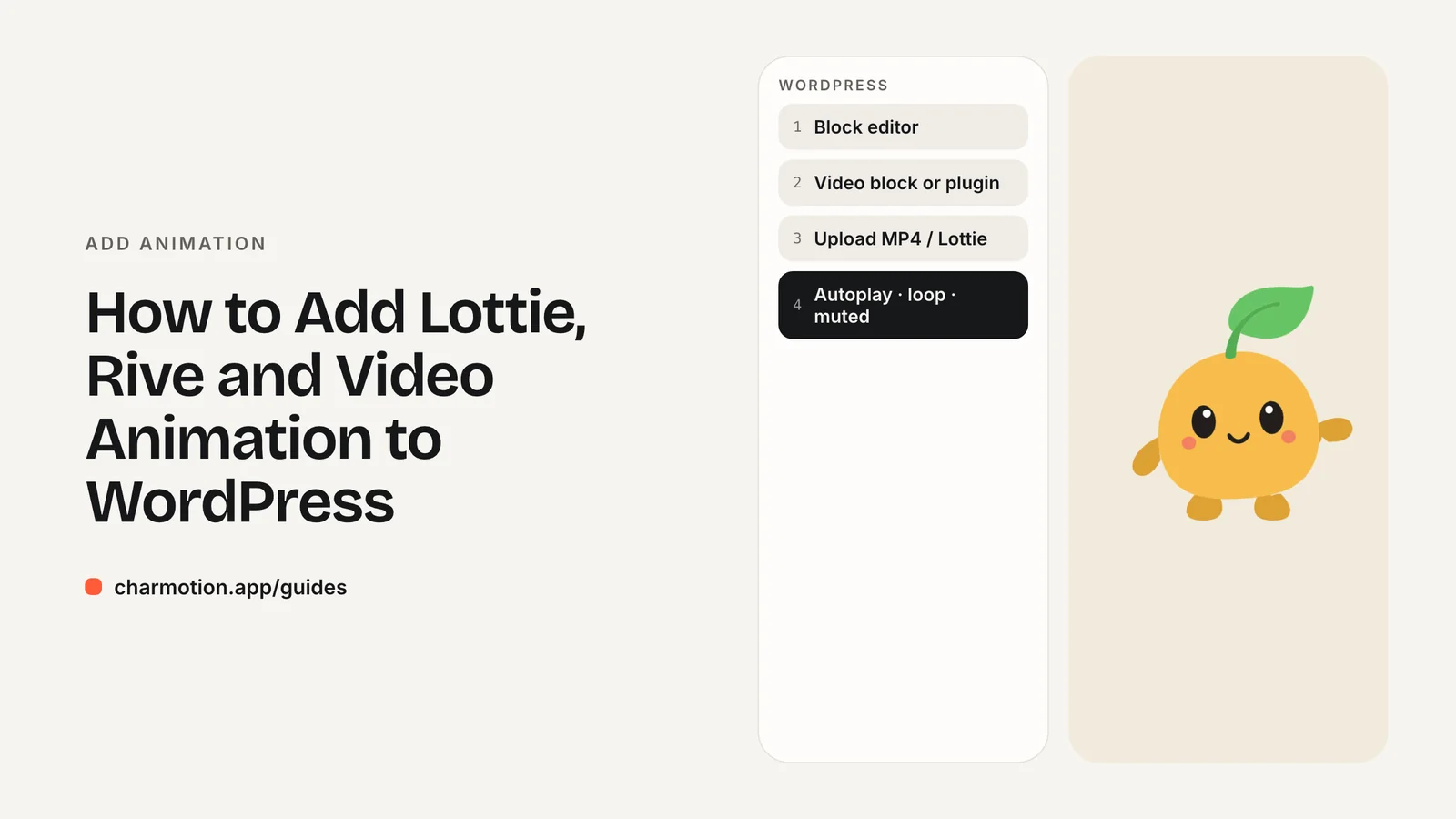
To add Lottie to WordPress, install the official LottieFiles plugin and insert its block, or paste a dotLottie web component into a Custom HTML block. Core WordPress handles video natively: the Video block can autoplay, loop, mute and play inline. Rive needs a third-party plugin such as MotionPlayer or a Custom HTML embed.
Key takeaways
- The core Video block has Autoplay, Loop, Muted, Play inline and Preload settings.
- WordPress core has no Lottie or Rive block; use plugins or Custom HTML.
- LottieFiles publishes an official plugin built for the block editor.
- Scripts in Custom HTML need the
unfiltered_htmlcapability. - Turn on Muted and Play inline, or autoplay fails on phones.
Already have a character or logo? Preview your own character animated in a phone splash, a website hero and an empty state — free, in your browser, nothing uploaded.
Can the core Video block autoplay and loop?
Yes. The Video block in the block editor has settings for Autoplay, Loop, Muted, Play inline, Playback controls, Preload and a poster image. That covers the classic "GIF-like" looping animation without any plugin.
For a silent loop that starts by itself:
- Add a Video block and upload or select an MP4.
- Turn on Autoplay, Loop, Muted and Play inline.
- Turn off Playback controls if the video is decorative.
- Set Preload to Metadata or None for videos below the fold, and choose a poster image.
Muted and Play inline are not optional. Browsers only autoplay muted video, and iPhone Safari plays video inline only with the playsinline attribute, which the Play inline setting adds.
The Video block takes one file, so it cannot provide the two-source setup that transparent video needs across Safari and Chrome. Use it with an MP4 on a matching background color, or see the Custom HTML section for a transparent version.
How do you add Lottie in the block editor?
WordPress core has no Lottie block. The simplest route is the official LottieFiles plugin, which was made for the block editor:
- In Plugins, then Add New, search for "LottieFiles" and install the plugin published by LottieFiles.
- Activate it, then add its block to a post or page.
- Choose an animation from your LottieFiles account or provide a file URL, and set loop and autoplay.
Plugins add their own scripts and settings screens, so check the plugin's page for what the current version supports before relying on a specific option.
If you would rather not add a plugin, the dotLottie web component works in a Custom HTML block, shown below. Either way, use Lottie for illustrations that play through, such as an empty-state drawing or an animated icon. For a mascot that changes state, a Rive file is usually a better fit.
Is there a Rive plugin for WordPress?
There is no Rive block in WordPress core and, as of October 2026, no plugin published by Rive. A third-party plugin, MotionPlayer for Rive, adds a block that lets you upload or select .riv files from the Media Library; it bundles Rive's WebGL2 web runtime. Review any third-party plugin's update history and support before installing it on a production site.
The alternative is a Custom HTML block with Rive's own web runtime, which gives you full control, including data binding for moods and triggers.
One practical hurdle: WordPress only accepts uploads of file types on its allowed list, and .riv and .lottie are not standard types. A plugin built for the format typically handles this. Otherwise, host the file somewhere you control, such as your theme folder or a CDN, and reference its URL.
If you plan to use Rive across a site, a single character file covers many places at once: idle in the header, thinking on the search page, a success reaction on the contact form's thank-you message. The what is Rive guide explains the state machine model.
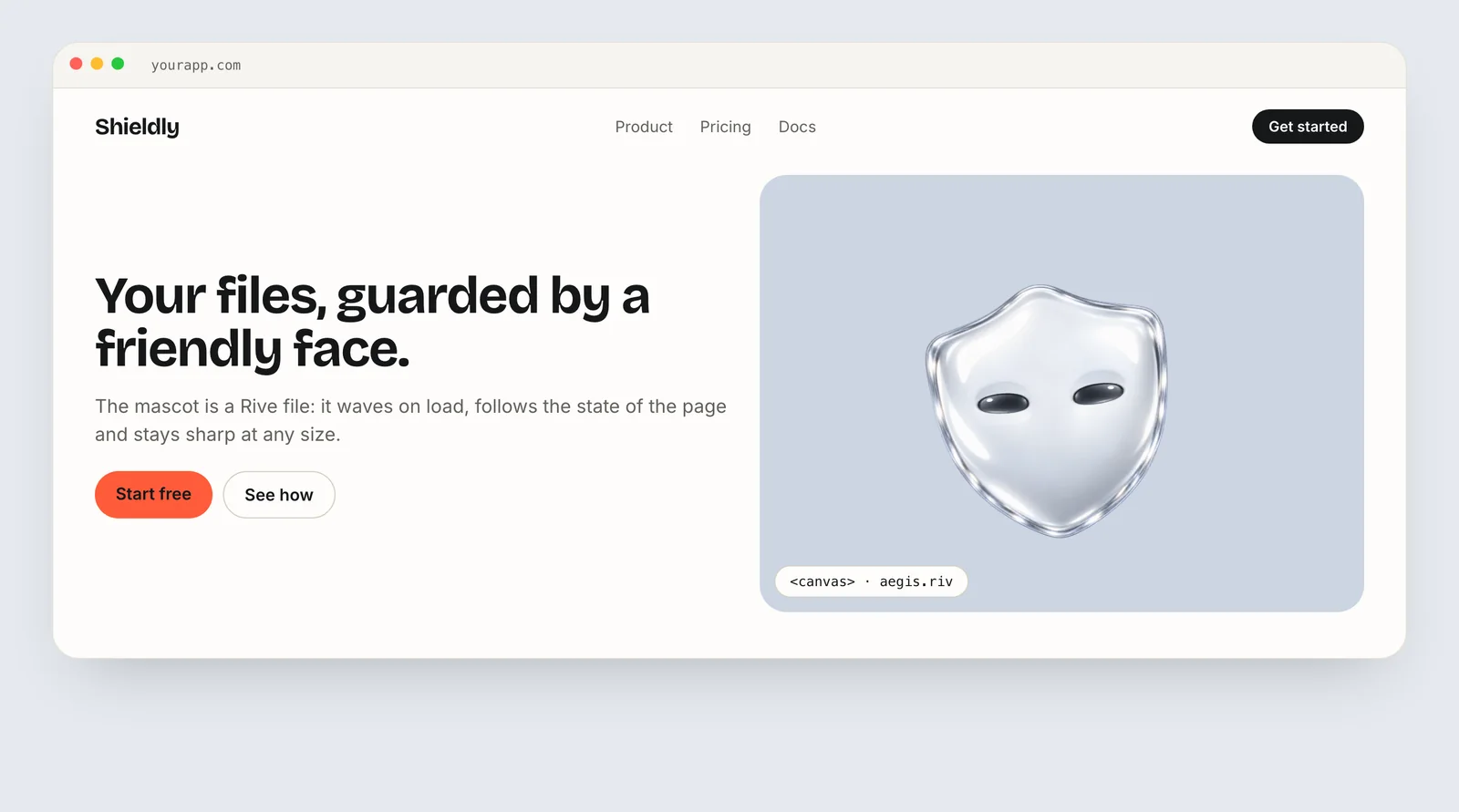
Whichever route you choose, give the canvas a fixed width and height in the block or its CSS. Rive draws to a canvas that has no intrinsic size, so without dimensions it can collapse to nothing in some themes or stretch across a full-width column.
How do you embed Rive or Lottie with a Custom HTML block?
The Custom HTML block accepts raw markup. Starting in WordPress 7.0 it has separate panels for HTML, CSS and JavaScript, but the CSS and JavaScript panels appear only for users with the unfiltered_html capability. For other users, WordPress runs the content through wp_kses() and strips tags such as <script> and <iframe> on save.
dotLottie:
<dotlottie-wc src="/animations/confetti.lottie" autoplay loop
  style="width: 320px; height: 320px"></dotlottie-wc>
<script type="module"
  src="https://unpkg.com/@lottiefiles/dotlottie-wc@0.10.0/dist/dotlottie-wc.js"></script>
Rive, with a mood set on load:
<canvas id="mascot" width="400" height="400"
        role="img" aria-label="Animated mascot"></canvas>
<script src="https://unpkg.com/@rive-app/webgl2@2.44.2"></script>
<script>
  const reduce = matchMedia("(prefers-reduced-motion: reduce)").matches;
  const r = new rive.Rive({
    src: "/wp-content/uploads/mascot.riv",
    canvas: document.getElementById("mascot"),
    stateMachine: "CharacterViewModelMachine",
    autoplay: !reduce,
    autoBind: true,
    onLoad: () => r.resizeDrawingSurfaceToCanvas(),
  });
</script>
<script>
  r.on(rive.EventType.Load, () => {
    r.viewModelInstance.number("mood").value = 2; // wave
  });
</script>
Transparent video, Safari included:
<video autoplay muted loop playsinline preload="metadata"
       width="400" height="400" poster="/mascot-poster.png">
  <!-- Safari: HEVC with alpha must come first -->
  <source src="/mascot.mov" type="video/quicktime; codecs=hvc1.1.6.H120.b0">
  <!-- Chrome, Edge, Firefox: VP9 with alpha -->
  <source src="/mascot.webm" type="video/webm; codecs=vp09.00.41.08">
</video>
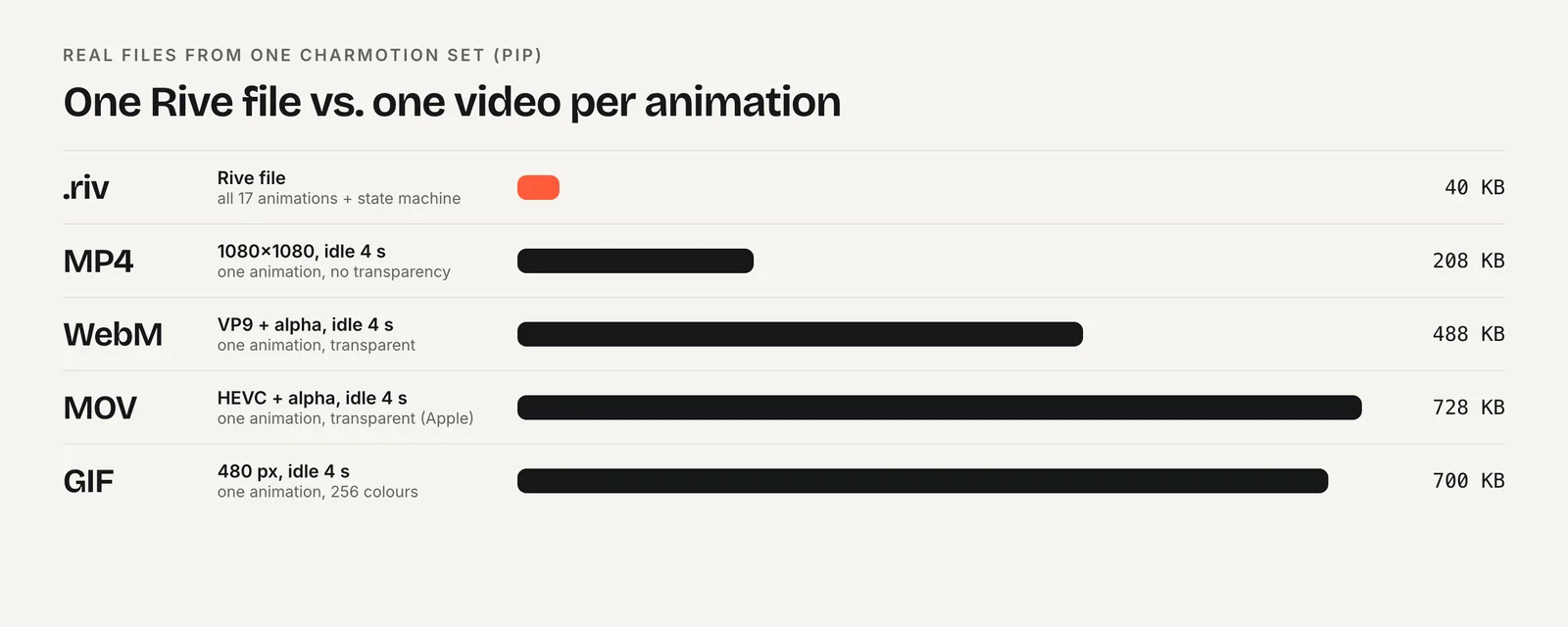
Charmotion exports all three from one upload: a .riv with a mood number and reaction triggers, transparent WebM and MOV, plus MP4 and GIF. The Starter plan's MP4 and GIF are enough for the core Video block; the .riv and transparent files come with Studio.
How do you keep a WordPress animation from slowing the page?
Animation plugins and embeds often load their scripts on every page. A few checks keep the cost contained:
- Load players only where used. Prefer a Custom HTML block on the specific page over a site-wide header script. If you use a plugin, check whether it enqueues assets only on pages with its block.
- Use Preload: None or Metadata for videos that are not visible on load, and always set a poster image.
- Prefer MP4 or WebM to GIF. In web.dev's example a 3.7 MB GIF became a 551 KB MP4 and a 341 KB WebM.
- Size every animation. Set a width and height on canvases, players and videos so the layout does not shift as they load.
- Respect reduced motion. Add a
prefers-reduced-motioncheck in your Custom HTML script and pause or skip autoplay when it is set.
Test with your caching or optimization plugin active. Some combine or defer scripts in ways that break web components and module scripts, so exclude the player script if the animation stops appearing.
How to add a looping animation to a WordPress page
- Pick the format. Use an MP4 for a simple loop, a Lottie file for a vector illustration, or a .riv for an interactive character.
- For video, add a Video block. Upload the MP4 and turn on Autoplay, Loop, Muted and Play inline, then set a poster image.
- For Lottie, add the plugin or embed. Install the official LottieFiles plugin, or paste the dotLottie web component into a Custom HTML block.
- For Rive, add a plugin or embed. Use a Rive block plugin, or a Custom HTML block with the Rive web runtime and your hosted .riv.
- Check permissions and speed. Make sure your role has
unfiltered_htmlfor scripts, then test page speed with caching on.
Frequently asked questions
Why did WordPress remove my script tag?
Your user role probably lacks the unfiltered_html capability. In that case WordPress sanitizes Custom HTML with wp_kses() and strips <script> and <iframe> tags on save. Ask an administrator to add the embed, or use a plugin block that loads the player for you instead of raw script.
Can I upload a .riv or .lottie file to the Media Library?
Not by default in many setups, because WordPress accepts only file types on its allowed list. A plugin built for the format usually handles uploads. Otherwise, host the file in your theme folder or on a CDN and reference its URL.
Why won't my WordPress video autoplay on mobile?
Turn on Muted and Play inline in the Video block settings. Mobile browsers autoplay only muted video, and iPhone Safari plays inline only with playsinline. Low Power Mode can still block autoplay, so set a poster image that works on its own.
Quick answers from this guide
Sources
- Video block — WordPress.org
- Custom HTML block — WordPress.org
- LottieFiles plugin — WordPress.org Plugins
- MotionPlayer for Rive — WordPress.org Plugins
- dotlottie-web: players for web, React, Vue, Svelte and web components — LottieFiles on GitHub
- Web (JS) runtime — Rive
- New video policies for iOS — WebKit