How to Put a Transparent Animation Over Content
By the Charmotion team · Updated

To put a transparent animation over content, use a format with real alpha (a Rive canvas, or an HEVC .mov plus VP9 WebM pair), place it in an absolutely positioned layer above the content, set pointer-events: none so clicks pass through, and size it with aspect-ratio so it scales without shifting the layout.
Key takeaways
- Rive draws on a transparent canvas, so anything outside the artwork shows what is behind it. Video needs HEVC-alpha for Safari and VP9-alpha for other browsers.
- Overlay with a positioned container and
pointer-events: none; on native, use.allowsHitTesting(false)in SwiftUI. - Size the layer with
aspect-ratioand a clamped width so it scales with the screen. - Pause overlays that are off screen and keep many Rive instances on a shared WebGL context.
Already have a character or logo? Preview your own character animated in a phone splash, a website hero and an empty state — free, in your browser, nothing uploaded.
Which formats keep a transparent background?
| Format | Alpha | Notes |
|---|---|---|
| Rive (.riv) | Yes | Vector, drawn on a canvas with a transparent background unless the artboard has a fill. Small files, interactive. |
| VP9 WebM with alpha | Yes in Chrome, Edge, Firefox | Safari plays WebM but drops the alpha channel. |
| HEVC .mov with alpha | Yes in Safari | Apple devices only. Larger files. |
| MP4 (H.264) | No | Always opaque. |
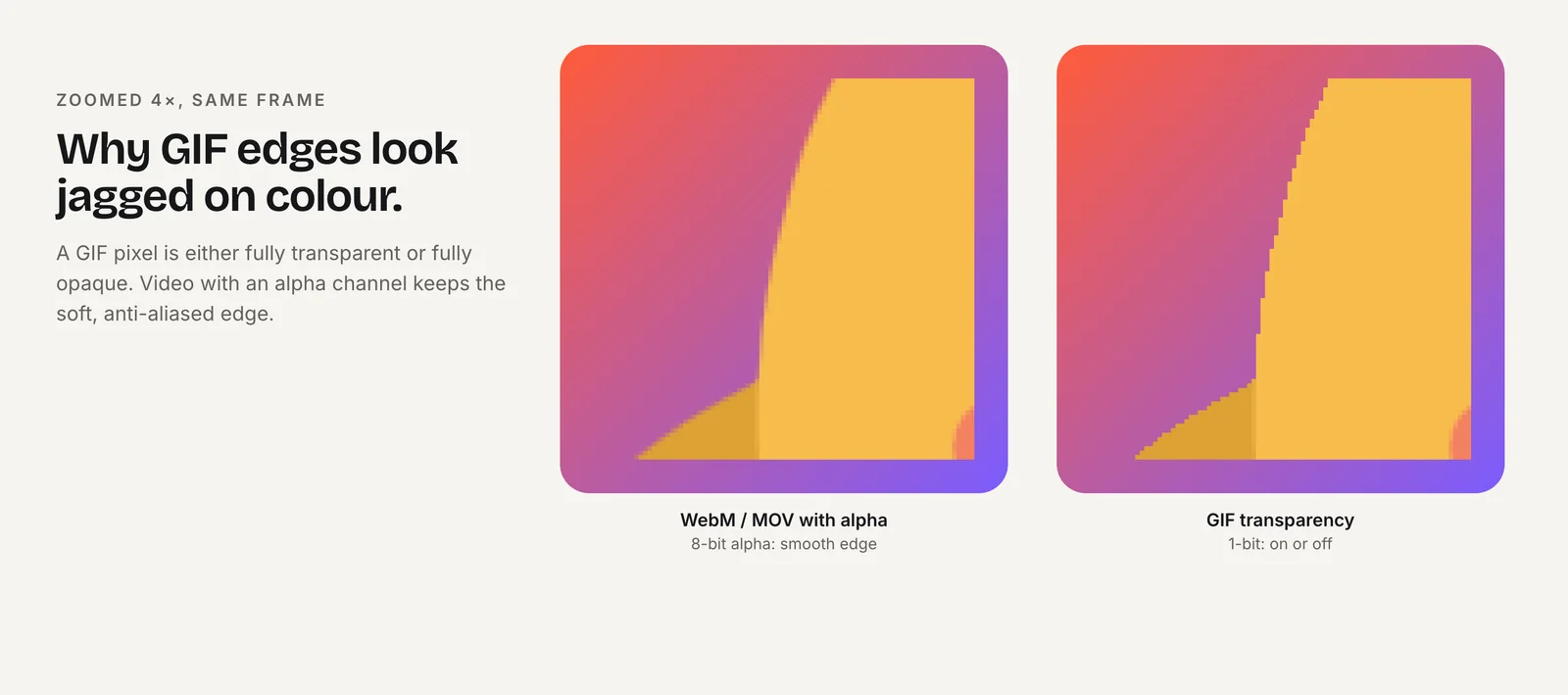
| GIF | One bit | Jagged edges, 256 colors. |
For video, you need both files. Jake Archibald's tested markup lists the HEVC source first, because Safari can play VP9 but not VP9's transparency, and it would otherwise pick the WebM and show an opaque box (Jake Archibald). In his test the same clip was 1.1 MB as VP9 and 3.4 MB as HEVC.
A Rive file avoids the two-file split and is typically far smaller, but needs the Rive runtime. Use video when the animation is pre-rendered (3D, particles, live footage) and Rive when it is a character that should react. Encoding details live in the transparent video guide.
How do you layer an animation over a page with CSS?
Make the content's container the positioning context, then place the animation in an absolutely positioned child above it:
<div class="stage">
  <img src="/product.jpg" alt="The Acme backpack in green" width="1200" height="800">
  <video class="overlay" autoplay muted loop playsinline aria-hidden="true">
    <source src="/sparkle.mov" type='video/quicktime; codecs="hvc1"'>
    <source src="/sparkle.webm" type="video/webm">
  </video>
</div>

<style>
.stage { position: relative; isolation: isolate; }
.stage img { display: block; width: 100%; height: auto; }
.overlay {
  position: absolute;
  inset: auto 4% 4% auto;    /* bottom-right corner */
  width: clamp(96px, 22%, 240px);
  aspect-ratio: 1;
  z-index: 1;
  pointer-events: none;
}
@media (prefers-reduced-motion: reduce) {
  .overlay { display: none; }
}
</style>
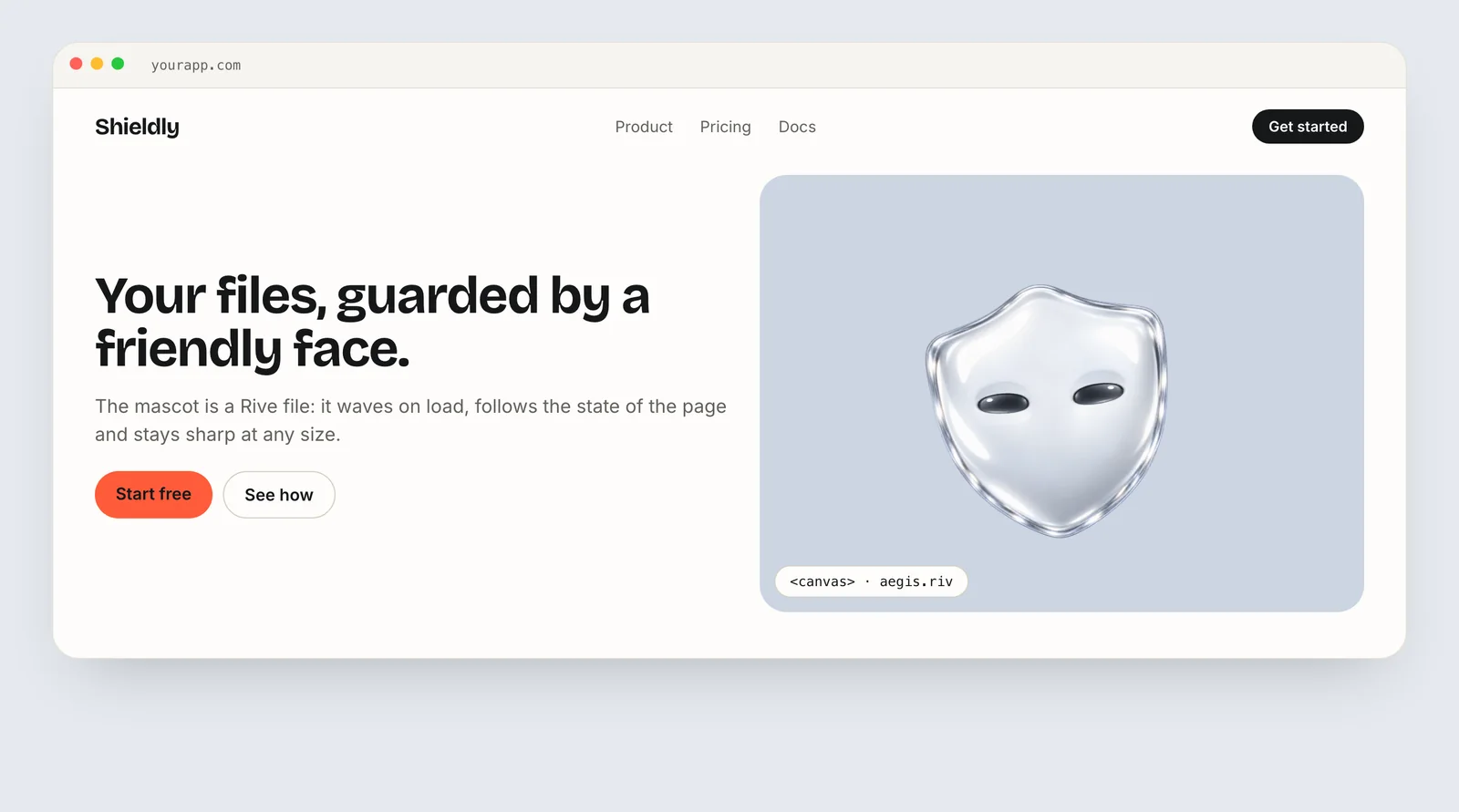
isolation: isolate creates a stacking context, so the overlay's z-index only competes with siblings inside .stage and never ends up above your site header or modals. For a Rive overlay, swap the video for a <canvas class="overlay"> and create the Rive instance on it; the canvas is transparent wherever the artwork is not drawn.
Muted, inline video can autoplay on iOS Safari only when it is muted and has playsinline (WebKit). A looping overlay that runs longer than five seconds next to content also needs a way to pause or hide it under WCAG 2.2.2, or should stop after a few cycles.
How do you stop the overlay blocking taps and clicks?
On the web, pointer-events: none on the overlay lets clicks, taps and hovers fall through to whatever is underneath. Without it, a transparent canvas or video still captures every click inside its rectangle, even where nothing is visible, which is the most common overlay bug.
Two caveats:
- Rive listeners stop working. If the state machine reacts to hover or clicks through Rive listeners, those need pointer events on the canvas. Either keep
pointer-events: autoon a small canvas that only covers the character, or drive the reactions from code with triggers. - Keep it out of the accessibility tree. Add
aria-hidden="true"to decorative overlays so screen readers skip them.
SwiftUI uses .overlay or a ZStack, and .allowsHitTesting(false) passes touches through:
ContentView()
  .overlay(alignment: .bottomTrailing) {
    mascot.view()
      .frame(width: 120, height: 120)
      .allowsHitTesting(false)
      .accessibilityHidden(true)
      .padding()
  }
Jetpack Compose uses a Box with the overlay drawn last. A composable without pointer-input modifiers does not consume touches, so taps reach the content underneath. If the player is a View embedded through AndroidView, check that it does not intercept touches.
Box(Modifier.fillMaxSize()) {
  Content()
  Mascot(Modifier.align(Alignment.BottomEnd).padding(16.dp).size(120.dp))
}
How do you size and position the overlay responsively?
- Use relative units with limits.
width: clamp(96px, 22%, 240px)grows with the container but never becomes tiny on phones or huge on wide screens. - Lock the shape.
aspect-ratio: 1(or the clip's ratio) reserves the right height before the file loads, so nothing jumps. - Anchor to a corner or edge.
insetvalues in percentages keep the character in the same relative spot on every screen size. - Fit, don't crop. For video use
object-fit: contain; for Rive set the layout fit to contain so the artboard is never cut off. - Size the Rive drawing surface. Call
resizeDrawingSurfaceToCanvas()on load and when the canvas size changes, so vector edges stay sharp at the device pixel ratio (Rive).
On small screens, ask whether the overlay still earns its space. If it would cover text or buttons at phone width, move it below the content or hide it at that breakpoint.
How do you keep a transparent overlay accessible?
Overlays sit on top of content people need to read and use, so they carry more accessibility risk than an animation in its own box.
- Never cover text or controls. Check every breakpoint. An overlay that hides part of a heading or a button at one width is a bug, even with click-through enabled.
- Keep contrast. If the overlay passes behind text, the text must stay readable over every frame, not only the first.
- Hide decoration from assistive technology. Use
aria-hidden="true"on the web and.accessibilityHidden(true)in SwiftUI. If the animation carries meaning, such as a success state, put that meaning in real text as well. - Respect reduced motion. Under
prefers-reduced-motion: reduce, hide the overlay or show a still frame (MDN). - Limit looping. WCAG 2.2 SC 2.2.2 requires a way to pause, stop or hide automatic motion that lasts more than five seconds next to other content (W3C). Stop the loop after a few cycles, or provide a visible pause control.
Avoid fast flashing effects in overlays such as sparkles or lightning; WCAG limits content to no more than three flashes in any one second. See accessible animation and reduced motion for the full checklist.
How do you keep overlays from slowing the page?
- Move with transform and opacity only. If you animate the overlay's position in CSS, use
transformrather thantoporleft; web.dev notes that transform and opacity stay on the compositor (web.dev). - Pause what is off screen. Use an
IntersectionObserverto callvideo.pause()or the Rive instance'spause()when the overlay scrolls out of view, and resume it when it returns. - Share the WebGL context. Browsers cap WebGL contexts per page. With several Rive overlays on one page using
@rive-app/webgl2, setuseOffscreenRenderer: trueso they share one context (Rive). - Clean up. Call
cleanup()on Rive instances you remove, especially in single-page apps that mount and unmount views. - Watch video weight. HEVC-alpha files are notably larger than VP9 equivalents, so keep transparent clips short and sized for their display box.
Charmotion delivers the same character in both forms: a single .riv for interactive overlays and transparent WebM plus MOV files for pre-rendered ones, so you can pick per placement without re-exporting.
How to put a transparent animation over content
- Pick a transparent format. Use a Rive file for interactive characters, or an HEVC-alpha .mov plus VP9-alpha WebM pair for pre-rendered animation.
- Create the stacking context. Set
position: relativeandisolation: isolateon the container that holds the content. - Position the overlay. Make the canvas or video
position: absolute, anchor it withinset, and give it az-indexwithin the container. - Let input through. Add
pointer-events: noneandaria-hidden="true"on the web, or.allowsHitTesting(false)in SwiftUI. - Size responsively. Use a clamped width and
aspect-ratio, and resize the Rive drawing surface on load. - Tune performance and motion. Pause off-screen overlays, share the WebGL context across Rive instances, and hide or still the overlay under reduced motion.
Frequently asked questions
Why does my transparent WebM show a black box in Safari?
Safari plays WebM but discards the VP9 alpha channel, so the transparent areas render opaque. Add an HEVC-with-alpha .mov as the first source inside the video element; Safari picks it, while Chrome, Edge and Firefox skip it and use the WebM.
Is a Rive canvas transparent by default?
Yes. The canvas only draws the artboard's artwork, so areas without a fill show the page behind it. If you see a solid background, the artboard itself has a fill in the source file, or a CSS background color is set on the canvas element or its wrapper.
How do I make clicks go through an animation overlay?
Set pointer-events: none on the overlay element in CSS. In SwiftUI use .allowsHitTesting(false). Note that this also disables Rive's own pointer listeners, so drive the character with triggers from code if it needs to react. Keep any interactive part on a separate, smaller element.
Can I overlay a transparent animation on a video?
Yes. Put both in a positioned container and layer the transparent animation above the background video with an absolutely positioned canvas or second video element. Keep the overlay muted and decorative, and pause both when they leave the viewport to save battery and CPU.
Quick answers from this guide
Sources
- Video with alpha transparency on the web — Jake Archibald
- New video policies for iOS — WebKit
- How to create high-performance CSS animations — web.dev
- Web (JS) runtime — Rive
- Canvas vs WebGL — Rive
- Understanding SC 2.2.2: Pause, Stop, Hide — W3C WAI
- Understanding SC 2.3.1: Three Flashes or Below Threshold — W3C WAI
- prefers-reduced-motion — MDN Web Docs