Rive and Lottie in FlutterFlow: Widgets and Limits
By the Charmotion team · Updated
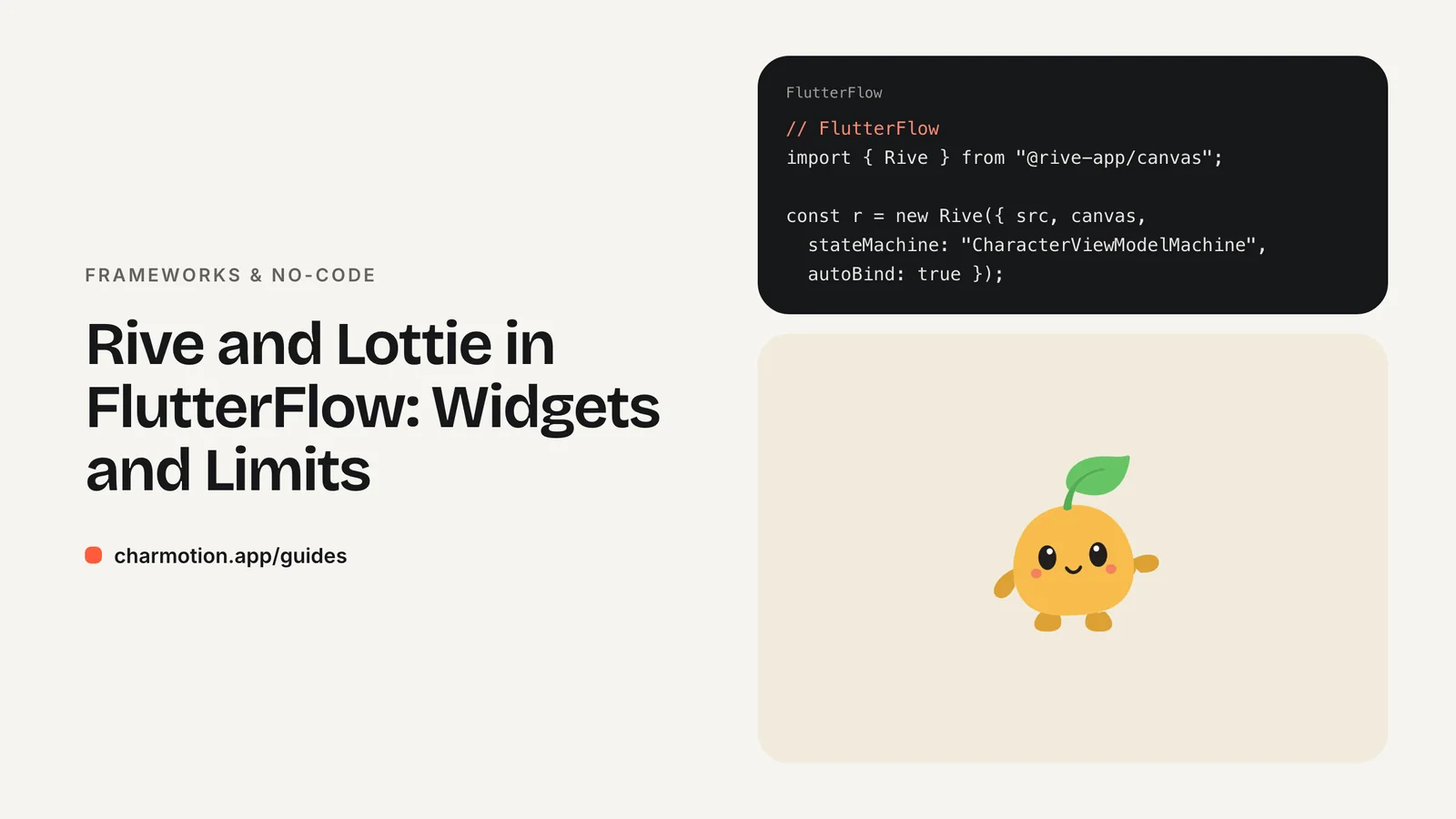
FlutterFlow has a built-in RiveAnimation widget that plays a .riv from an asset or URL, with artboard and animation pickers and a Rive Animation action to trigger playback. Its docs don't cover state machine inputs or data binding, so switching a character's mood or firing reactions needs a custom widget built on the rive Flutter package.
Key takeaways
- The built-in RiveAnimation widget plays timelines; state machine control isn't documented.
- A custom widget with the
rivepackage exposes amoodparameter and triggers. - FlutterFlow's LottieAnimation widget covers linear clips with start and pause actions.
- Initialize the Rive runtime once at startup before loading any file.
- Test custom widgets in a real build; previews may not render custom code the same way.
Does FlutterFlow support Rive natively?
Yes, for playback. FlutterFlow's RiveAnimation widget lives under Base Elements in the widget panel. You choose a source (an uploaded asset or a network URL), pick an artboard from a dropdown, select the animations to play, and leave Auto Animate on to start playback automatically. A separate Rive Animation action can start playback from a button or page event.
| Need | Built-in RiveAnimation | Custom widget |
|---|---|---|
| Play or loop a timeline | Yes | Yes |
| Set a state machine number, fire a trigger | Not documented | Yes |
| Data binding view model | Not documented | Yes |
| No code required | Yes | No |
That makes the built-in widget a good fit for a looping illustration or a one-off intro. A mascot that should look thoughtful while a query runs and celebrate when it succeeds needs its state machine driven by app state, which is where the custom widget comes in.
How do I add a .riv as an asset or network source?
For the built-in widget:
- Drag RiveAnimation from Base Elements onto the page.
- In the properties panel, set the source to Asset and upload the .riv, or to Network and paste an HTTPS URL.
- Choose the artboard and the animations to play.
- Keep Auto Animate on for loops, or turn it off and start playback with the Rive Animation action.
- Give the widget a fixed width and height so the layout doesn't jump while the file loads.
Assets ship inside the app and work offline. Network files keep the binary smaller and can be updated without republishing, but they need a connection on first load. For a character that appears on launch or in onboarding, prefer an asset.
The same choice applies to a custom widget: uploaded assets end up in the app's asset bundle and can be loaded by path, and network files can be loaded by URL.
Can the built-in widget control state machine inputs?
Not according to FlutterFlow's documentation. The RiveAnimation page describes the source, artboard, animation selection and Auto Animate, and the action that triggers playback. It doesn't mention state machines, inputs or view models. Community threads asking how to drive a state machine reach the same conclusion and use a custom widget.
The practical consequence: a file built around a state machine plays only its default state in the built-in widget, or nothing useful if it relies on inputs to choose a loop. Picking named timelines can work for simple files, but you lose the transitions the designer built and have to sequence playback yourself.
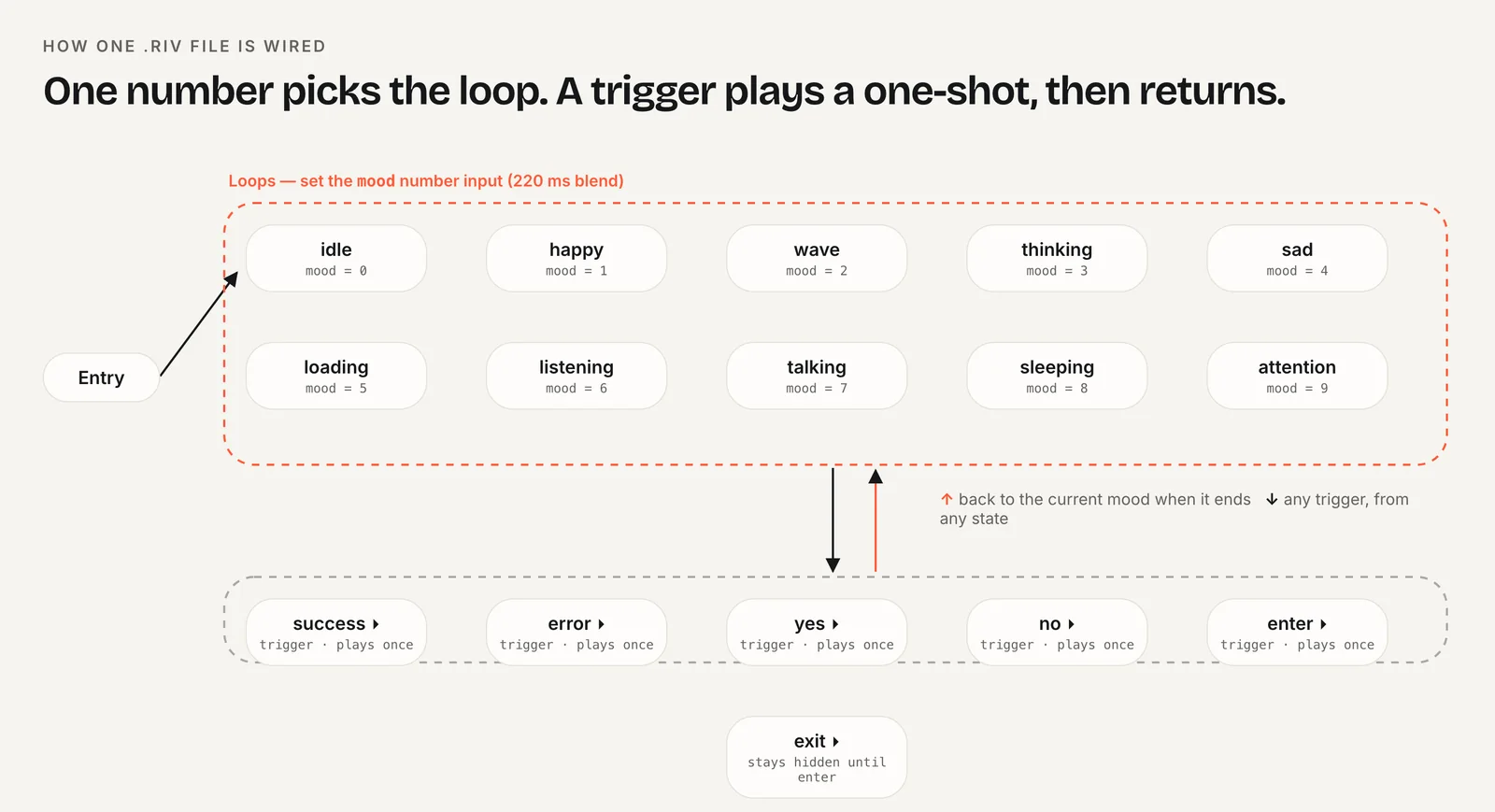
Charmotion files show the difference clearly. Each set is one .riv with 17 animations generated from your character or logo in about one to two hours, wired to a state machine: CharacterStateMachine with a mood number input (0 idle, 1 happy, 2 wave, 3 thinking, 4 sad, 5 loading, 6 listening, 7 talking, 8 sleeping, 9 attention) and success, error, yes, no, enter and exit triggers, plus a Character view model for data binding. To use those moods in FlutterFlow, build the custom widget below.
How do I drive the mood number with a custom widget?
In Custom Code, add the rive package as a dependency (Rive's docs list rive: ^0.14.11), then create a custom widget with an integer mood parameter. The widget loads the file once, looks up the inputs, and updates them whenever FlutterFlow passes a new value:
class RiveMascot extends StatefulWidget {
  const RiveMascot({super.key, this.width, this.height, required this.mood});
  final double? width;
  final double? height;
  final int mood;
  @override
  State<RiveMascot> createState() => _RiveMascotState();
}

class _RiveMascotState extends State<RiveMascot> {
  File? file;
  RiveWidgetController? controller;
  NumberInput? mood;

  @override
  void initState() {
    super.initState();
    _load();
  }

  Future<void> _load() async {
    final f = await File.asset('assets/rive_animations/character.riv',
        riveFactory: Factory.rive);
    if (f == null || !mounted) return;
    final c = RiveWidgetController(f,
        stateMachineSelector: StateMachineSelector.byName('CharacterStateMachine'));
    setState(() {
      file = f;
      controller = c;
      mood = c.stateMachine.number('mood')?..value = widget.mood.toDouble();
    });
  }

  @override
  void didUpdateWidget(RiveMascot old) {
    super.didUpdateWidget(old);
    if (old.mood != widget.mood) mood?.value = widget.mood.toDouble();
  }

  @override
  void dispose() {
    mood?.dispose();
    controller?.dispose();
    file?.dispose();
    super.dispose();
  }

  @override
  Widget build(BuildContext context) {
    final c = controller;
    return SizedBox(width: widget.width, height: widget.height,
        child: c == null ? null : RiveWidget(controller: c, fit: Fit.contain));
  }
}
Check the asset path FlutterFlow assigns to uploaded files in your project, and run await RiveNative.init(); once before any file loads, for example in a custom action added to main.dart. Bind mood to a page or app state variable, and changing that variable switches the loop.
How do I fire success and error reactions?
Triggers are events, so they don't map neatly onto a widget parameter. A simple, reliable pattern is a counter parameter per trigger: when the integer increases, the widget fires the trigger.
// extra parameter: final int successCount;
TriggerInput? success;   // in _load(): success = c.stateMachine.trigger('success');

@override
void didUpdateWidget(RiveMascot old) {
  super.didUpdateWidget(old);
  if (old.mood != widget.mood) mood?.value = widget.mood.toDouble();
  if (widget.successCount > old.successCount) success?.fire();
}
In the action flow, after your backend call succeeds, increment the successCount state variable by one. Add an errorCount the same way. Dispose each input in dispose().
These calls use Rive's legacy input API, which Rive has deprecated in favor of data binding but still supports in the Flutter runtime for existing files. A file with view models can also be driven through the Flutter data binding API with CharacterViewModelMachine; the widget structure stays the same. The Flutter section of the Rive runtimes guide shows the full runtime setup.
When should I use the LottieAnimation widget instead?
Use it when the animation plays the same way every time. FlutterFlow's LottieAnimation widget displays Lottie files from uploaded assets or a URL, and a Lottie Animation action can start and pause it. No custom code is involved.
- Good fits: a loading spinner, a success check after checkout, an onboarding illustration, an empty-state loop.
- Poor fits: a character that changes mood with app state or reacts to several different events. With Lottie you would swap files or segments and time the hand-offs yourself.
Many apps use both: Lottie for small decorative moments and one Rive character, driven by a custom widget, for the moments that need personality. If you only need a single fixed clip, a muted looping video works too and needs no animation runtime at all.
How to drive a Rive state machine in FlutterFlow
- Add the package. In Custom Code, add the
rivepackage as a dependency. - Upload the file. Upload the .riv as an asset and note its path.
- Create the widget. Create a custom widget with an integer
moodparameter that loads the file withCharacterStateMachine. - Initialize the runtime. Call
RiveNative.init()once at startup, before any file loads. - Bind state. Bind
moodto a state variable and update it from action flows. - Add triggers. Add counter parameters that fire
successanderrorwhen incremented.
Frequently asked questions
Can I use a Rive state machine in FlutterFlow without code?
Not according to FlutterFlow's docs. The built-in RiveAnimation widget documents artboard and animation selection plus a playback action, but no state machine inputs or view models. To change a mood or fire triggers from your app's logic, wrap the rive Flutter package in a custom widget.
Why does my Rive file only show its first state in FlutterFlow?
The built-in widget plays selected animations, not a state machine driven by inputs. A file whose loops are chosen by a number input sits in its default state because nothing sets the number. A custom widget that sets the mood input or view model property fixes this.
Do custom Rive widgets work on FlutterFlow web builds?
The rive package supports Flutter web as well as iOS and Android, so the same custom widget can run in a web build. Test it in a real deployed build, since custom code may not render in every FlutterFlow preview mode, and check load times for the runtime on web.
Quick answers from this guide
Sources
- RiveAnimation widget — FlutterFlow Docs
- LottieAnimation widget — FlutterFlow Docs
- Rive animations with State Machine — FlutterFlow Community
- Flutter runtime — Rive
- Flutter runtime: Inputs (legacy) — Rive
- rive package — pub.dev