Rive in Expo: Development Build Required (Not Expo Go)
By the Charmotion team · Updated
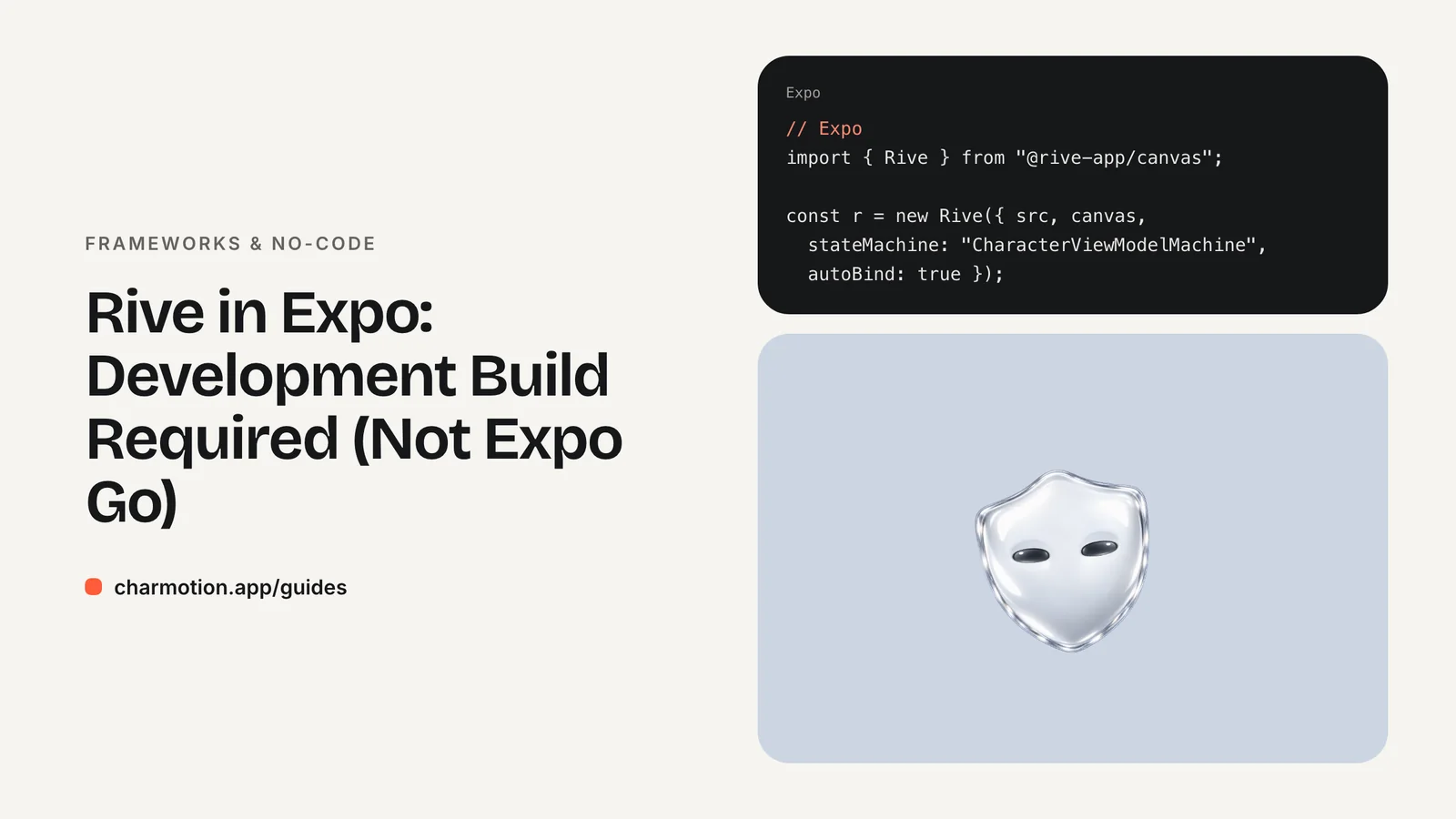
Rive doesn't work in Expo Go because its React Native package contains custom native code. Install expo-dev-client and @rive-app/react-native, then run a development build locally or with EAS. Rive's Expo guide lists Expo SDK 53 or later and iOS 15.1 or later for the new runtime, and some SDK 53 Android builds need newer compile settings.
Key takeaways
- Expo Go can't load Rive; a development build (expo-dev-client) can.
- The new runtime is
@rive-app/react-native;rive-react-nativeis the legacy package. - Rive's Expo guide lists SDK 53+ and iOS 15.1+ for the new runtime.
- On SDK 53, Android may need
compileSdkVersion36 and a newer Android Gradle Plugin. - Run
npx expo prebuild --cleanafter changing config plugins.
Does Rive work in Expo Go?
No. Expo Go is a prebuilt app containing a fixed set of native modules. Rive's docs say plainly that because its React Native package contains custom native code, it isn't compatible with Expo Go, and you need a development build instead.
A development build is your own version of the Expo Go idea: a debug build of your app that includes expo-dev-client and whatever native libraries you've added. You still get fast refresh and the developer menu, and JavaScript changes still load without rebuilding. You only rebuild when native dependencies or config plugins change.
| Runtime | Expo Go | Development build | Minimum iOS |
|---|---|---|---|
@rive-app/react-native (new) | No | Yes | 15.1 |
rive-react-native (legacy) | No | Yes | 14.0 |
If you see an error such as a missing native module the moment a screen with Rive renders, the app is almost certainly running in Expo Go rather than your development build.
How do I create a development build for Rive?
Starting from a new or existing Expo project, install the dev client and the Rive runtime with npx expo install, which picks versions compatible with your SDK:
npx create-expo-app my-rive-app
cd my-rive-app
npx expo install expo-dev-client
npx expo install @rive-app/react-native react-native-nitro-modules
The new runtime is built on Nitro Modules, which is why react-native-nitro-modules is installed alongside it. Then build and install the app. Locally, that requires Xcode or Android Studio:
npx expo run:ios
npx expo run:android
Or let EAS build it in the cloud and install it on a device or simulator:
eas build --profile development --platform ios
eas build --profile development --platform android
Start the bundler with npx expo start and open the project in your development build, not in Expo Go. From here, editing JavaScript works as usual. When you add or change native packages or config plugins, run npx expo prebuild --clean (for local builds) and rebuild.
For rendering the component and controlling the state machine, see the React Native section of the Rive runtimes guide; the code is the same in Expo and bare React Native.
Which package: @rive-app/react-native or rive-react-native?
Use @rive-app/react-native for new projects. Rive's React Native docs list it as the new runtime and rive-react-native as the legacy runtime.
The difference matters for how you control the animation. The new runtime supports data binding with view models, and Rive has published a timeline for removing the deprecated state machine input methods from it. The legacy package uses the input APIs (setting a number, firing a trigger by state machine and input name).
- New file with view models: new runtime, data binding.
- Existing app on the legacy package with input-only files: it keeps working; plan a move to view models before upgrading.
The legacy package's lower iOS minimum (14.0 versus 15.1) is rarely a reason to choose it in 2026, since current Expo SDKs already target newer iOS versions.
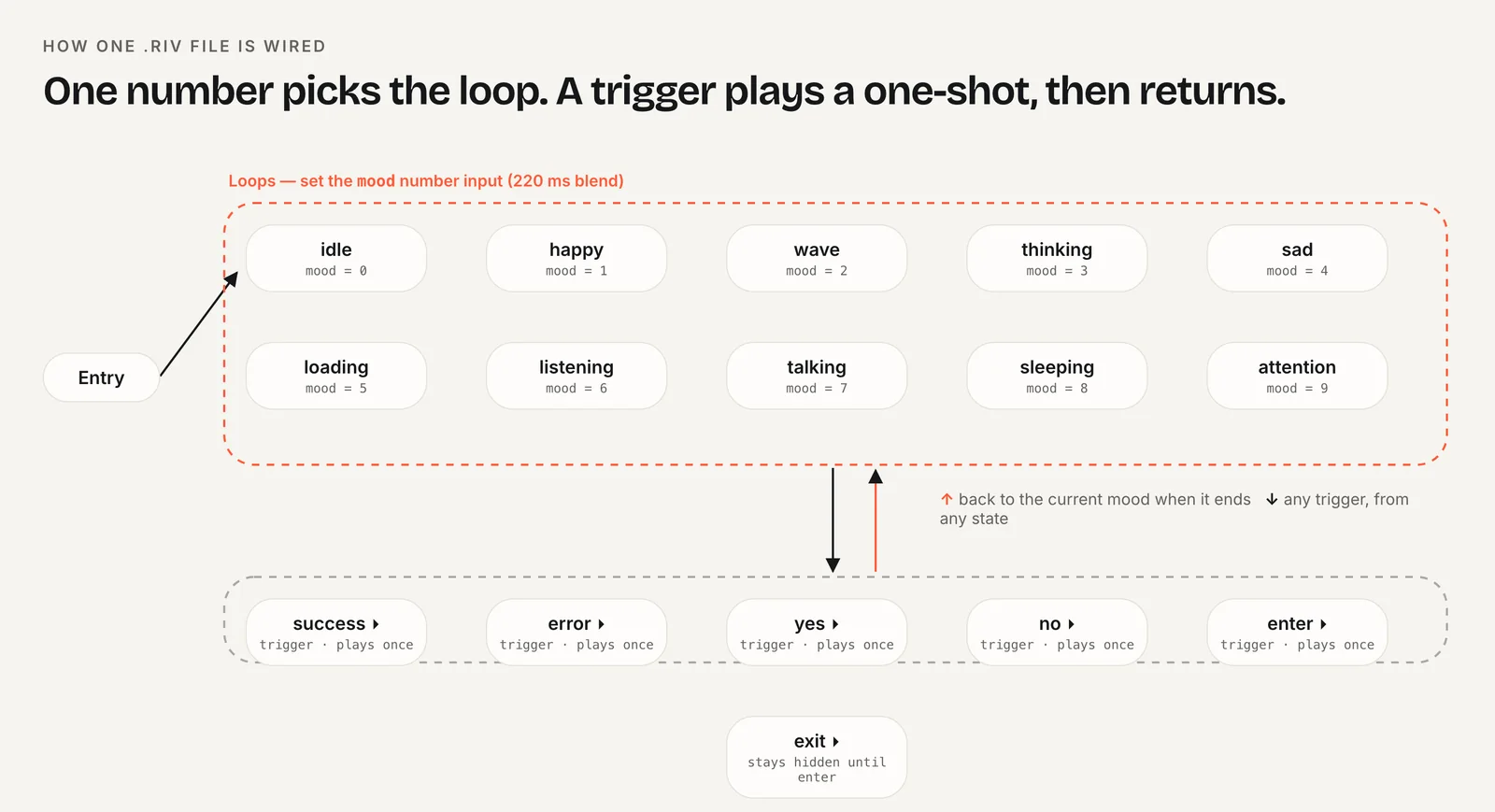
Charmotion's .riv files support both paths: CharacterViewModelMachine with a Character view model (a mood number from 0 to 9 and success, error, yes, no, enter and exit triggers) for the new runtime, and CharacterStateMachine with matching legacy inputs. One upload gives you 17 animations in about one to two hours, plus MP4, GIF and transparent video exports.
How do I fix Android build errors on Expo SDK 53?
Rive's Expo guide explains that the Rive Android SDK requires compileSdkVersion 36 and Android Gradle Plugin 8.9.1 or later, while Expo SDK 53 defaults to lower versions. The symptom is a Gradle error during the Android build. The fix is to raise both through config plugins in app.json:
{
  "expo": {
    "plugins": [
      ["expo-custom-agp", "8.9.2"],
      ["expo-build-properties", {
        "android": { "compileSdkVersion": 36 },
        "ios": { "deploymentTarget": "15.1" }
      }]
    ]
  }
}
Install the plugins first with npx expo install expo-build-properties and add expo-custom-agp as the guide describes. Then regenerate the native projects and rebuild:
npx expo prebuild --clean
npx expo run:android
Newer Expo SDKs may already default to these versions; check Rive's Expo page for your SDK before adding overrides you don't need. Overriding the Gradle plugin version affects every native module, so rebuild and smoke-test the whole app, not only the Rive screen.
What iOS deployment target does Rive need?
The new runtime requires iOS 15.1 or later, according to Rive's Expo guide. Set it explicitly with expo-build-properties, as in the app.json above, so the generated Xcode project and CocoaPods agree:
["expo-build-properties", { "ios": { "deploymentTarget": "15.1" } }]If your app already targets a newer iOS version, keep the higher value. Lowering it to match Rive would break other dependencies.
After changing the target, run npx expo prebuild --clean before npx expo run:ios. Stale Pods are the most common reason a target change seems to have no effect. On EAS, the clean prebuild happens on every build, so committing the app.json change is enough.
Android has no comparable minimum in Rive's Expo guide beyond the compile settings in the previous section, but test on the oldest Android version your app supports, since rendering performance varies most on low-end devices.
Can I use Lottie in Expo Go while prototyping?
Possibly. Expo's SDK reference has listed lottie-react-native as included in Expo Go, installed with npx expo install lottie-react-native. Bundled modules change between SDK releases, so check the Expo docs for your SDK version before relying on it.
If it's available, Lottie is a reasonable stand-in while you design screens in Expo Go: a looping idle clip in the spot where the mascot will go. Be aware of what you lose. Lottie has no Rive-style view model, so switching from idle to loading to success means swapping files or segments and timing the hand-offs yourself. When the character needs to react to app state, move to a development build and Rive.
A third option for prototypes is plain video. A muted, looping MP4 of the character plays in Expo Go through Expo's video module and gives stakeholders a realistic preview without any native setup. Swap it for the Rive component once the development build exists.
How do I bundle the .riv file as an asset?
Metro, the bundler Expo uses, only treats known file extensions as assets. If you load the file with require("./assets/character.riv"), add riv to the asset extensions in metro.config.js:
const { getDefaultConfig } = require("expo/metro-config");

const config = getDefaultConfig(__dirname);
config.resolver.assetExts.push("riv");

module.exports = config;
Restart the bundler with npx expo start --clear after editing the config. Without this step, Metro tries to parse the binary file as JavaScript and fails with a resolution or syntax error.
Alternatively, load the file from a URL. That keeps the app binary smaller and lets you update the character without a release, at the cost of a network request on first load. For a mascot that appears on launch or offline, bundle it. Either way, load the file once per screen rather than on every render.
How to run Rive in an Expo app
- Install the dev client. Run
npx expo install expo-dev-client. - Install Rive. Run
npx expo install @rive-app/react-native react-native-nitro-modules. - Set native versions. Add
expo-build-properties(iOS 15.1, and AndroidcompileSdkVersion36 on SDK 53) toapp.json. - Register the asset type. Add
rivtoresolver.assetExtsinmetro.config.js. - Build. Run
npx expo prebuild --cleanandnpx expo run:ios, oreas build --profile development. - Open in the dev build. Start
npx expo startand open the project in your development build, not Expo Go.
Frequently asked questions
Can I add Rive to Expo without ejecting?
Yes. Expo no longer requires ejecting. Development builds and config plugins let you add native packages like @rive-app/react-native while staying in the managed workflow. npx expo prebuild generates the native projects for you, and EAS Build can produce the binaries in the cloud.
Do I need a Mac to build Rive for iOS with Expo?
Not if you use EAS Build, which compiles the iOS development build on Expo's servers and gives you an installable build. Building locally with npx expo run:ios needs Xcode, which only runs on macOS. Installing on a physical iPhone also requires an Apple developer account for signing.
Does Rive work with Expo Router?
Yes. Expo Router only handles navigation, so a screen that renders the Rive component behaves like any other screen. Load the file once per screen, release it when the screen unmounts, and avoid recreating the component on every render so the animation doesn't restart unexpectedly.
Quick answers from this guide
Sources
- Adding Rive to Expo — Rive
- React Native runtime — Rive
- Introduction to development builds — Expo
- Customizing Metro — Expo