Rive in Android, Flutter & React Native
By the Charmotion team · Updated
To use Rive in Flutter, add the rive package, load the .riv, create a RiveWidgetController and render it with RiveWidget. On Android, add app.rive:rive-android; on React Native, install @rive-app/react-native with react-native-nitro-modules. Input APIs still work on Android and Flutter but are removed in React Native Nitro v0.6.
Key takeaways
- Android: app.rive:rive-android, with Compose as the focus and the View API still supported.
- Flutter: the rive package, using RiveWidget and RiveWidgetController.
- React Native: the Nitro-based @rive-app/react-native replaces the deprecated rive-react-native.
- State-machine inputs are deprecated everywhere; data binding is the new model.
Which Rive package do I need for each platform?
Package names changed recently, so start with the current list:
| Platform | Package | Inputs (legacy) |
|---|---|---|
| Android | app.rive:rive-android | Supported |
| Flutter | rive on pub.dev | Supported |
| React Native (current) | @rive-app/react-native + react-native-nitro-modules | Warnings in v0.5, removed in v0.6 |
| React Native (old) | rive-react-native | Supported, but the package is deprecated |
The last column matters because Rive has deprecated state-machine inputs in favor of data binding. Rive says existing input-based files keep working, and on Android and Flutter the input APIs remain available. React Native is the exception: the new runtime is removing input methods on a published timeline.
Check what your .riv exposes before you write code. A file with only inputs needs the input APIs; a file with view models can use data binding. The editor's Convert Inputs to View Models command can add view models to an older file.
How do I add Rive to an Android app?
Add the runtime from Maven Central to your module's build.gradle. Rive's docs show version 11.9.2 at the time of writing; use the latest release.
dependencies {
    implementation 'app.rive:rive-android:11.9.2'
}
Rive is focusing new development on its Compose API. The View-based API built around RiveAnimationView is now called "legacy", but Rive says it will continue to be supported. For a new Compose app, follow the Compose section of Rive's Android docs. For an existing View-based app, or when you need the input methods below, the legacy view is the straightforward route:
<app.rive.runtime.kotlin.RiveAnimationView
    android:id="@+id/character"
    android:layout_width="220dp"
    android:layout_height="220dp"
    app:riveResource="@raw/character"
    app:riveStateMachine="CharacterStateMachine" />
Put the .riv in res/raw/ (file names there must be lowercase with underscores). If your screen is written in Compose but you want the legacy view, you can host RiveAnimationView inside Compose's AndroidView interop composable.
On ARM-v8a devices, Rive lists the runtime at 2.40 MB download and 7.03 MB installed (January 2026).
How do I control states on Android?
The legacy RiveAnimationView has one method per input type. Each takes the state machine name and the input name:
val character = findViewById<RiveAnimationView>(R.id.character)

// Number input: pick a loop
character.setNumberState("CharacterStateMachine", "mood", 5f)

// Boolean input (if your file has one)
character.setBooleanState("CharacterStateMachine", "muted", true)

// Trigger input: play a one-shot
character.fireState("CharacterStateMachine", "success")
Call these from the main thread, typically in response to view model state. A common pattern is to observe a UI state flow and map each state to a mood number, firing triggers for one-off events such as a completed payment.
Names are case-sensitive. If nothing happens, confirm that the view was configured with the same state machine name you pass to these methods; otherwise the file plays its default animation and ignores inputs.
These methods belong to the deprecated inputs system. They work for existing input-based files. For files with view models, use Rive's Android data binding APIs instead.
How do I use Rive in Flutter?
Add the rive package. Rive's docs show rive: ^0.14.11, with a 0.15.x major version available as a dev release. The examples here target 0.14.
dependencies:
  rive: ^0.14.11

flutter:
  assets:
    - assets/character.riv
Initialize the native runtime once, then load the file, create a controller for the state machine, and render it with RiveWidget:
import 'package:flutter/material.dart';
import 'package:rive/rive.dart';

Future<void> main() async {
  WidgetsFlutterBinding.ensureInitialized();
  await RiveNative.init();
  runApp(const MyApp());
}

class Character extends StatefulWidget {
  const Character({super.key});
  @override
  State<Character> createState() => _CharacterState();
}

class _CharacterState extends State<Character> {
  File? file;
  RiveWidgetController? controller;

  @override
  void initState() {
    super.initState();
    _load();
  }

  Future<void> _load() async {
    final f = await File.asset('assets/character.riv', riveFactory: Factory.rive);
    if (f == null) return;
    setState(() {
      file = f;
      controller = RiveWidgetController(
        f,
        stateMachineSelector: StateMachineSelector.byName('CharacterStateMachine'),
      );
    });
  }

  @override
  void dispose() {
    controller?.dispose();
    file?.dispose();
    super.dispose();
  }

  @override
  Widget build(BuildContext context) {
    final c = controller;
    if (c == null) return const SizedBox(width: 220, height: 220);
    return SizedBox(width: 220, height: 220, child: RiveWidget(controller: c, fit: Fit.contain));
  }
}
Rive also offers RiveWidgetBuilder, which handles loading and error states for you. Use it if you prefer less boilerplate.
Load the file once and keep it for the lifetime of the screen. Reloading it in build restarts the animation and wastes work. Dispose both the controller and the file when the widget goes away, as shown above, to release native resources.
How do I set a number or fire a trigger in Flutter?
The controller's stateMachine gives access to legacy inputs by name. Numbers and booleans have a value; triggers have fire().
final sm = controller!.stateMachine;

final mood = sm.number('mood');
final success = sm.trigger('success');

mood?.value = 5;    // loading loop
success?.fire();    // one-shot reaction

// When you no longer need them:
mood?.dispose();
success?.dispose();
Look up inputs after the controller exists, keep references instead of looking them up on every frame, and dispose them along with the controller. The lookups return null if the name doesn't exist, so a null-aware call hides typos; log a warning in debug builds if an input is missing.
As on other platforms, inputs are deprecated in favor of data binding, but Rive's Flutter runtime still supports them for existing files. Files with view models can be controlled through the Flutter data binding API instead.
How do I use Rive in React Native?
Rive's current React Native runtime is built on Nitro Modules. Install it with its peer dependency:
npm install @rive-app/react-native react-native-nitro-modulesIt includes native code, so in Expo projects it needs a development build rather than Expo Go. Rive's docs describe the component API and data binding for this runtime.
The key change for existing files: state machine input methods are deprecated in the new runtime. Rive's migration timeline is v0.4 works without warnings, v0.5 logs runtime warnings, and v0.6 removes the deprecated APIs. If your .riv only has inputs, either stay on a version before v0.6 while you plan a migration, or convert the file to view models and use data binding.
The older rive-react-native package is deprecated. Existing apps may still use it, where the legacy calls look like this:
import Rive, { RiveRef } from "rive-react-native";

const ref = useRef<RiveRef>(null);

<Rive ref={ref} resourceName="character" stateMachineName="CharacterStateMachine" />

ref.current?.setInputState("CharacterStateMachine", "mood", 5);
ref.current?.fireState("CharacterStateMachine", "success");
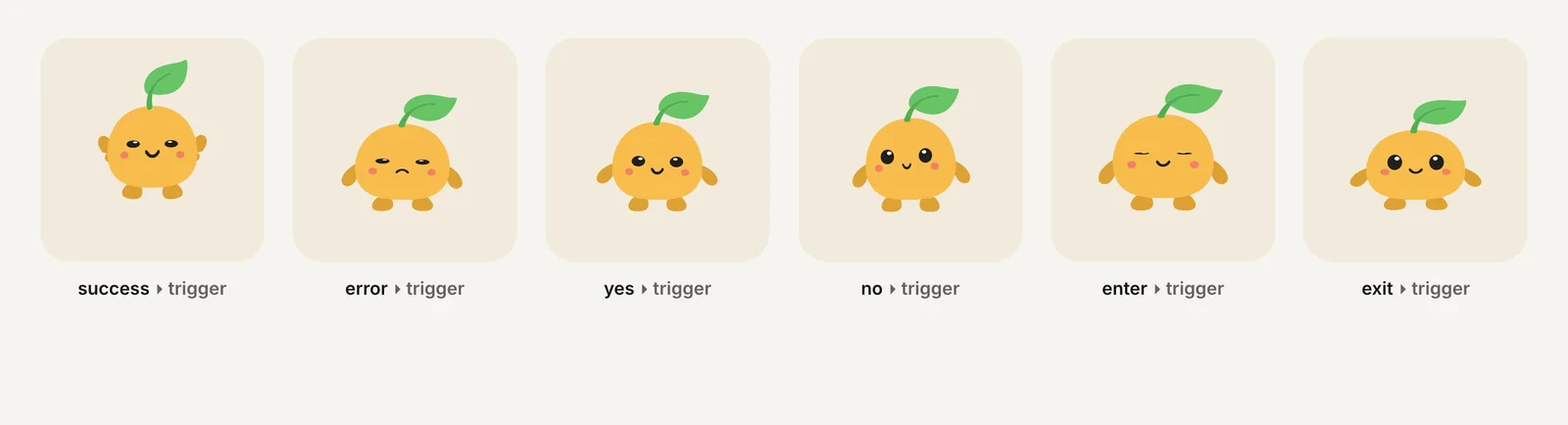
Charmotion files include both control systems: the default CharacterStateMachine works with the Android, Flutter and legacy React Native input APIs above, and CharacterViewModelMachine with the Character view model (a mood number and one trigger per reaction) covers Data Binding, including React Native Nitro v0.6 and later.
Add a Rive animation on Android, Flutter or React Native
- Check the file. Find the state machine name and whether the .riv exposes inputs or view models; that decides which API you can use.
- Install the runtime. Android:
implementation 'app.rive:rive-android:…'. Flutter:rive: ^0.14.11. React Native:npm install @rive-app/react-native react-native-nitro-modules. - Bundle the .riv. Use
res/raw/on Android, a declared asset inpubspec.yamlon Flutter, or the runtime's documented asset setup on React Native. - Render it. Use
RiveAnimationView(or the Compose API) on Android,RiveWidgetwith aRiveWidgetControlleron Flutter, or the Rive component on React Native. - Drive the state machine. Android:
setNumberStateandfireState. Flutter:stateMachine.number('mood').valueandstateMachine.trigger('success').fire(). Use data binding for files with view models. - Plan for deprecation. On React Native Nitro, input methods are removed in v0.6; pin an earlier version or migrate the file to view models first.
Frequently asked questions
Does Rive work in Expo?
Yes, with a development build. Rive's React Native runtime includes native code through Nitro Modules, so it cannot run inside the standard Expo Go app. Create an Expo development build or use a bare React Native project, then install @rive-app/react-native and react-native-nitro-modules.
Is rive-react-native still supported?
The rive-react-native package is deprecated. Rive directs new projects to the Nitro-based @rive-app/react-native for better performance and new features. Existing apps can keep running on the old package for now, but plan a move, especially because new features and data binding work target the new runtime.
Should I use Compose or RiveAnimationView on Android?
Use the Compose API for new Compose apps, since that is where Rive focuses development. RiveAnimationView, the legacy View API, remains supported and is the simple choice for View-based screens or when you rely on setNumberState and fireState with input-based files. Compose can host it through AndroidView.
Which Flutter version of Rive should I use?
Use the stable release Rive's docs list, currently rive ^0.14.11, built around RiveWidget and RiveWidgetController. A 0.15.x major version exists as a dev release; try it in a branch before adopting it, since major versions can change APIs and code samples written for 0.14.
Sources
- Android runtime — Rive
- Android runtime: Inputs (legacy) — Rive
- Flutter runtime — Rive
- Flutter runtime: Inputs (legacy) — Rive
- Feature support — Rive
- React Native migration guide — Rive
- Data binding migration guide — Rive
- Runtime sizes — Rive