Rive in Angular: Community Wrapper vs Plain Canvas
By the Charmotion team · Updated
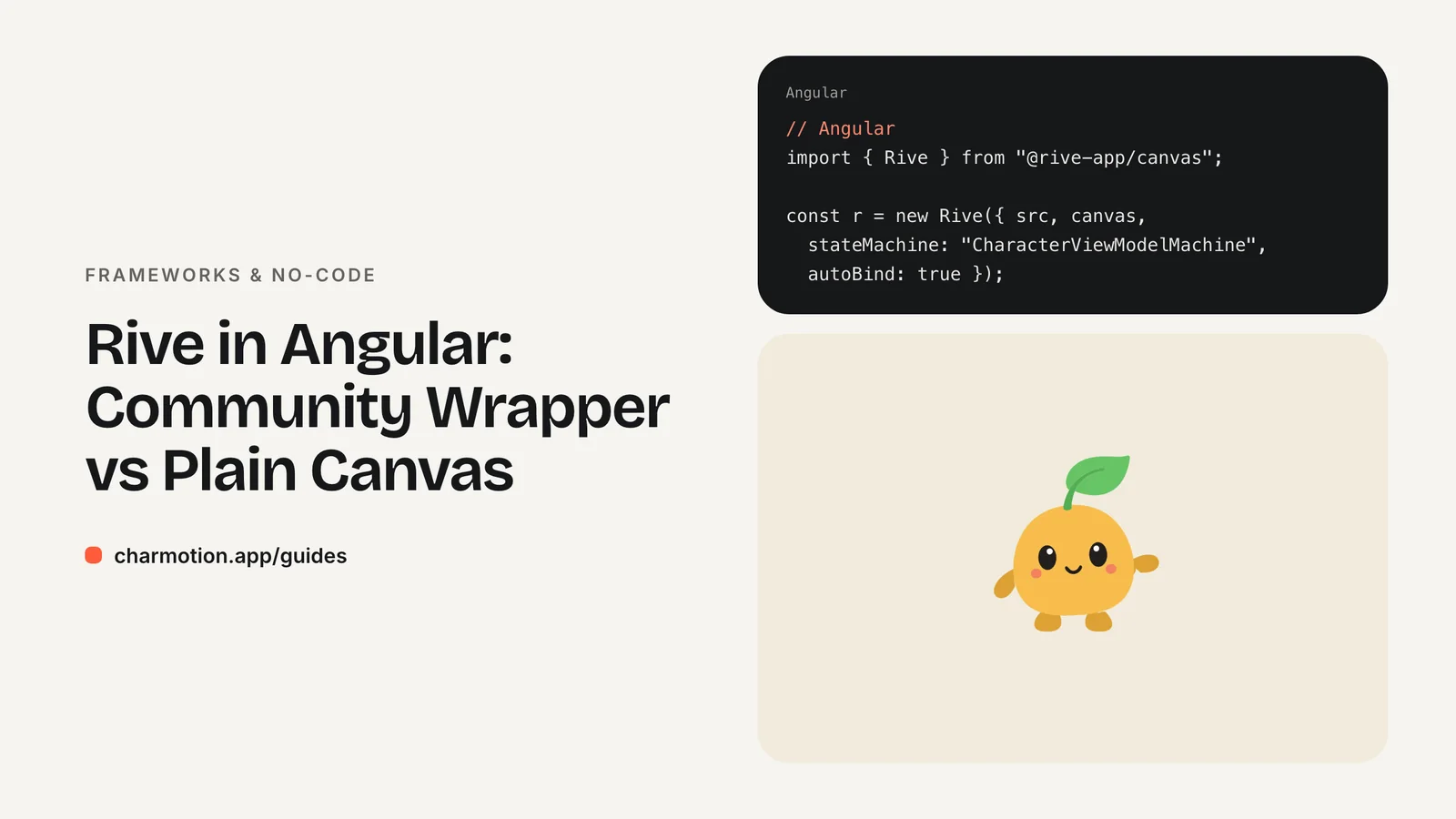
Rive has no official Angular runtime. ng-rive is documented as out of date, and the community wrapper Rive's docs list, @grandgular/rive-angular-*, needs Angular 18+ and has few users. For long-lived products, call the official web runtime @rive-app/canvas from a component: create it after the view initializes, drive it from signals, and clean up on destroy.
Key takeaways
- Rive lists Angular only as a community runtime; it doesn't own or maintain it.
- ng-rive is documented as out of date; the Grandgular packages are newer but lightly adopted.
- The plain web runtime needs about 30 lines in a standalone component and has no extra dependency.
- Guard creation with
isPlatformBrowser(or useafterNextRender) for SSR. - Push signal values into
viewModelInstance.number("mood")witheffect().
Is there an official Rive Angular library?
No. Rive's docs list Angular under community runtimes and state that it is not a Rive owned or maintained project. You have three realistic options:
| Option | Maintainer | Angular | Status |
|---|---|---|---|
@rive-app/canvas or @rive-app/webgl2 used directly | Rive (official web runtime) | Any | Safest long-term |
@grandgular/rive-angular-webgl2 / -canvas | Community, listed in Rive's docs | 18+ | Active, small user base |
ng-rive | Community | Older versions | Documented as out of date |
A wrapper saves some boilerplate, but it adds a dependency that has to keep pace with both Angular and Rive releases. When the Grandgular repository was checked for this guide it had only a handful of GitHub stars. That doesn't make it bad code, but it means fewer people find and fix problems. The direct approach below uses only the package Rive itself ships, so runtime upgrades never wait on a third party.
Is ng-rive still maintained?
Treat it as legacy. Rive's older Angular documentation, which explained npm install ng-rive, was itself marked as out of date, and Rive's current docs point to the Grandgular wrapper instead. ng-rive was written for older Angular versions and predates both standalone components and signals.
If an existing app uses it and works, there's no need to rip it out today. Plan the migration when you next upgrade Angular or adopt a newer Rive file feature. Data binding is the main one: Rive has deprecated state machine inputs in favor of view models, and a wrapper written before data binding won't expose it.
The Grandgular project's own older package, @grandgular/rive-angular, is also deprecated in favor of the split -webgl2 and -canvas packages. If you choose the wrapper, install the current names:
npm install @grandgular/rive-angular-webgl2 @rive-app/webgl2
# or
npm install @grandgular/rive-angular-canvas @rive-app/canvas
Its README lists Angular 18.0.0 and TypeScript 5.4 as minimums. Check the README for the current component and input names before you write templates.
How do I use @rive-app/canvas directly in an Angular component?
Install the runtime with npm install @rive-app/canvas, put character.riv in public/ (or src/assets/ on older project layouts), and create a standalone component:
import { AfterViewInit, Component, ElementRef, OnDestroy, PLATFORM_ID,
  ViewChild, effect, inject, input } from "@angular/core";
import { isPlatformBrowser } from "@angular/common";
import { Rive } from "@rive-app/canvas";

@Component({
  selector: "app-mascot",
  standalone: true,
  template: '<canvas #c width="320" height="320" role="img" aria-label="Animated mascot"></canvas>',
})
export class MascotComponent implements AfterViewInit, OnDestroy {
  mood = input(0);
  @ViewChild("c") canvas!: ElementRef<HTMLCanvasElement>;
  private platformId = inject(PLATFORM_ID);
  private r?: Rive;

  constructor() {
    effect(() => this.setMood(this.mood()));
  }

  ngAfterViewInit() {
    if (!isPlatformBrowser(this.platformId)) return;
    this.r = new Rive({
      src: "character.riv",
      canvas: this.canvas.nativeElement,
      stateMachine: "CharacterViewModelMachine",
      autoplay: true,
      autoBind: true,
      onLoad: () => {
        this.r?.resizeDrawingSurfaceToCanvas();
        this.setMood(this.mood());
      },
    });
  }

  fire(name: "success" | "error" | "yes" | "no" | "enter" | "exit") {
    this.r?.viewModelInstance?.trigger(name)?.trigger();
  }

  private setMood(value: number) {
    const prop = this.r?.viewModelInstance?.number("mood");
    if (prop) prop.value = value;
  }

  ngOnDestroy() {
    this.r?.cleanup();
  }
}
cleanup() frees the C++ objects the runtime allocated in WebAssembly, so always call it on destroy.
How do I drive the mood number from a signal?
The component above already does: mood is a signal input, and the effect() in the constructor re-runs whenever it changes, writing the value to the bound view model. Because the effect only reads the signal and writes into the Rive runtime, it doesn't trigger change detection or create a loop.
The effect may run before the file has loaded. The setter checks that viewModelInstance exists, and onLoad applies the current value once the file is ready, so the first mood is never lost.
In a parent, derive the mood from app state and call fire() for one-shot reactions:
import { Component, signal } from "@angular/core";

@Component({
  selector: "app-save",
  standalone: true,
  imports: [MascotComponent],
  template: `<app-mascot #m [mood]="saving() ? 5 : 0" />
             <button (click)="save(m)">Save</button>`,
})
export class SaveComponent {
  saving = signal(false);

  async save(m: MascotComponent) {
    this.saving.set(true);                 // mood 5: loading
    try { await this.api.save(); m.fire("success"); }
    catch { m.fire("error"); }
    finally { this.saving.set(false); }    // mood 0: idle
  }
}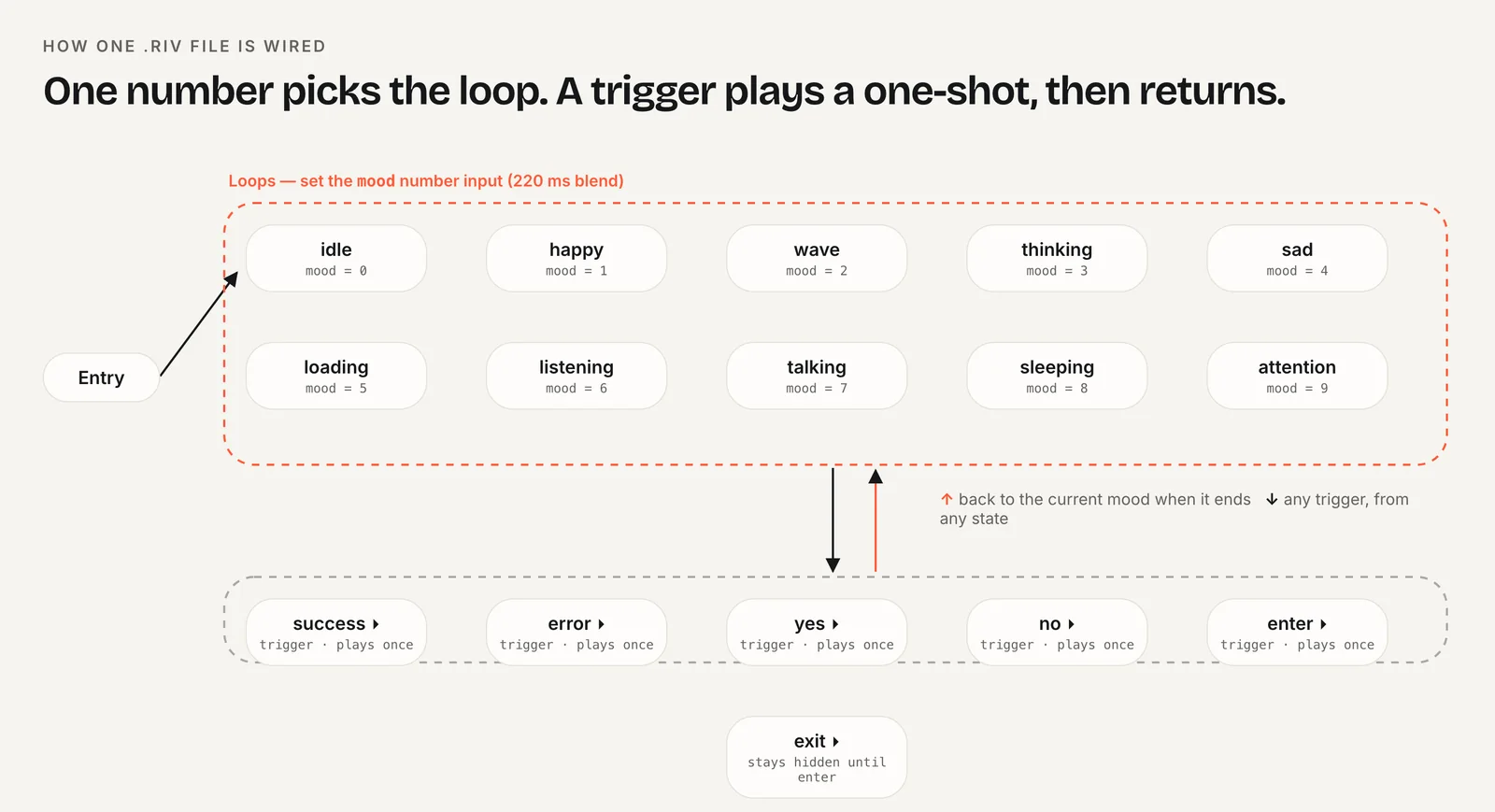
Keep moods for ongoing states (idle, loading, listening) and triggers for events (success, error). That split maps cleanly onto signals for state and methods for events.
How do I avoid SSR errors with Angular server rendering?
Angular's server renderer runs your components in Node.js, where there is no canvas, no window and no way to run the Rive runtime. Creating the instance on the server either throws or wastes work. The isPlatformBrowser(this.platformId) check in ngAfterViewInit returns early on the server, so only the canvas markup is rendered there and the animation starts after hydration.
Angular also provides afterNextRender, which Angular's docs describe as running only in the browser, after rendering. It is a tidy alternative to the platform check:
constructor() {
  afterNextRender(() => this.start()); // never runs on the server
  effect(() => this.setMood(this.mood()));
}
Either way, keep the ngOnDestroy cleanup; with optional chaining it is a no-op on the server. If the import itself ever causes trouble in a server build, load the runtime lazily inside the browser-only callback with await import("@rive-app/canvas").
Charmotion's files are built for exactly this wiring: one .riv with 17 animations from your character or logo, a Character view model with a mood number from 0 to 9 and six triggers, plus legacy CharacterStateMachine inputs for older wrappers. Sets also include web, React and SwiftUI example code.
Canvas vs WebGL2 package: which one?
Both packages expose the same Rive class and options, so switching is a one-line import change.
@rive-app/canvasdraws with the browser's 2D canvas API. Rive recommends it for pages that show many animations at once, because it isn't subject to the browser's limit on WebGL contexts.@rive-app/webgl2uses the Rive Renderer on WebGL2 and supports the full feature set, including effects the 2D canvas can't draw. Rive suggests it for most single-animation pages.
For a dashboard with a small mascot in several cards, choose canvas. For one large hero character with advanced effects, choose WebGL2. The Grandgular wrapper ships a package for each, mirroring the same choice.
Whichever you pick, install only one of them. Both bundle their own WASM, and shipping two runtimes doubles the download for no benefit. If you later switch, the self-hosted wasm path also changes, so update any RuntimeLoader.setWasmUrl() import at the same time.
How to add a Rive character to an Angular app without a wrapper
- Install the runtime. Run
npm install @rive-app/canvasand add the .riv topublic/. - Create a standalone component. Add a canvas with a template reference and a
moodsignal input. - Start in the browser only. Create
new Rive({ stateMachine: "CharacterViewModelMachine", autoBind: true, ... })inngAfterViewInitbehindisPlatformBrowser, or inafterNextRender. - Sync the signal. Use
effect()to write the mood toviewModelInstance.number("mood"). - Expose triggers. Add a
fire(name)method that callstrigger(name).trigger(). - Clean up. Call
this.r?.cleanup()inngOnDestroy.
Frequently asked questions
Should I use the Grandgular Rive wrapper?
It is the community wrapper Rive's docs currently list, requires Angular 18 or later, and is under active development, but few projects use it yet. It's reasonable for prototypes. For a product you will maintain for years, the plain web runtime avoids depending on a small third-party package.
Does Rive work with zoneless Angular?
Yes. The Rive runtime drives its own render loop with requestAnimationFrame and doesn't depend on Zone.js or change detection. Signals and effect() push values into the runtime directly, so the component above works the same with or without zones. No NgZone.runOutsideAngular wrapper is needed.
Where should the .riv file live in an Angular project?
In current Angular projects, put it in public/ and load it as character.riv. Older layouts serve src/assets/, so the path becomes assets/character.riv. Either folder must be listed in the build assets configuration, which new projects set up by default.
Quick answers from this guide
Sources
- Community runtimes: Angular — Rive
- Grandgular/rive: Angular wrapper for Rive — GitHub
- ng-rive — npm
- Web (JS) runtime — Rive
- Web runtime: Data binding — Rive
- Canvas vs WebGL2 — Rive
- Server-side and hybrid rendering — Angular
- Signals — Angular