Lottie vs SVG and CSS Animation: When Each Wins
By the Charmotion team · Updated
Use CSS transitions and keyframes for interface motion such as hovers, fades and spinners; they add no library. Use animated SVG for icons and logos you can describe with a few paths. Use Lottie when a designer has built a complex illustration in After Effects or Lottie Creator that would be impractical to hand-code.
Key takeaways
- CSS and the Web Animations API cost no extra download and cover most interface motion.
- Inline SVG animated with CSS or SMIL suits icons, line drawings and logo reveals.
- Lottie is worth its player (about 46–76 KB gzipped for lottie-web) when artwork comes from a motion designer.
- Every option needs a reduced-motion path; only CSS gets one with a media query alone.
How do CSS, SVG and Lottie compare?
These options are layers rather than rivals. Each one adds capability and cost on top of the last.
| Approach | Download added | Authored in | Complexity ceiling | Best for |
|---|---|---|---|---|
| CSS transitions and keyframes | None | Code | Properties of existing elements | Hover, focus, fades, spinners |
| Web Animations API | None | JavaScript | Same as CSS, with playback control | Sequenced or state-driven UI motion |
| Animated SVG (CSS or SMIL) | None beyond the SVG | Code or a vector editor | A handful of paths | Icons, line drawings, logo reveals |
| Lottie | lottie-web ~46–76 KB gzipped; dotlottie-web ~433 KB WASM (brotli) | After Effects + Bodymovin, Lottie Creator | Full motion-design illustration | Designer-made illustrations and icons |
| Rive | 222–648 KB brotli WASM (Rive's figures) | Rive editor | Rigged characters with state machines | Interactive characters and controls |
Player sizes for lottie-web and dotlottie-web were measured by Charmotion from the npm packages on 2026-10-12; Rive's are from its published runtime-size table. Pick the lowest row that can express your animation.
When is a CSS transition enough?
Whenever the animation changes a property of an element that already exists: a button that lifts on hover, a panel that fades in, a skeleton shimmer, a rotating spinner. CSS transitions animate between two states; @keyframes animations run multi-step sequences and can loop.
.card { transition: transform 200ms ease-out, opacity 200ms ease-out; }
.card:hover { transform: translateY(-4px); }

@keyframes spin { to { transform: rotate(360deg); } }
.spinner { animation: spin 1s linear infinite; }
web.dev's performance guidance is to animate transform and opacity where possible, because browsers can handle them without recalculating layout or repainting. Animating width, top or box-shadow works, but costs more per frame.
CSS stops being enough when the motion is the artwork itself. A character that waves, a confetti burst with dozens of pieces or an illustrated onboarding scene would take hundreds of hand-tuned keyframes. That is the line where a design tool and a file format start to pay off.
When does animated SVG beat Lottie?
When the animation is a few paths you can name. Inline SVG elements can be styled and animated with CSS like any other element, which covers the classic effects: drawing a line by animating stroke-dashoffset, morphing an icon between two states, pulsing a logo mark.
<svg viewBox="0 0 24 24" class="check">
  <path d="M4 12l5 5L20 6" pathLength="1" />
</svg>

.check path { stroke-dasharray: 1; stroke-dashoffset: 1; animation: draw 400ms ease-out forwards; }
@keyframes draw { to { stroke-dashoffset: 0; } }
SVG also has its own declarative animation elements, SMIL's <animate> and <animateTransform>, which MDN documents and which work even when the SVG is loaded as an image without CSS access.
Animated SVG wins on weight and control: there is no player, the markup is searchable and styleable, and it inherits your color tokens. It loses on authoring. Hand-coding more than a few moving parts is slow, and most vector editors do not export animation. Lottie is, in effect, a way to get complex SVG-style animation out of a design tool.
What about the Web Animations API?
The Web Animations API (WAAPI) is the JavaScript side of the same engine that runs CSS animations. Element.animate(keyframes, options) starts an animation and returns an object you can play, pause, reverse or seek, with a finished promise for sequencing.
const anim = document.querySelector(".badge").animate(
  [{ transform: "scale(1)" }, { transform: "scale(1.15)" }, { transform: "scale(1)" }],
  { duration: 300, easing: "ease-out" }
);
await anim.finished;
Reach for it when CSS needs logic: an animation that starts after a network request, chains several steps, or responds to values computed in script. It adds no download.
In React, libraries such as Motion (imported from "motion/react") wrap this kind of control in components, with exit and layout animations that are awkward in plain CSS. They animate your existing elements, which keeps them in the same family as CSS rather than Lottie. Rive vs Motion covers where a library like that ends and an animation file begins.
When is Lottie worth its runtime?
When the animation was designed, not coded. Lottie exists so that motion designers can build in After Effects, export with Bodymovin, and hand engineers a file that plays the same on web, iOS, Android, React Native and Windows. LottieFiles' Lottie Creator offers a browser-based alternative that also builds state machines inside dotLottie files.
Lottie makes sense when:
- the artwork has many shapes, masks and eased keyframes that would be impractical in CSS;
- the same animation must ship on several platforms, which CSS and SVG cannot do natively;
- designers iterate on timing and you want to swap a file rather than edit code;
- you already ship a Lottie player, so each new animation costs only its file.
The cost is the player. On the web, lottie-web measured about 76 KB gzipped (46 KB for the light build), and the newer dotlottie-web loads a WebAssembly engine of about 433 KB with brotli, by Charmotion's measurement of the npm packages. Load either only on pages that show an animation. lottie-web can render to SVG, canvas or HTML, so you can trade crispness for speed per animation.
How do reduced-motion settings apply to each?
The prefers-reduced-motion media feature reports when someone has asked their operating system to minimize motion. MDN lists it as widely available since January 2020. Each approach handles it differently:
- CSS and SVG with CSS: one media query switches animations off or swaps them for a fade.
- WAAPI and JavaScript libraries: check
matchMedia("(prefers-reduced-motion: reduce)")before starting, and listen for changes. Motion'sMotionConfig reducedMotion="user"does this for you. - SMIL: the media query cannot pause it directly; hide the animated SVG and show a static one instead.
- Lottie: on the web, check the preference and call
goToAndStopon a meaningful frame instead of playing. lottie-ios added reduced-motion support in 4.3.0.
@media (prefers-reduced-motion: reduce) {
  .card, .spinner, .check path { animation: none; transition: none; }
}
Always leave a static version that still communicates the state. Accessible animation and reduced motion covers the WCAG side.
Where does Rive fit in?
Rive sits one step past Lottie on the complexity axis. It is also a designed-asset format, made in the Rive editor and played by open-source runtimes, but its file carries a state machine that your code drives at runtime. That suits a character or control with many states, such as a mascot that idles, waits, celebrates and apologizes, all in one file.
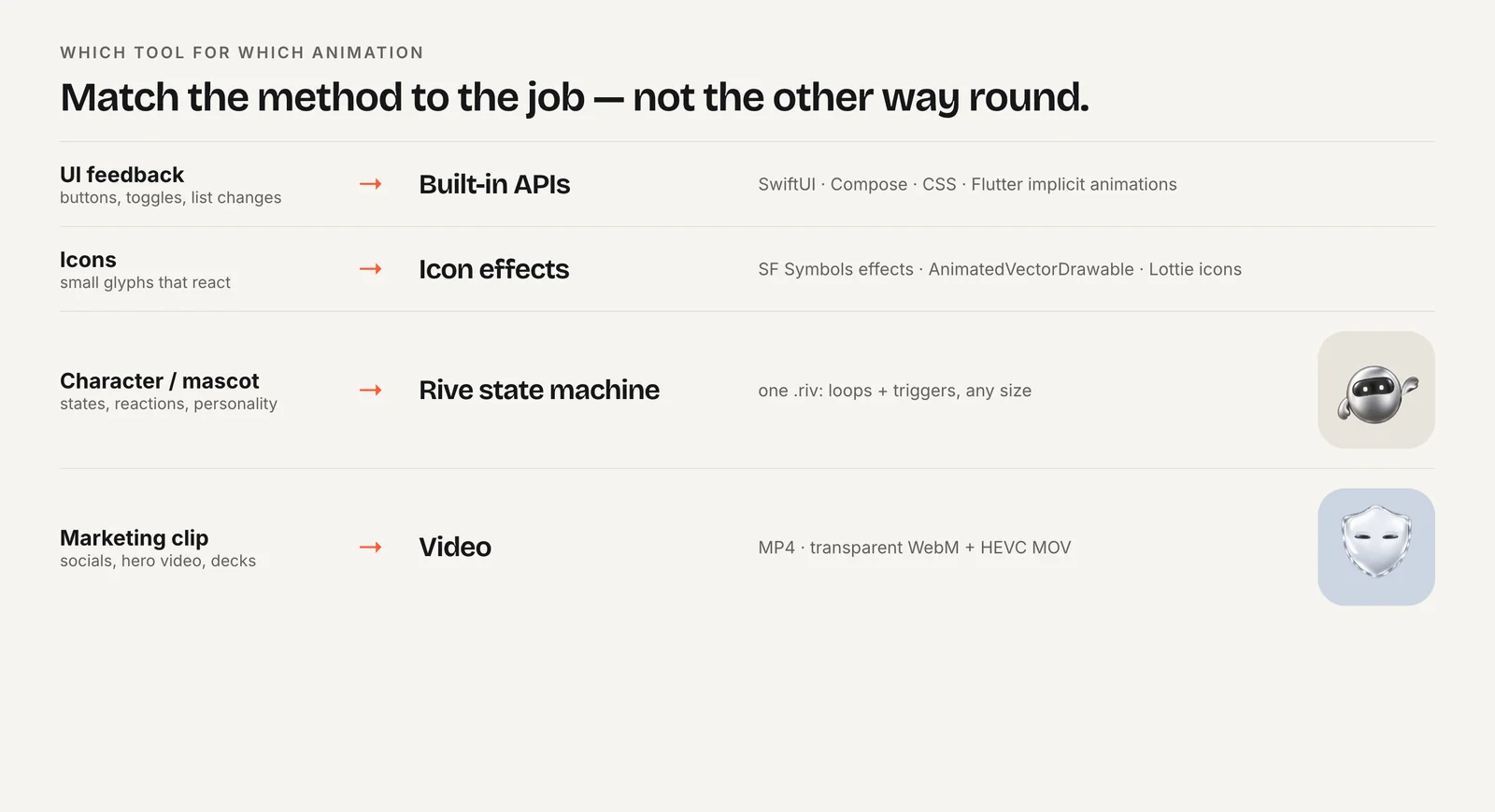
It does not replace CSS. Using a WebAssembly runtime for a hover effect would be wasteful; Rive lists its web packages at 222–648 KB brotli-compressed depending on the renderer. The sensible split is CSS for interface motion, SVG for icons, and a file format for anything an illustrator drew. For a Lottie-versus-Rive decision on its own, see Rive vs Lottie.
If the piece you are missing is an animated version of an existing character, mascot or logo, Charmotion generates one: 17 animations in one .riv with a mood number, triggers and a Data Binding view model, plus MP4, GIF, transparent WebM and MOV, and web, React and SwiftUI code. It produces Rive rather than Lottie, so it complements CSS and SVG instead of replacing a Lottie pipeline.
Should you choose CSS, SVG or Lottie?
Choose CSS or the Web Animations API if:
- you are animating existing interface elements: buttons, cards, menus, toasts, spinners;
- you want zero added download and full control in code;
- reduced motion should be a single media query.
Choose animated SVG if:
- the animation is an icon, a line drawing or a logo mark with a few moving paths;
- it should inherit your theme colors and stay crisp at every size;
- a developer can reasonably write or tweak the motion by hand.
Choose Lottie if:
- a motion designer created the animation in After Effects or Lottie Creator;
- it has too many shapes and keyframes to hand-code;
- the same file must play on web and native apps.
And choose Rive when the illustrated piece needs many states that your app switches between. Most sites end up using two or three of these together.
Frequently asked questions
Is Lottie faster than CSS animation?
No. CSS animations of transform and opacity run in the browser's own animation engine with no library to download. Lottie adds a player and redraws vector shapes each frame. Lottie's advantage is expressiveness for designed artwork, not speed. Use CSS wherever it can express the motion.
Can I export an After Effects animation as animated SVG?
Not directly as a self-contained animated SVG. The usual route is Bodymovin, which exports Lottie JSON, and lottie-web can then render it as SVG in the browser. The motion still depends on the Lottie player, rather than living in the SVG markup as CSS or SMIL animation would.
Is SMIL deprecated?
No. SMIL animation elements such as animate and animateTransform remain documented on MDN and work in current browsers. Many developers still prefer CSS for SVG animation because it shares tooling with the rest of the site and respects prefers-reduced-motion through a simple media query.
Should icons use Lottie or SVG?
Use inline SVG with CSS for simple icon states such as a check drawing in or a menu morphing into a close button. Use Lottie when a designer has produced richer icon animations, especially a whole set, and you already ship the player for other animations on the same pages.
Quick answers from this guide
Sources
- Using CSS animations — MDN Web Docs
- How to create high-performance CSS animations — web.dev
- Using the Web Animations API — MDN Web Docs
- SVG animation with SMIL — MDN Web Docs
- prefers-reduced-motion — MDN Web Docs
- lottie-web — Airbnb on GitHub
- lottie-web package — npm
- Runtime sizes — Rive