Lottie vs Rive State Machines and Data Binding
By the Charmotion team · Updated
Both Lottie and Rive now have state machines. Lottie's live in dotLottie files, built in Lottie Creator since September 2025, with inputs, guards, pointer interactions and actions. Rive's are built into the .riv format and add blend states plus data binding through view models, which Rive now recommends over its legacy inputs.
Key takeaways
- dotLottie state machines handle inputs, pointer events, guards, tweened transitions and actions such as SetTheme and OpenUrl.
- Rive state machines add blend states, layers and two-way data binding with typed view model properties.
- Rive calls inputs legacy; they still work, but the new Apple runtime supports only data binding.
- Both run only in their own players: dotLottie players for Lottie, Rive runtimes for Rive.
Does Lottie have state machines now?
Yes. The claim that "Lottie has no interactivity" was true for most of its history and is now out of date. On September 23, 2025, LottieFiles added visual state machines to Lottie Creator, its web-based editor. The state machine is saved inside a dotLottie (.lottie) file, in the s/ folder defined by the dotLottie specification.
The catch is the player. Only dotLottie players, such as @lottiefiles/dotlottie-web and its React, Vue and other wrappers, run these state machines. The classic lottie-web player, and older JSON-only setups, play the animation and ignore the logic. So "Lottie supports state machines" really means "dotLottie with a dotLottie player supports them".
Rive has had state machines at the center of its design for much longer. Every .riv can contain one or more state machines, and all official Rive runtimes run them. Rive's change is in how code talks to them: it is moving from inputs to data binding.
LottieFiles describes its state machines as "nearly as capable as Rive's". That is its own assessment. The table below lets you judge the difference for your use case.
What can each state machine do?
| Capability | dotLottie state machine | Rive state machine + data binding |
|---|---|---|
| Inputs / properties | Numeric, string, boolean, event | Legacy inputs: number, boolean, trigger. View models: also strings, enums, colors, lists, nested models, images, artboards |
| Pointer interactions | Enter, exit, down, up, move, click | Listeners on shapes and regions of the artwork |
| Transitions | Instant or tweened (cubic-bezier) | Timed transitions with mixing between animations |
| Conditions | Guards on input values | Conditions on inputs or bound properties |
| Built-in actions | Set/toggle/increment inputs, fire events, set frame or progress, SetTheme, OpenUrl, custom events | Events reported to code; data binding updates values both ways |
| Two-way data binding | Not in the spec | Yes, through view models |
| Blend states | Not in the spec | Yes, mixing animations by a value |
| Layers | One active state plus a global state | Multiple layers running at once |
| Authoring tool | Lottie Creator | Rive editor |
Read the "not in the spec" cells carefully: they mean the published dotLottie specification doesn't describe the feature, not that a creative workaround is impossible. Both projects are evolving, so check current docs for anything critical.
In practice, dotLottie covers interactive icons, buttons, toggles and illustrations with a few states well. Rive's extra pieces, blends, layers and typed data, matter most for characters whose behavior depends on several things at once.
What does Rive data binding add over inputs?
Rive's original control model was the input: a named number, boolean or trigger on a state machine. Your code set mood = 3 or fired success, and the state machine reacted. Rive's documentation now carries a deprecation notice on its inputs pages and calls them legacy, telling new projects to use data binding instead. Existing files with inputs keep working.
Data binding replaces loose inputs with a view model: a typed set of properties defined in the editor and bound to parts of the animation. It adds:
- More types: strings, enums, colors, lists, nested view models, images and artboards, not just numbers, booleans and triggers.
- Two-way sync: values can change from your code, the editor, the state machine or scripting, and your code can subscribe to changes.
- Direct bindings: a text property can drive a label in the artwork, a color property a fill, without routing through states.
The migration has deadlines on some platforms. The new Apple runtime supports only data binding; inputs need the legacy Apple API. Rive's React Native runtime logs warnings for input methods in v0.5 (the current release line as of October 2026) and will remove deprecated APIs in v0.6. The Rive editor has a one-click "Convert Inputs to View Models" action to help.
Can either blend between animations?
Rive can, in two ways. A transition between states can mix the outgoing and incoming animations over a set time, so a character eases from idle into talking instead of cutting. And a blend state mixes several animations continuously by a value, for example a head that turns proportionally to a number from -1 to 1, or a walk that blends into a run as speed rises. State machines can also run several layers at once, such as eyes blinking on one layer while the body plays another.
dotLottie's specification describes tweened transitions with cubic-bezier easing between states. That smooths the change from one state to the next. It doesn't describe blend states that mix several animations by a value, or multiple simultaneous layers; instead, it has one current state plus a global state whose transitions are checked first.
Why this matters: blending is what makes characters feel alive rather than like a set of clips. If your animation is a button with idle, hover and pressed states, tweened transitions are plenty. If it's a mascot that should look toward the cursor while breathing and reacting to events, blends and layers save you from authoring every combination by hand.
How do you drive them from app code?
Both expose their state machines to code, with different APIs.
dotLottie: the dotLottie players let you load a state machine from the file, set its inputs, and listen for events and custom events the state machine fires. Method names differ between the web, mobile and Flutter players, so follow the player's own documentation for your platform.
Rive, legacy inputs (still common in existing files), on the web:
const r = new rive.Rive({
  src: "character.riv",
  canvas,
  stateMachine: "CharacterStateMachine",
  autoplay: true,
  onLoad: () => {
    const inputs = r.stateMachineInputs("CharacterStateMachine");
    inputs.find((i) => i.name === "mood").value = 5;
    inputs.find((i) => i.name === "success").fire();
  },
});
Rive, data binding (recommended for new work):
const r = new rive.Rive({
  src: "character.riv",
  canvas,
  stateMachine: "CharacterViewModelMachine",
  autoBind: true,
  autoplay: true,
  onLoad: () => {
    const vm = r.viewModelInstance;
    vm.number("mood").value = 5;
    vm.trigger("success").trigger();
  },
});
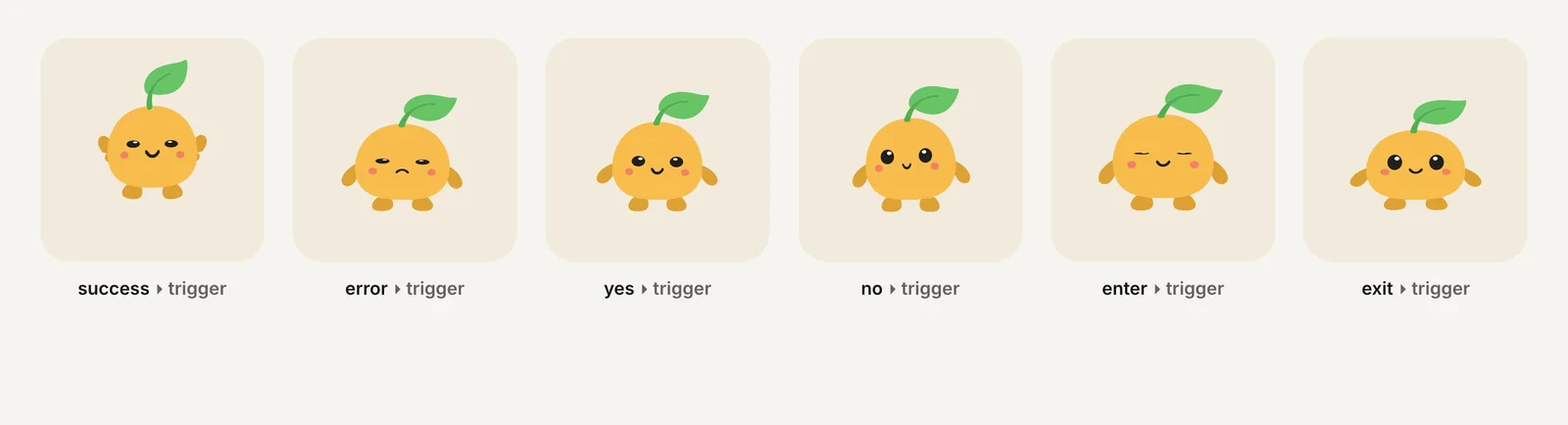
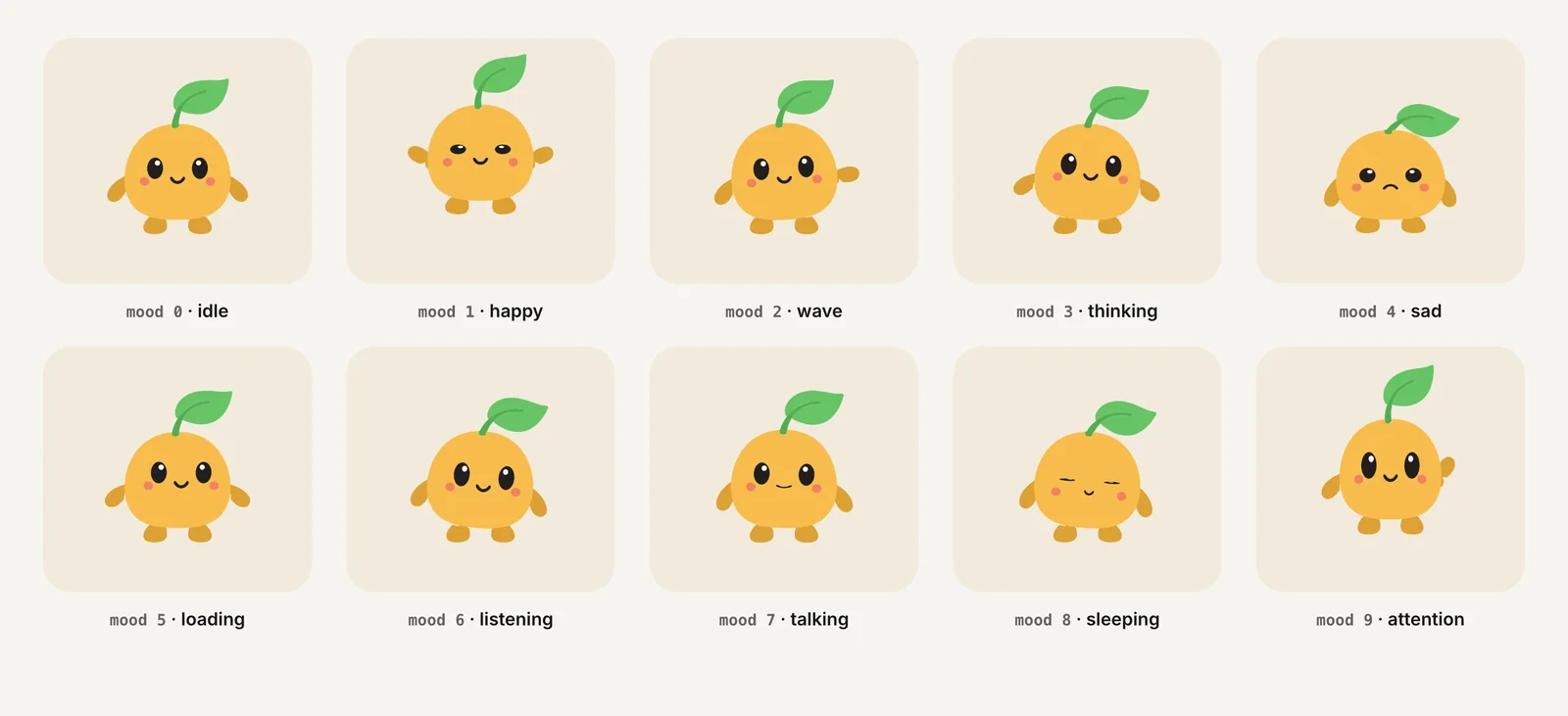
Charmotion files ship both ways for this reason. Each .riv holds 17 animations driven by a Character view model (a mood number from 0 to 9 and triggers success, error, yes, no, enter and exit), the same states as legacy inputs on CharacterStateMachine, and a LaunchStateMachine for an intro. You upload an image and get the set in about 1–2 hours, with code for web, React and SwiftUI. Charmotion delivers Rive and video, not dotLottie.
Which is easier for designers?
It depends on what the designer already uses.
Lottie Creator suits teams whose motion work starts in After Effects. Designers keep animating where they are comfortable, export to Lottie, then add states and interactions in a web editor. The logic model is compact, inputs, guards, transitions and actions, which keeps the learning curve short. Plan details matter: LottieFiles includes Lottie Creator on its paid tiers (Individual $19.99 and Team $24.99 per month billed annually, as of October 2026); we couldn't confirm whether state machines need a specific tier.
The Rive editor is one tool for drawing, rigging, animating and building logic. A designer can test interactions live in the editor before handing anything to developers. The learning curve is steeper, and data binding adds another concept, view models, on top of states. In exchange, one person can own the whole interactive asset.
For developers, the deciding factor is often the contract. Agree on input or property names early and document them, because your code depends on them in both systems. Renaming a property in the file silently breaks the app.
Which state machine should you choose?
Choose dotLottie state machines if your animations come from After Effects, the interactions are hover, click, toggles or a few states, you want built-in actions like SetTheme and OpenUrl, and you can use a dotLottie player on every platform.
Choose Rive if you need blends, layers or typed two-way data such as text, colors or lists, or a character whose behavior depends on several values at once. Use data binding for new work, and keep inputs only for existing files and legacy runtimes.
If you're unsure, prototype the most complex interaction you need in both tools. The one that expresses it without workarounds is usually the right choice. For the broader decision, see Rive vs Lottie, and for Rive's model in depth, Rive state machine: inputs, triggers and moods.
Frequently asked questions
Are Rive state machine inputs deprecated?
Rive now labels inputs legacy. Its docs say they still work but recommend data binding with view models for new projects. Some runtimes go further: the new Apple runtime supports only data binding, and Rive's React Native runtime removes deprecated input APIs in v0.6. Existing input-based files keep playing.
Do Lottie state machines work in lottie-web?
No. Lottie state machines are part of the dotLottie format and run in dotLottie players such as @lottiefiles/dotlottie-web and its framework wrappers. lottie-web plays the animation JSON but not the state machine. Check that every platform you ship to uses a dotLottie player before relying on them.
Can I convert a Rive state machine to Lottie?
Not automatically. LottieFiles' free Rive-to-Lottie converter outputs timeline animations and says state machines are not converted. You would rebuild the logic in Lottie Creator, and features without dotLottie equivalents, such as blend states and two-way data binding, would need a different design.
What is a Rive view model?
A view model is a typed set of properties, such as numbers, strings, colors, enums, lists and triggers, defined in the Rive editor and bound to parts of an animation. Your app reads and writes those properties at runtime, and changes sync both ways. It replaces legacy state machine inputs.
Quick answers from this guide
Sources
- State machines are finally in Lottie Creator — LottieFiles
- dotLottie state machines: Specification — LottieFiles
- State machine inputs (legacy) — Rive
- Data binding overview — Rive
- Data binding migration guide — Rive
- State machine — Rive
- Apple runtime: Inputs (legacy) — Rive
- React Native migration guide — Rive