Animate a Chat Avatar From Streaming Events
By the Charmotion team · Updated
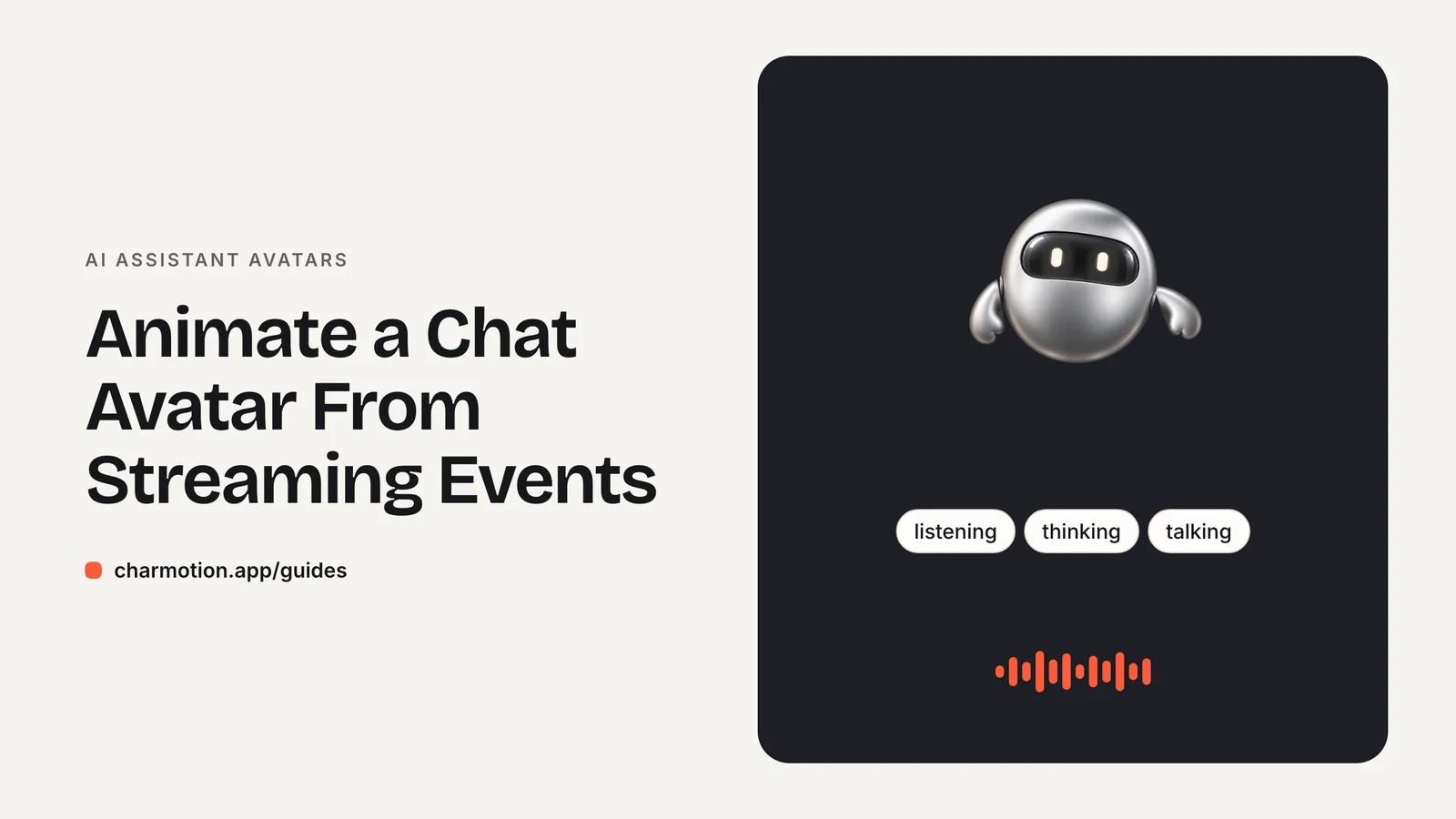
To animate a chat avatar from a streaming LLM, map the Vercel AI SDK useChat status to avatar states: submitted to thinking, streaming to talking, ready to idle with a one-time success beat, and error to an error reaction. Drive a Rive view model number and triggers from one effect, and keep the canvas mounted outside the message list.
Key takeaways
useChatstatus has four values:submitted,streaming,readyanderror. That is enough to drive every avatar state.- Use a number for looping states and triggers for one-shots, and fire success only on the streaming-to-ready transition.
- Treat a user stop as its own case so it doesn't play a success reaction.
- Hold thinking for a short minimum time and render the avatar once, outside the message list, to avoid flicker and restarts.
Already have a character or logo? Preview your own character animated in a phone splash, a website hero and an empty state — free, in your browser, nothing uploaded.
Which streaming events should drive which avatar state?
The Vercel AI SDK's useChat hook already tracks the whole request life cycle in one field. Its status is 'ready' (idle), 'submitted' (request sent), 'streaming' (receiving the response) or 'error' (request failed), according to the useChat reference. Those four values map cleanly onto a character that has looping moods and one-shot reactions.
| useChat status | What is happening | Avatar |
|---|---|---|
submitted | Request sent, no tokens yet | Thinking loop (mood 3) |
streaming | Tokens arriving | Talking loop (mood 7) |
ready after streaming | Reply finished | Fire success once, then idle (mood 0) |
ready after a user stop | Reply aborted | Idle, no reaction |
error | Request failed | Fire error, then sad (mood 4) |
| No activity for a few minutes (your timer) | Session idle | Sleeping (mood 8) |
The mood numbers here follow a ten-mood character file (idle 0, thinking 3, sad 4, talking 7, sleeping 8). If your file uses different values or names, change only the constant map in the code below.
Listening is the one state useChat cannot tell you about, because typing happens before any request. Set it from your input's focus and change events if you want it. For a typed chat, many teams skip it and let the avatar idle while the user writes.
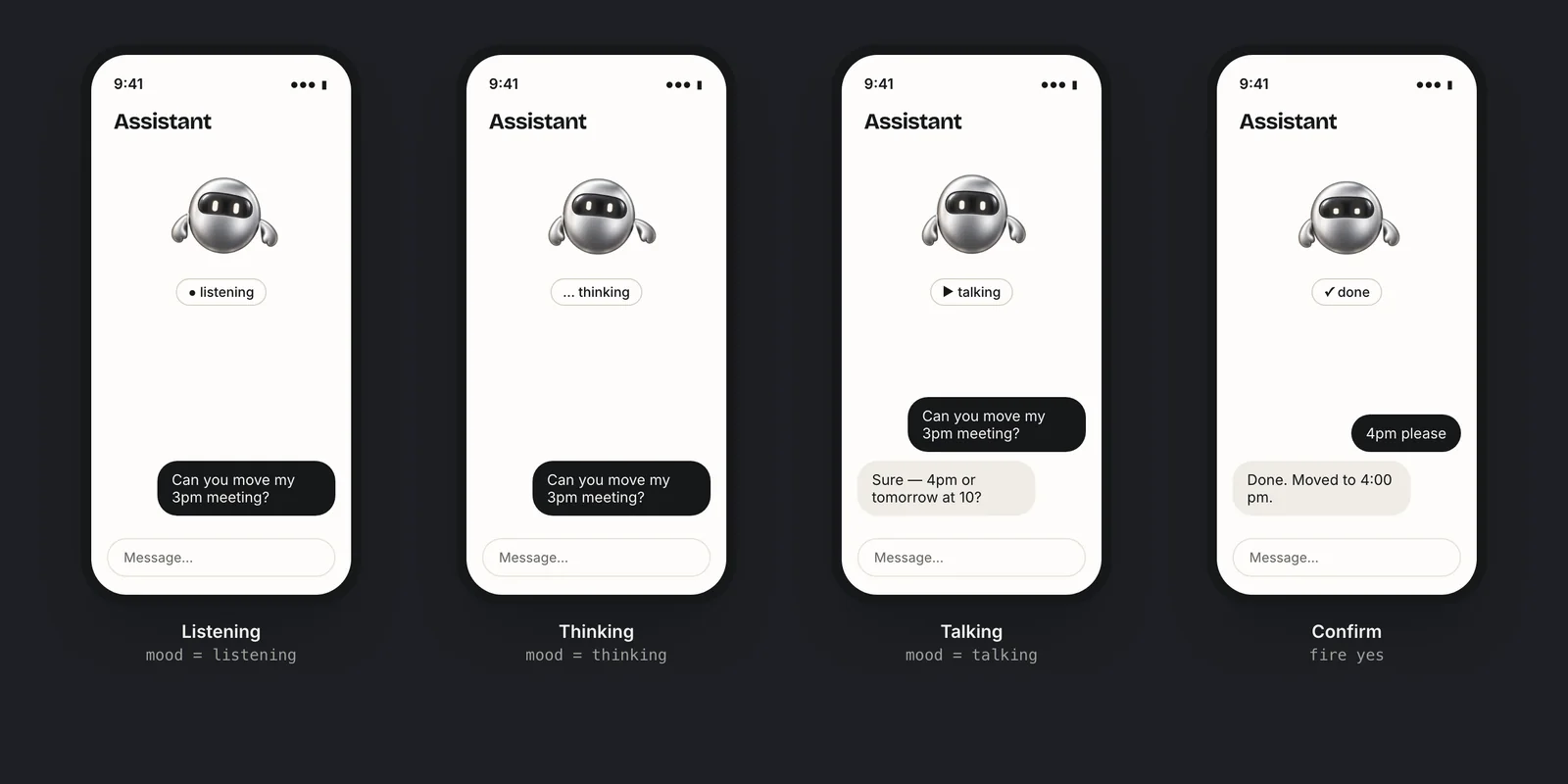
How do I map useChat status to a Rive number input?
With Rive data binding, set autoBind: true in useRive and the default view model instance becomes available as rive.viewModelInstance. The hooks useViewModelInstanceNumber and useViewModelInstanceTrigger then return setValue and trigger functions (Rive React data binding). In the Next.js App Router this must be a client component, so the file starts with "use client".
"use client";

import { useEffect, useRef } from "react";
import {
  useRive,
  useViewModelInstanceNumber,
  useViewModelInstanceTrigger,
} from "@rive-app/react-webgl2";

type ChatStatus = "submitted" | "streaming" | "ready" | "error";
const MOOD = { idle: 0, thinking: 3, sad: 4, talking: 7 } as const;

export function ChatAvatar({ status, stopped }: { status: ChatStatus; stopped: boolean }) {
  const { rive, RiveComponent } = useRive({
    src: "/character.riv",
    stateMachine: "CharacterViewModelMachine",
    autoplay: true,
    autoBind: true,
  });
  const vmi = rive?.viewModelInstance;
  const { setValue: setMood } = useViewModelInstanceNumber("mood", vmi);
  const { trigger: success } = useViewModelInstanceTrigger("success", vmi);
  const { trigger: error } = useViewModelInstanceTrigger("error", vmi);
  const last = useRef<ChatStatus | null>(null);

  useEffect(() => {
    if (!vmi || last.current === status) return;
    const was = last.current;
    last.current = status;

    if (status === "submitted") setMood(MOOD.thinking);
    else if (status === "streaming") setMood(MOOD.talking);
    else if (status === "error") {
      error();
      setMood(MOOD.sad);
    } else {
      if ((was === "streaming" || was === "submitted") && !stopped) success();
      setMood(MOOD.idle);
    }
  }, [vmi, status, stopped, setMood, success, error]);

  return (
    <div aria-hidden="true" style={{ width: 96, height: 96 }}>
      <RiveComponent />
    </div>
  );
}
The last ref is what makes this safe. The effect may re-run when hook functions change identity, but it only acts when the status actually changed, so a trigger never fires twice for one transition.
If you are not using the React hooks, the plain web runtime does the same thing imperatively: rive.viewModelInstance.number("mood").value = 3 and rive.viewModelInstance.trigger("success").trigger() (Rive web data binding).
How do I play a success animation only once when the reply finishes?
Use a trigger, not a mood. A trigger is a one-shot: it plays its animation and then the state machine returns to whatever loop is current. A mood is a resting loop that keeps playing until you change it. If you modeled success as a mood, you would need a timer to move off it, and that timer would race with the next message.
Fire it on a transition, not a value. status === "ready" is also true before the first message and after an error recovery, so checking the value alone would celebrate on page load. The previous-status ref in the component above limits the trigger to replies that actually streamed.
Order matters less than you might think. In the code, success() fires and then the mood is set back to idle in the same tick. Whether the one-shot survives that depends on how the file is wired. In a Charmotion file, a mood change never cuts a one-shot: the reaction finishes, then the character settles into the new mood. Charmotion generates that file from your own character or logo, with ten moods and six triggers (success, error, yes, no, enter, exit) on a Character view model, as part of a 17-animation set; the .riv is included on the Studio plan. If you build your own file, check this behavior in the Rive editor before relying on it.
Reserve success for replies that did something, if you can tell. A reaction after every single answer can feel noisy in a long conversation. A common compromise is to fire it only when a tool call completed, such as a saved note or a booking, and to let ordinary replies simply return to idle.
What should the avatar do on error or when the user presses stop?
useChat exposes stop() to abort the current streaming response, plus onError and onFinish callbacks (useChat reference). An aborted stream ends in ready, exactly like a finished one, so the avatar cannot tell them apart from status alone. Record the stop yourself:
"use client";

import { useState } from "react";
import { useChat } from "@ai-sdk/react";
import { ChatAvatar } from "./ChatAvatar";

export function Chat() {
  const { messages, sendMessage, status, stop } = useChat();
  const [stopped, setStopped] = useState(false);

  const send = (text: string) => {
    setStopped(false);
    sendMessage({ text });
  };
  const handleStop = () => {
    setStopped(true);
    stop();
  };

  return (
    <aside>
      <ChatAvatar status={status} stopped={stopped} />
      {/* message list, input and a stop button that calls handleStop */}
    </aside>
  );
}
For errors, fire the error trigger and rest on a sad or neutral mood until the user retries. Keep the reaction short and never flash; the error message itself belongs in text next to the input. When the next request goes out, submitted moves the avatar back to thinking automatically.
A stop is not a failure. Return to idle without a reaction, or use a small acknowledgment such as a no or yes trigger if your character has one and it fits your tone.
How do I avoid flicker between thinking and talking on fast replies?
Fast models can go from submitted to streaming in well under a second. If the thinking loop gets only a few frames, the avatar looks like it glitched. The fix is a minimum dwell time: once thinking starts, hold it for a short period before letting the next state through.
import { useEffect, useRef, useState } from "react";

type ChatStatus = "submitted" | "streaming" | "ready" | "error";

/** Delays leaving "submitted" until it has been shown for at least `ms`. */
export function useMinDwell(status: ChatStatus, ms = 400): ChatStatus {
  const [shown, setShown] = useState(status);
  const since = useRef(Date.now());

  useEffect(() => {
    if (status === shown) return;
    const elapsed = Date.now() - since.current;
    const wait = shown === "submitted" ? Math.max(0, ms - elapsed) : 0;
    const t = setTimeout(() => {
      since.current = Date.now();
      setShown(status);
    }, wait);
    return () => clearTimeout(t);
  }, [status, shown, ms]);

  return shown;
}

// <ChatAvatar status={useMinDwell(status)} stopped={stopped} />
400 ms is a starting point, not a standard; tune it against your model's real time to first token. Apply the delay only to the avatar. The message list should still render tokens the moment they arrive.
Because a very fast reply can jump straight from submitted to ready after the dwell, the avatar component above fires success on either previous state. Without that, quick answers would never get their reaction.
How do I keep the canvas from remounting on every message?
Rive's React docs warn that if React repeatedly unmounts or recreates the canvas, the animation may restart, disappear or fail to display (Rive React best practices). Chat UIs trigger exactly that by accident, because they re-render on every streamed token.
- Render one avatar, outside the message list. Put it in the header or beside the input, not inside each assistant bubble. If you want an avatar next to every message, use the live Rive avatar only for the latest reply and a static image for older ones.
- Keep
useRiveandRiveComponentin the same small component, as inChatAvatar. Don't passRiveComponentup or down the tree. - Give it a stable position and no changing
key. A key derived from the message id remounts the canvas on every turn. - Pass only primitives as props (status, a boolean) and wrap it in
React.memoif the parent re-renders often.
One instance also helps performance. See accessible, fast AI avatar animation for pausing it offscreen and handling reduced motion, and Rive in React and Next.js for package setup.
Drive a Rive chat avatar from useChat
- Load the file with data binding. Call
useRivewithautoBind: trueand the state machine name, inside a"use client"component. - Get the properties. Use
useViewModelInstanceNumber("mood", vmi)anduseViewModelInstanceTriggerforsuccessanderror. - Map status to moods. In one effect, set thinking on
submitted, talking onstreaming, idle onreadyand sad onerror. - Fire reactions on transitions. Track the previous status in a ref and fire
successonly when a reply finished without a user stop. - Smooth fast replies. Hold thinking for a short minimum dwell before showing the next state.
- Mount once. Render the avatar outside the message list with a stable position and no changing key.
Frequently asked questions
What are the useChat status values?
useChat's status is 'submitted' when the request is sent, 'streaming' while the response arrives, 'ready' when idle and 'error' when the request failed. Map submitted to a thinking loop, streaming to talking, ready to idle with an optional success reaction, and error to an error reaction.
Should the avatar switch to talking on the first token?
Yes. useChat moves to 'streaming' as soon as the response starts arriving, which is the right moment to switch from thinking to talking. Waiting for the full reply makes the assistant feel slower. Hold thinking for a short minimum dwell so very fast replies don't flicker.
Why does my success animation play on page load?
Because status is 'ready' before the first message too. Fire the trigger on the transition from 'streaming' or 'submitted' to 'ready', tracked with a ref, rather than whenever status equals 'ready'. Also skip it when the user pressed stop, since an aborted stream also ends in 'ready'.
Does this work with the plain Rive web runtime?
Yes. Without the React hooks, set rive.viewModelInstance.number("mood").value and call rive.viewModelInstance.trigger("success").trigger() from your own status listener. The mapping, the previous-status check and the stop handling stay exactly the same; only the way you reach the view model changes, from hooks to direct property access on the instance.
Quick answers from this guide
Sources
- useChat reference — AI SDK by Vercel
- React runtime: Data binding — Rive
- Web runtime: Data binding — Rive
- React runtime: Best practices — Rive