Prompts de IA para adicionar uma splash screen ou um mascote de carregamento animado
Por equipe Charmotion · Atualizado em
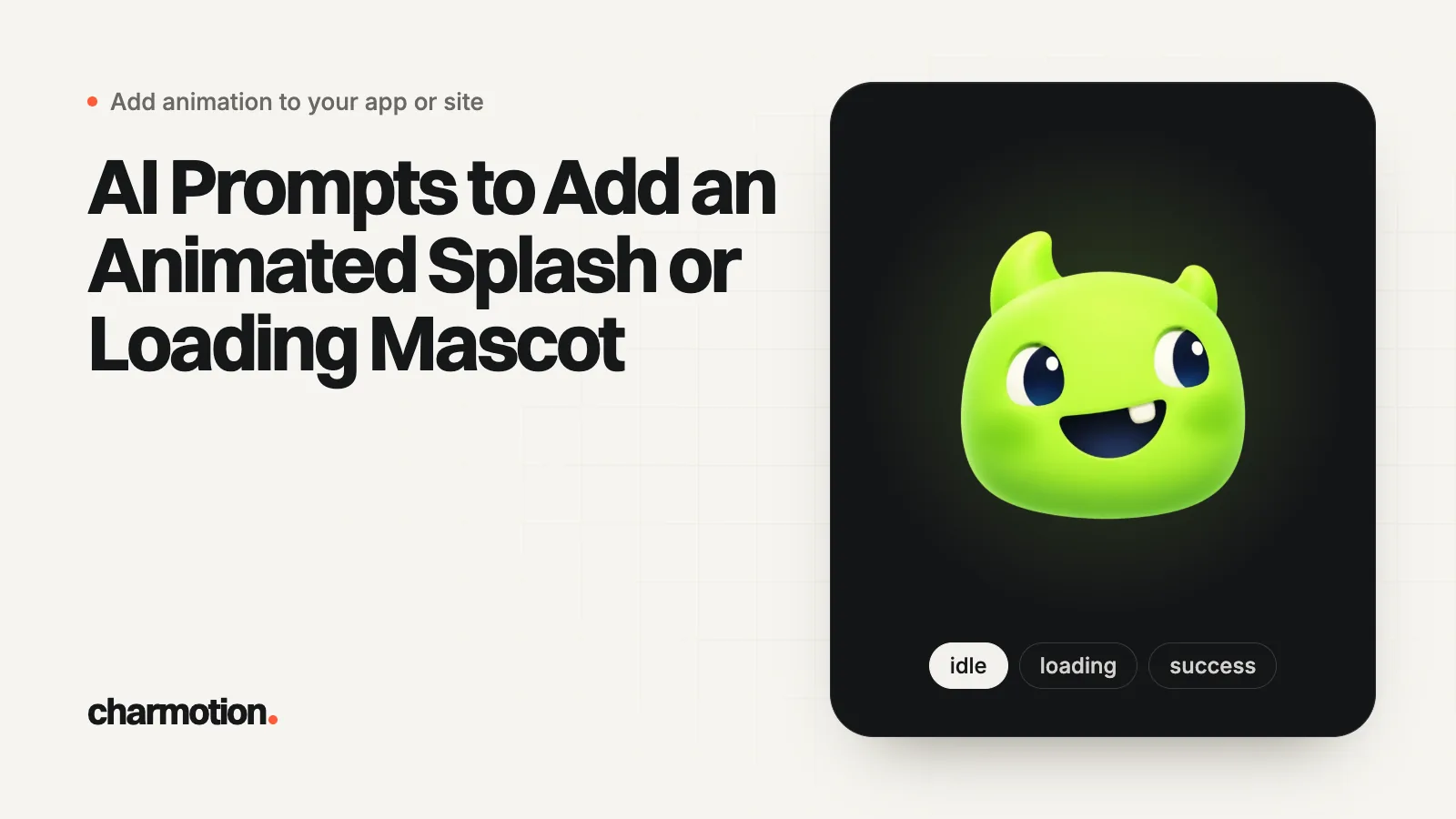
Ferramentas de programação com IA como Cursor, Claude Code, Lovable, Bolt e v0 conseguem adicionar um mascote animado de splash ou de carregamento quando o prompt informa o que elas costumam errar: a splash do sistema fica estática, a intro toca na primeira tela, o nome exato da state machine, um timer de 2,6 segundos porque o arquivo não dispara evento de fim, uma única cor de fundo e um fallback para movimento reduzido.
Principais pontos
- Cole o bloco de regras compartilhado no prompt ou nas regras do projeto para que todas as ferramentas recebam as mesmas informações.
- Diga à ferramenta que a launch screen do sistema deve ficar estática; caso contrário, ela pode tentar animá-la.
- Informe que o arquivo de abertura não dispara evento de fim, ou a ferramenta vai inventar um callback que nunca é chamado.
- Indique o framework, o pacote e os caminhos dos arquivos; prompts vagos geram código Lottie para um arquivo .riv.
- Revise o resultado com um checklist curto: cor igual, timer, timeout de segurança, movimento reduzido.
Já tem um personagem ou logo? Veja seu personagem em telas reais de app: telas de splash, onboarding, carregamento e estado vazio. É grátis, roda no navegador e não envia nada.
Por que as ferramentas de programação com IA erram nas splash screens animadas?
Porque a resposta mais comum nos dados de treinamento delas é a errada para o seu app. Peça "uma splash screen animada" sem detalhes e muitas vezes você recebe uma destas:
- Uma tentativa de colocar animação no
LaunchScreen.storyboard, que só pode usar classes padrão do UIKit, sem conexões com código (Apple). - Um componente Lottie apontando para um arquivo
.riv, ou uma nova biblioteca de animação que você não pediu. - Um listener para um evento de "animação concluída" que o arquivo nunca dispara, e o app trava na intro.
- Código Rive rodando no Expo Go, que não carrega módulos nativos (Rive).
- Um flash branco, porque a splash, a view raiz e a intro usam cores diferentes.
- Nenhum caminho para movimento reduzido.
A solução é passar os fatos para a ferramenta logo de início. Coloque-os em instruções persistentes do projeto para não precisar repeti-los: o Claude Code lê CLAUDE.md e pode ler AGENTS.md (Claude Code Docs), o Cursor lê regras de projeto em .cursor/rules como arquivos .mdc e aceita AGENTS.md (Cursor Docs), e o Lovable tem Knowledge de workspace e de projeto que fica sempre no contexto (Lovable Docs). No Bolt e no v0, cole as regras no início do chat.
Quais regras todo prompt de splash deve incluir?
Cole este bloco antes de qualquer prompt de framework abaixo e substitua os valores entre colchetes. Ele parte de um arquivo de abertura do Charmotion (LaunchStateMachine, intro de 2,6 segundos, sem evento de fim); se o seu arquivo for diferente, altere essas linhas.
Rules for the launch animation (follow exactly):
- The OS launch screen stays static. Do not try to animate
  LaunchScreen.storyboard, UILaunchScreen, the Expo splash config
  or flutter_native_splash. The animation plays on the FIRST SCREEN.
- Asset: [assets/launch.riv]. State machine: "LaunchStateMachine".
  It plays a 2.6 s intro once and settles on the resting icon.
- The file fires NO end event. Do not listen for "introDone",
  "onComplete" or any other event. Wait 2.6 s with a timer, then
  continue. Add a 4 s safety timeout in case the file fails to load.
- Background color [#0E1116] must be identical on the native
  splash, the root view and the intro screen (light and dark).
- Show the intro at the same size and center position as the icon
  on the native splash, so there is no visible jump.
- Reduced motion: if the user has it enabled, skip the intro and
  show the still icon [assets/icon_rest.png], then continue.
- Never block the app longer than the intro. Do not add extra delay.
- Do not add Lottie or any other animation library.
Por que a regra do timer importa: uma state machine do Rive só emite os eventos que o autor criou nela. Um arquivo de abertura do Charmotion toca uma vez, para na pose de repouso e não emite nada, então a única forma correta de seguir em frente é esperar a duração dele. Pedir à ferramenta que não invente um nome de evento evita o travamento mais comum.
Os downloads do Charmotion também incluem código para web, React e SwiftUI junto com o .riv, então você pode anexar um exemplo funcionando ao prompt em vez de descrevê-lo.
Qual prompt adiciona um splash animado em SwiftUI?
Para Cursor ou Claude Code em um projeto Xcode:
Add a launch intro to this SwiftUI app.

[paste the rules block]

Details:
- Add the RiveRuntime Swift package (rive-ios) if it is missing.
- Bundle launch.riv in the app target.
- Create LaunchIntroView: full-screen Color("LaunchBackground"),
  centered 160x160 RiveViewModel(fileName: "launch",
  stateMachineName: "LaunchStateMachine").view().
- In the App struct, show LaunchIntroView over ContentView with a
  @State showIntro = true. After 2.6 s (Task.sleep), set it to false
  with a 0.25 s opacity transition.
- Read @Environment(\.accessibilityReduceMotion). If true, do not
  show the intro at all.
- Set UILaunchScreen in Info.plist: UIColorName = LaunchBackground,
  UIImageName = IconRest (same size as the intro's icon).
- Do not modify LaunchScreen.storyboard beyond static views.
Show me the files you changed.
A versão completa, escrita à mão, incluindo o novo runtime do Rive para Apple, está em splash screen animada em SwiftUI.
Qual prompt adiciona um splash animado em Expo ou React Native?
Add an animated launch intro to this Expo app (Expo Router).

[paste the rules block]

Details:
- Use expo-splash-screen: call SplashScreen.preventAutoHideAsync()
  in global scope in app/_layout.tsx. Call SplashScreen.hideAsync()
  only after the Rive file has loaded.
- In app.json, set the expo-splash-screen plugin backgroundColor,
  image (assets/icon-rest.png), imageWidth 160 and dark options, and
  the same root "backgroundColor". Install expo-system-ui if needed.
- Use @rive-app/react-native with react-native-nitro-modules, installed
  with npx expo install. This needs a development build, not Expo Go.
- Add "riv" to resolver.assetExts in metro.config.js.
- Create components/LaunchIntro.tsx: useRiveFile(require(...)),
  RiveView with stateMachineName="LaunchStateMachine", autoPlay,
  160x160, centered on the background color. Call onDone after
  2600 ms with setTimeout. Add a 4000 ms safety timeout.
- Check AccessibilityInfo.isReduceMotionEnabled(); if true, hide the
  splash and call onDone immediately.
- Do not use Lottie. Do not listen for any Rive event.
Contexto sobre cada passo: splash animado em Expo e React Native e Rive no Expo.
Qual prompt adiciona um splash animado em Flutter?
Add an animated launch intro to this Flutter app.

[paste the rules block]

Details:
- Keep flutter_native_splash for the native splash (color [#0E1116],
  image assets/icon_rest.png). It stays static.
- In main(): binding = WidgetsFlutterBinding.ensureInitialized();
  FlutterNativeSplash.preserve(widgetsBinding: binding);
  await RiveNative.init();
- Add the rive package. Create IntroPage (StatefulWidget) as home:
  load File.asset('assets/launch.riv', riveFactory: Factory.rive),
  create RiveWidgetController with
  StateMachineSelector.byName('LaunchStateMachine'), render
  RiveWidget in a 160x160 SizedBox centered on the background color.
- Call FlutterNativeSplash.remove() after the file loads, wait
  2600 ms, then Navigator.pushReplacement to the existing home page.
- If MediaQuery.disableAnimationsOf(context) (or
  platformDispatcher.accessibilityFeatures.disableAnimations) is true,
  show Image.asset('assets/icon_rest.png') and navigate immediately.
- Dispose the controller and the file in dispose().
O mesmo código, escrito por extenso e explicado: splash screen animada em Flutter.
Qual prompt adiciona uma intro animada em Next.js, Lovable, Bolt ou v0?
Apps web não têm splash do sistema, então o equivalente é uma intro na seção hero ou na primeira renderização. Lovable, Bolt e v0 costumam gerar React, então um único prompt atende os três:
Add an animated logo intro to the hero of this React / Next.js page.

Assets (in /public):
- logo-intro.webm (VP9 with alpha), logo-intro.mov (HEVC with alpha),
  logo-rest.webp (the still final frame, same size).

Rules:
- Render a <video autoplay muted playsinline> with poster="/logo-rest.webp",
  fixed width and height (no layout shift), and two sources in this
  order: logo-intro.mov with type 'video/mp4; codecs="hvc1"', then
  logo-intro.webm with type "video/webm".
- Do not loop. When it ends, keep the last frame (it matches the poster).
- If play() rejects, keep showing the poster.
- With prefers-reduced-motion: reduce, render only the poster image.
- In Next.js, make the component a client component.
- Do not add Lottie, GSAP or any other animation library.
Para um mascote interativo na web em vez de vídeo, peça @rive-app/react-webgl2 com stateMachine: "CharacterViewModelMachine" e autoBind: true (Rive). A ordem das fontes e os codecs seguem a abordagem compatível entre navegadores de Jake Archibald (Jake Archibald); veja vídeo com fundo transparente em um site.
Qual prompt adiciona um mascote de carregamento em vez de um splash?
O mesmo arquivo de personagem pode controlar estados de carregamento. Este prompt parte da estrutura de arquivo das regras acima (um view model Character); renomeie as propriedades para corresponder às suas:
Show the mascot while [the image generation request] is pending.

- File: [assets/character.riv]. State machine: "CharacterViewModelMachine".
  View model "Character" with a number property "mood" and triggers
  "success" and "error".
- Mood values: 0 idle, 3 thinking, 5 loading.
- Before the request: set mood = 5. On success: fire "success",
  then set mood = 0. On failure: fire "error", then set mood = 0.
  Triggers play once and return to the current mood by themselves.
- Only show the mascot if the request takes longer than 600 ms.
- Keep visible "Loading…" text with role="status" (web) or an
  accessibility label (native). Hide the animation itself from
  screen readers.
- Reduced motion: show the still image and the text, no animation.
- If the file has no "Character" view model, fall back to the
  legacy "CharacterStateMachine" with the same input names.
Mais sobre tempo e acessibilidade de loaders em como adicionar uma animação de carregamento.
Como conferir o que a ferramenta de IA escreveu?
Revise estes pontos antes de fazer o merge:
- O splash do sistema fica intacto ou estático. Nada de código no launch storyboard, nenhum drawable animado fora de
drawable-v31no Android. - Uma única cor de fundo no splash, na raiz e na intro, nos modos claro e escuro.
- Um timer, e não um evento inventado, encerra a intro, além de um timeout de segurança.
- O splash some depois que o arquivo carrega, e não antes (sem frame em branco).
- O movimento reduzido pula a intro (teste com a configuração do sistema ativada, usando
prefers-reduced-motionna web) (MDN). - Nenhuma dependência surpresa. Remova qualquer biblioteca que a ferramenta tenha adicionado por conta própria.
- Testado em um build de release no Expo, e em um dispositivo real em todas as plataformas.
Perguntas frequentes
Qual ferramenta de programação com IA é melhor para adicionar uma animação de splash?
A ferramenta importa menos que o prompt. Cursor e Claude Code trabalham dentro do seu projeto nativo ou Expo existente; Lovable, Bolt e v0 se saem melhor em apps web com React. Qualquer uma delas funciona quando você informa os nomes da state machine, a duração fixa da intro, a cor de fundo compartilhada e a regra de movimento reduzido.
Por que a intro do meu splash gerado por IA nunca termina?
Normalmente porque o código espera um evento de fim que o arquivo de animação não dispara. Uma LaunchStateMachine do Charmotion não emite nenhum evento quando a intro de 2,6 segundos termina. Substitua o listener por um timer de 2.600 ms e adicione um timeout de segurança para que o app sempre siga em frente.
Devo colocar as regras do splash no CLAUDE.md ou nas regras do Cursor?
Sim, se mais de uma pessoa ou sessão for mexer no fluxo de abertura. O Claude Code carrega o CLAUDE.md (e pode ler o AGENTS.md) em toda sessão, e o Cursor aplica as regras .mdc de .cursor/rules, então as regras de timer, cor e movimento reduzido continuam valendo em cada edição.
Respostas rápidas deste guia
Fontes
- Specifying your app's launch screen, Apple Developer Documentation
- Adding Rive to Expo, Rive
- How Claude remembers your project (CLAUDE.md, AGENTS.md), Claude Code Docs
- Rules, Cursor Docs
- Knowledge, Lovable Docs
- Web (JS) runtime, Rive
- Video with alpha transparency on the web, Jake Archibald
- prefers-reduced-motion, MDN Web Docs
Guias relacionados
- Splash screen animada em SwiftUI (padrão de código)
- Splash screen animada no Expo e React Native
- Splash screen animada no Flutter (e FlutterFlow)
- Como adicionar uma animação de carregamento a um app ou site
- Vídeo com fundo transparente em sites (inclusive no Safari)
- Guia de animação de abertura e splash screen para apps