PhaseAnimator vs KeyframeAnimator in SwiftUI
By the Charmotion team · Updated
Use PhaseAnimator when an animation moves through a few discrete states, such as rest, lift and land, each with its own curve. Use KeyframeAnimator when scale, rotation and offset need independent timed tracks. Both arrived in iOS 17, macOS 14, tvOS 17, watchOS 10 and visionOS 1, and both can loop or run on a trigger.
Key takeaways
- PhaseAnimator steps through a sequence of phases; SwiftUI interpolates between them with the animation you return per phase.
- KeyframeAnimator plays one value type along parallel
KeyframeTracks with explicit durations. - Without a trigger, a phase animator cycles forever;
keyframeAnimator(initialValue:repeating:…)repeats by default. - Pass
trigger:to either to play once per value change. - For a character with many states that designers iterate on, a Rive state machine is a better fit than hand-coded tracks.
What does PhaseAnimator do?
PhaseAnimator (and the .phaseAnimator modifier) takes a sequence of phases, renders your content for the current phase, and animates to the next one. Apple's signature:
func phaseAnimator<Phase>(
    _ phases: some Sequence,
    content: @escaping (PlaceholderContentView<Self>, Phase) -> some View,
    animation: @escaping (Phase) -> Animation? = { _ in .default }
) -> some View
A badge that lifts and lands:
enum BadgePhase: CaseIterable {
    case rest, lift, land
}

struct NewBadge: View {
    var body: some View {
        Image(systemName: "star.fill")
            .font(.largeTitle)
            .foregroundStyle(.yellow)
            .phaseAnimator(BadgePhase.allCases) { content, phase in
                content
                    .scaleEffect(phase == .lift ? 1.2 : 1)
                    .offset(y: phase == .lift ? -12 : 0)
                    .rotationEffect(.degrees(phase == .land ? -6 : 0))
            } animation: { phase in
                switch phase {
                case .rest: return .smooth(duration: 0.6)
                case .lift: return .spring(duration: 0.3, bounce: 0.4)
                case .land: return .bouncy
                }
            }
    }
}
The animation closure receives the phase being animated to. Think of phases as poses: you describe each pose, and SwiftUI handles the in-betweens.
What does KeyframeAnimator do?
KeyframeAnimator animates a single value, usually a struct of several properties, along tracks you define with explicit timing. Each KeyframeTrack targets one key path and runs in parallel with the others.
func keyframeAnimator<Value>(
    initialValue: Value,
    repeating: Bool = true,
    content: @escaping (PlaceholderContentView<Self>, Value) -> some View,
    keyframes: @escaping (Value) -> some Keyframes
) -> some View
A wobble on a mascot still, triggered by a counter:
struct Wobble {
    var scale: CGFloat = 1
    var rotation: Angle = .zero
    var offsetY: CGFloat = 0
}

struct WobblingMascot: View {
    @State private var taps = 0

    var body: some View {
        Image("mascot-still")
            .resizable()
            .scaledToFit()
            .frame(width: 160)
            .keyframeAnimator(initialValue: Wobble(), trigger: taps) { content, value in
                content
                    .scaleEffect(value.scale)
                    .rotationEffect(value.rotation)
                    .offset(y: value.offsetY)
            } keyframes: { _ in
                KeyframeTrack(\.scale) {
                    SpringKeyframe(1.15, duration: 0.2)
                    SpringKeyframe(1.0, duration: 0.3)
                }
                KeyframeTrack(\.rotation) {
                    CubicKeyframe(.degrees(-8), duration: 0.15)
                    CubicKeyframe(.degrees(8), duration: 0.15)
                    CubicKeyframe(.zero, duration: 0.2)
                }
                KeyframeTrack(\.offsetY) {
                    LinearKeyframe(-10, duration: 0.2)
                    SpringKeyframe(0, duration: 0.3)
                }
            }
            .onTapGesture { taps += 1 }
    }
}
Keyframe types control interpolation: LinearKeyframe, CubicKeyframe, SpringKeyframe and MoveKeyframe (a jump with no interpolation).
When should I use phases vs keyframes?
| PhaseAnimator | KeyframeAnimator | Rive state machine | |
|---|---|---|---|
| Mental model | A list of poses | Timed tracks per property | Designer-authored rig with states and transitions |
| Timing control | One animation curve per phase | Exact durations per keyframe, per track | Authored in the editor |
| Properties move together? | Yes, all change on each phase | No, tracks are independent | Per bone and layer |
| Who edits it | Developer | Developer | Designer, driven by code |
| Best for | Pulses, attention nudges, simple loops | Wobbles, bounces, choreographed one-shots | Characters with many moods and reactions |
A useful test: if you can describe the motion as "go to A, then B, then back," use phases. If you describe it as "scale overshoots at 0.2 s while rotation swings twice," use keyframes.
How do I loop vs trigger each animator?
Both modifiers have two modes:
- Continuous.
.phaseAnimator(phases) { … }without a trigger cycles through the phases forever..keyframeAnimator(initialValue:repeating:content:keyframes:)repeats whilerepeatingistrue, its default. - Triggered.
.phaseAnimator(phases, trigger: value) { … }runs through the phases once each timevaluechanges, then rests on the first phase..keyframeAnimator(initialValue:trigger:content:keyframes:)plays the keyframes once per change.
// Once per successful save
.phaseAnimator(BadgePhase.allCases, trigger: saveCount) { content, phase in
    content.scaleEffect(phase == .lift ? 1.2 : 1)
}

// Repeating idle breathing, paused under Reduce Motion
.keyframeAnimator(initialValue: Wobble(), repeating: !reduceMotion) { content, value in
    content.scaleEffect(value.scale)
} keyframes: { _ in
    KeyframeTrack(\.scale) {
        CubicKeyframe(1.03, duration: 1.2)
        CubicKeyframe(1.0, duration: 1.2)
    }
}
The trigger value must be Equatable; an incrementing Int is the simplest choice. Continuous loops should stop when the user turns on Reduce Motion; read @Environment(\.accessibilityReduceMotion).
How do I control timing inside each phase or keyframe?
The two animators expose timing differently, which is often the deciding factor.
PhaseAnimator: each phase's duration is whatever the returned Animation takes. A spring with duration: 0.3 moves to the phase in about 0.3 s; a .linear(duration: 1) takes one second. To hold a pose, add a delay to the animation for the next phase:
} animation: { phase in
    switch phase {
    case .rest: return .easeOut(duration: 0.4).delay(1.5)   // pause before lifting again
    case .lift: return .spring(duration: 0.3, bounce: 0.4)
    case .land: return .bouncy
    }
}
Returning nil for a phase jumps to it without animating.
KeyframeAnimator: every keyframe has an explicit duration, and the total length of a track is the sum of its keyframes. Tracks run in parallel, so the animation ends when the longest track ends. If one track is shorter, its property simply holds its last value until the others finish. To align a moment across tracks (for example, the bottom of a squash at 0.2 s), make the keyframe durations add up to the same time in each track.
Because keyframes are data, you can also sample them outside a view with KeyframeTimeline, which is useful for tests or for driving non-view values with the same curve.
Which OS versions support PhaseAnimator and KeyframeAnimator?
Apple's documentation lists the same availability for both types and their modifiers:
| Platform | Minimum |
|---|---|
| iOS / iPadOS | 17.0 |
| macOS | 14.0 |
| tvOS | 17.0 |
| watchOS | 10.0 |
| visionOS | 1.0 |
If you still support iOS 16, wrap the call in if #available(iOS 17, *) and fall back to withAnimation chains or a static view. Note the watchOS entry: these animators are one of the few ways to animate a character on Apple Watch, where Rive and Lottie have no official support (see watchOS and visionOS character animation).
When is a native SwiftUI animation not enough for a character?
Both animators transform a view as a whole: scale, rotate, offset, opacity, color. They do not bend an arm, blink an eye or lip-sync, because a flat image has no parts to move. You can split a character into layered images and animate each, but every new state then means more code and more timing to tune by hand.
Switch to a designer-authored format when:
- The character needs more than two or three states (idle, thinking, success, error, talking…).
- States must blend into each other mid-animation, not cut.
- A designer, not a developer, should iterate on the motion.
- The same character must also run on Android or the web.
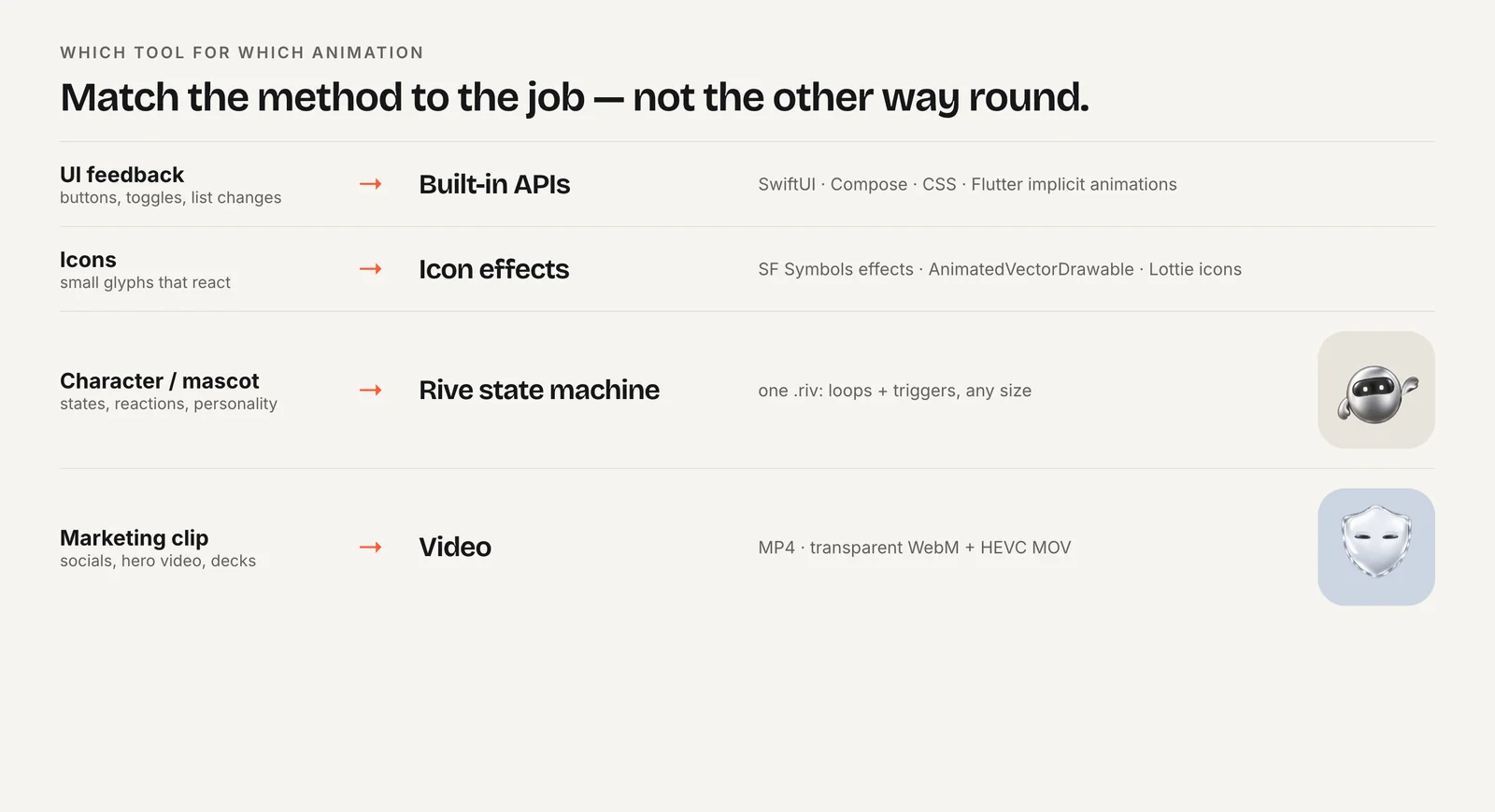
Rive covers those with a state machine your code drives through a few values (see Rive data binding in SwiftUI). Native animators still pair well with it: a phaseAnimator pulse on a badge next to a Rive mascot costs nothing and needs no asset.
Frequently asked questions
Can PhaseAnimator and KeyframeAnimator run on watchOS?
Yes. Apple lists both for watchOS 10 and later, alongside iOS 17, macOS 14, tvOS 17 and visionOS 1. That makes them a practical way to animate a simple character or badge on Apple Watch, where the Rive and Lottie packages do not declare watchOS support.
How do I stop a PhaseAnimator from looping forever?
Pass a trigger value: .phaseAnimator(phases, trigger: count). It then runs through the phases once each time count changes and rests on the first phase. Without a trigger, SwiftUI cycles through the phases continuously for as long as the view is on screen.
Is KeyframeAnimator the same as CSS keyframes?
Similar idea, different structure. CSS keyframes set all properties at percentage stops. SwiftUI's KeyframeAnimator gives each property its own track with durations in seconds and a chosen interpolation, so scale and rotation can follow different timings within one animation. Springs are also available as keyframes, which CSS cannot express directly.
Quick answers from this guide
Sources
- PhaseAnimator — Apple
- KeyframeAnimator — Apple
- phaseAnimator(_:content:animation:) — Apple
- keyframeAnimator(initialValue:repeating:content:keyframes:) — Apple
- accessibilityReduceMotion — Apple