Animated Onboarding Mascot in SwiftUI
By the Charmotion team · Updated
To animate an onboarding mascot in SwiftUI, put a TabView with .tabViewStyle(.page) below a single mascot view that lives outside the pages. When the selected page changes, set the mascot's mood property, and fire a one-shot trigger on key moments. One view keeps the animation continuous instead of reloading it on every swipe.
Key takeaways
- Keep one mascot view outside the
TabView; a mascot inside each page reloads and restarts on every swipe. - Map each page to a looping mood and use triggers only for moments (welcome, permission granted, done).
PageTabViewStyleis available from iOS 14, the same minimum as Rive's runtime.- Under Reduce Motion, show a still pose per page and skip one-shot reactions.
How do I build a paged onboarding with TabView(.page)?
A TabView bound to a selection and styled with .page gives you swipeable pages with a page indicator, available since iOS 14. Model the pages as an enum so each one can carry its own copy and mascot state:
enum OnboardingPage: Int, CaseIterable, Identifiable {
    case welcome, feature, permission, paywall
    var id: Int { rawValue }

    var title: String {
        switch self {
        case .welcome: return "Meet Pip"
        case .feature: return "Snap a receipt, Pip sorts it"
        case .permission: return "Allow notifications?"
        case .paywall: return "Go Pro"
        }
    }
}

struct OnboardingPages: View {
    @Binding var page: OnboardingPage

    var body: some View {
        TabView(selection: $page) {
            ForEach(OnboardingPage.allCases) { item in
                Text(item.title)
                    .font(.title2.bold())
                    .multilineTextAlignment(.center)
                    .padding(.horizontal, 32)
                    .tag(item)
            }
        }
        .tabViewStyle(.page)
        .indexViewStyle(.page(backgroundDisplayMode: .always))
    }
}
The .tag(item) must have the same type as the selection binding, or swiping will not update page.
How do I keep one mascot view alive across pages?
Put the mascot above the TabView in a VStack, not inside the ForEach. Pages are created and destroyed as you swipe; a mascot inside them would reload its file and restart from the entry state each time. Outside, it keeps playing and simply changes state.
The controller below uses Rive's new Apple runtime and keeps the bound view model instance, which is required to change values later:
import SwiftUI
import RiveRuntime

@MainActor
final class MascotController: ObservableObject {
    @Published private(set) var rive: Rive?
    private var instance: ViewModelInstance?

    func load(initialMood: Int) async {
        guard rive == nil else { return }
        do {
            let worker = try await Worker()
            let file = try await File(source: .local("mascot", Bundle.main), worker: worker)
            let artboard = try await file.createArtboard()
            let instance = try await file.createViewModelInstance(
                .viewModelDefault(from: .artboardDefault(artboard))
            )
            instance.setValue(of: NumberProperty(path: "mood"), to: Float(initialMood))
            let machine = try await artboard.createStateMachine(
                "CharacterViewModelMachine",
                binding: instance
            )
            self.instance = instance
            rive = try await Rive(file: file, artboard: artboard, stateMachine: machine)
        } catch {
            print("Mascot failed to load: \(error)")
        }
    }

    func setMood(_ mood: Int) {
        instance?.setValue(of: NumberProperty(path: "mood"), to: Float(mood))
    }

    func fire(_ trigger: String) {
        instance?.fire(trigger: TriggerProperty(path: trigger))
    }
}
Setting the first mood before the view appears avoids one frame of the file's default state, a point Rive's migration guide makes explicitly.
How do I map each onboarding page to a mascot mood?
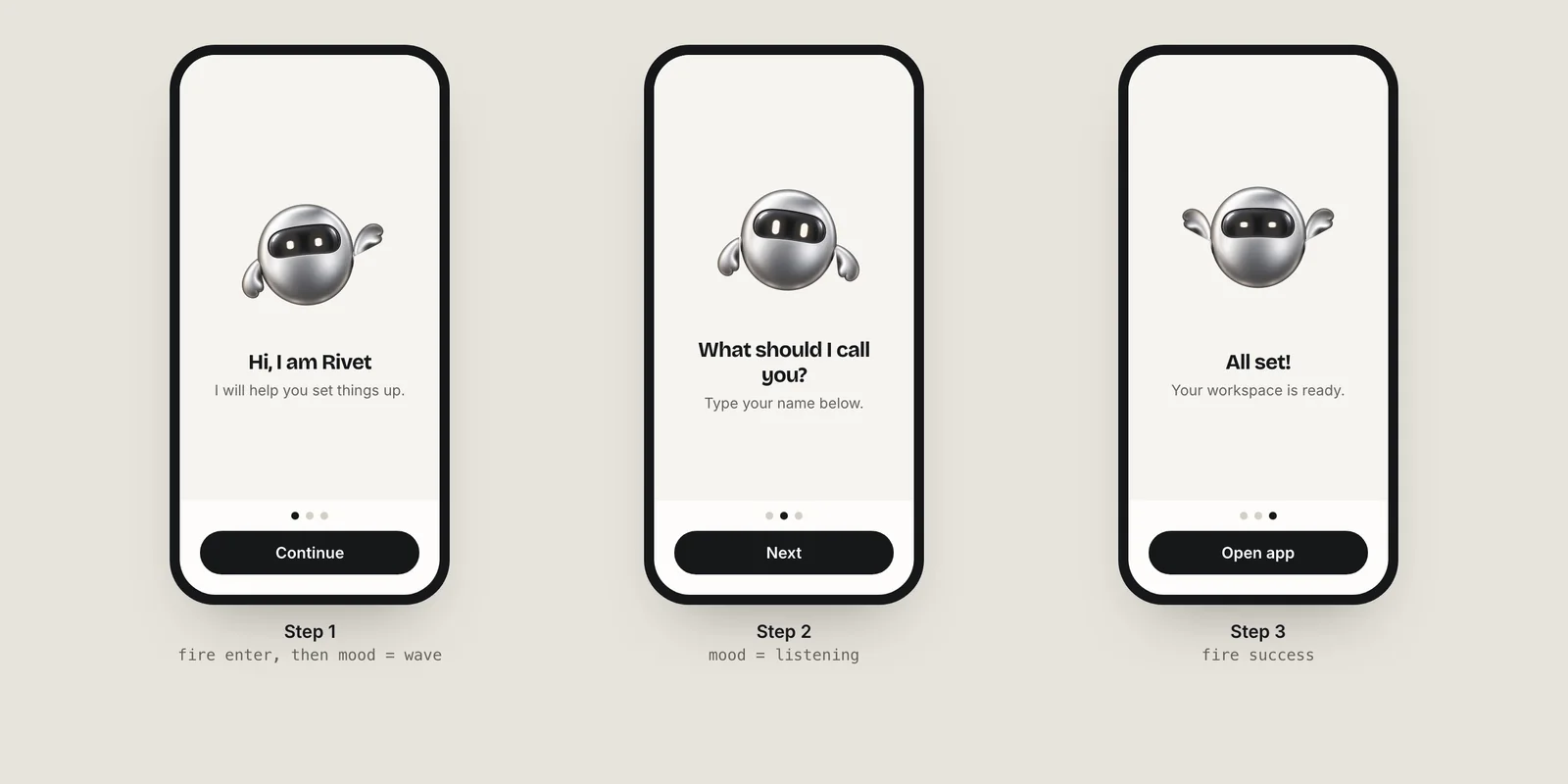
Decide the mapping as a table first, then encode it on the enum. Loops describe what the user is doing on the page; triggers mark moments.
| Page | Loop (mood) | Trigger |
|---|---|---|
| Welcome | wave (2) | enter on first appearance |
| Feature | thinking (3) | none |
| Permission | listening (6) | yes or no after the system prompt |
| Paywall | happy (1) | none (keep it calm) |
| Done | idle (0) | success |
extension OnboardingPage {
    var mood: Int {
        switch self {
        case .welcome: return 2
        case .feature: return 3
        case .permission: return 6
        case .paywall: return 1
        }
    }
}

struct OnboardingView: View {
    @StateObject private var mascot = MascotController()
    @State private var page: OnboardingPage = .welcome

    var body: some View {
        VStack(spacing: 0) {
            RiveUIViewRepresentable(rive: mascot.rive)
                .frame(height: 260)
                .accessibilityHidden(true)
            OnboardingPages(page: $page)
        }
        .task { await mascot.load(initialMood: page.mood) }
        .onChange(of: page) { _, newPage in
            mascot.setMood(newPage.mood)
        }
    }
}
The two-parameter onChange(of:) closure is the iOS 17 form; on iOS 14–16 use the single-parameter version. Because the state machine handles transitions, swiping back and forth quickly is safe: the last value wins.
How do I fire a one-shot reaction when a page appears?
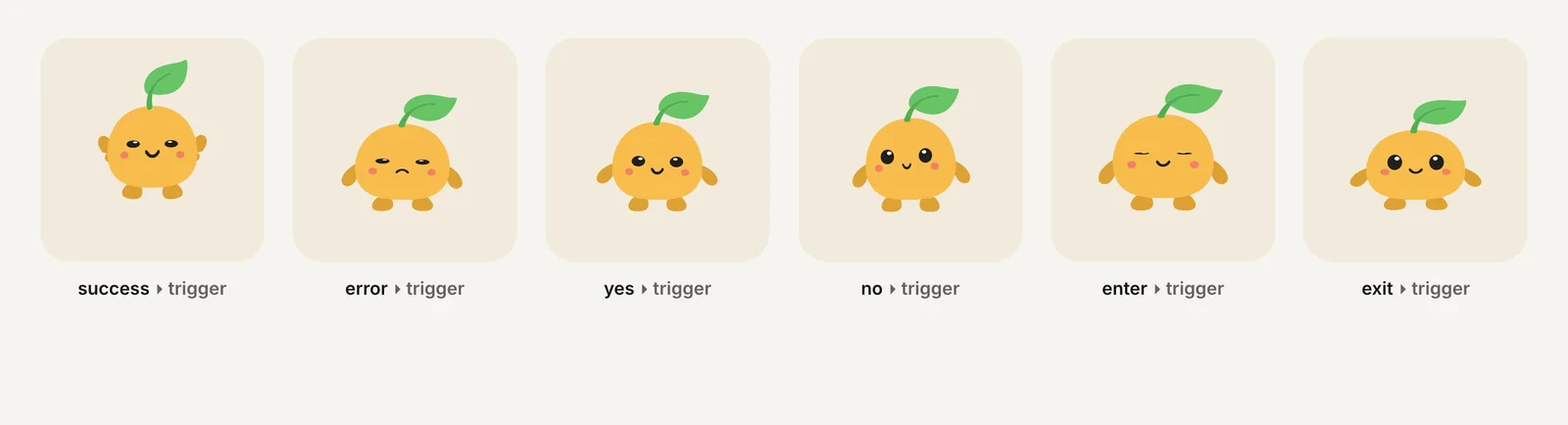
Fire triggers from events, not from layout. Good hooks are the end of loading (enter), the result of a permission prompt, and the final button:
Button("Allow notifications") {
    Task {
        let center = UNUserNotificationCenter.current()
        let granted = (try? await center.requestAuthorization(options: [.alert, .badge])) ?? false
        mascot.fire(granted ? "yes" : "no")
        withAnimation { page = .paywall }
    }
}
(This needs import UserNotifications.) Avoid firing a trigger in a page's onAppear: TabView can create neighbouring pages early, so onAppear may run before the user actually sees the page. Reacting to the page selection, as in the onChange above, is reliable.
Keep one-shots short and rare. A mascot that celebrates every swipe stops meaning anything by page three; save success for the real finish.
How do I respect Reduce Motion in onboarding?
Read @Environment(\.accessibilityReduceMotion). When it is true, replace the live view with a still image per page and skip triggers. A short crossfade between stills is a common reduced-motion substitute for movement.
struct OnboardingMascot: View {
    @Environment(\.accessibilityReduceMotion) private var reduceMotion
    @ObservedObject var mascot: MascotController
    let page: OnboardingPage

    var body: some View {
        if reduceMotion {
            Image("mascot-mood-\(page.mood)")
                .resizable()
                .scaledToFit()
                .id(page)
                .transition(.opacity)
        } else {
            RiveUIViewRepresentable(rive: mascot.rive)
        }
    }
}
The still images can be frames exported from the same character's videos, so the reduced version matches the animated one. Any information the mascot conveys, such as "permission granted," should also appear in text. More patterns are in Reduce Motion in SwiftUI and UIKit.
Should onboarding start with a splash or go straight to content?
Apple's Human Interface Guidelines are direct: the launch screen should be "nearly identical to the first screen of your app" and "isn't a branding opportunity." If you want a branded moment, the HIG suggests showing it "at the beginning of your onboarding flow."
That makes the welcome page the natural place for the mascot's entrance: the OS launch screen shows a plain background, the first onboarding page appears with the same background, and the mascot plays enter and settles into its wave loop while the user reads. No separate splash screen is needed. The code pattern for a standalone intro is in animated splash screen in SwiftUI.
If you do not have an animated character yet, Charmotion generates one from an uploaded mascot or logo: 17 animations in about 1–2 hours, including the .riv with the mood and trigger contract used above, plus SwiftUI files for both Rive runtimes. Plans start at $4.99/month (Starter), with Studio at $29/month.
Add an animated mascot to a SwiftUI onboarding
- Model the pages. Create an enum of pages with a title and a mood number for each.
- Build the pager. Use
TabView(selection:)with.tabViewStyle(.page)and tag each page with its enum case. - Add one mascot. Place
RiveUIViewRepresentable(rive:)above the TabView in a VStack, backed by a controller that retains the view model instance. - Sync the mood. In
.onChange(of: page), setNumberProperty(path: "mood")to the page's mood. - Fire moments. Fire
enter,yes/noandsuccesstriggers from real events such as a permission result. - Handle Reduce Motion. Swap the live view for a still image per page when
accessibilityReduceMotionis true.
Frequently asked questions
Why does my mascot restart on every onboarding page?
It is inside the TabView's pages, so SwiftUI creates a new view, and a new Rive file, for each page. Move the mascot outside the TabView and keep its controller in a @StateObject on the parent view. Then only the mood value changes when the page changes.
Can I use Lottie instead of Rive for an onboarding mascot?
Yes, if each page just plays its own clip. Lottie has no data-bound state machine in LottieView, so you switch between files or marker segments yourself, and transitions between them are cuts unless you design them. Rive handles blending between moods inside one file.
Should the mascot be visible to VoiceOver?
Usually not. In onboarding the text carries the message, so mark the mascot with accessibilityHidden(true). If the character communicates something that is not in the text, give it an accessibility label that describes the state, such as "Setup complete," rather than the animation itself.
Sources
- PageTabViewStyle — Apple
- Apple runtime (new and legacy) — Rive
- Apple runtime: Data binding — Rive
- Migrating from the legacy Rive Apple runtime — Rive
- accessibilityReduceMotion — Apple
- Human Interface Guidelines: Launching — Apple