Animated Logo in Email Signatures: GIF Support
By the Charmotion team · Updated
An animated GIF is the only practical way to put a moving logo in an email signature. Apple Mail, Gmail, Yahoo and most other clients play it. Outlook for Windows 2007–2019 does not animate GIFs, and Outlook with Microsoft 365 on Windows plays the animation three times, then shows a play button, so the first frame must stand alone.
Key takeaways
- Use GIF: email clients do not run video players or scripts in signatures.
- Outlook for Windows 2007–2019 does not animate GIFs; Outlook with Microsoft 365 plays three loops, then stops.
- Make the first frame a complete, static version of your logo.
- Keep the file small and the display size modest; set explicit width and height.
- Host the GIF at a public HTTPS URL instead of pasting it inline.
Already have a character or logo? Preview your own character animated in a phone splash, a website hero and an empty state — free, in your browser, nothing uploaded.
Which email clients play animated GIFs?
Most of them. Can I email, which tests HTML and CSS features across clients, lists full animated GIF support in Apple Mail, Gmail (web, iOS and Android), Yahoo Mail, AOL, Outlook.com, Outlook for Mac, iOS and Android, Samsung Email, Thunderbird and ProtonMail, among others.
| Client | Animated GIF | Note |
|---|---|---|
| Apple Mail (macOS, iOS) | Plays | |
| Gmail (web, iOS, Android) | Plays | |
| Yahoo Mail, AOL | Plays | |
| Outlook.com, Outlook for Mac, iOS, Android | Plays | |
| Outlook for Windows 2007–2019 | Does not animate | "Does not support animated gif images" |
| Outlook for Windows with Microsoft 365 | Partial | Plays 3 times, then stops and shows a play button |
Can I email's GIF entry was last tested in February 2020, and clients update often. Treat the table as a guide and send yourself test emails in the clients your recipients actually use.
Why doesn't Outlook on Windows animate my signature?
Older desktop Outlook for Windows renders HTML email with a limited engine that does not play GIF animation. Can I email lists Outlook for Windows 2007 through 2019 as not supporting animated GIFs. Litmus says the same and advises making "the first frame contain everything you need as a static fallback."
Outlook with a Microsoft 365 account on Windows behaves differently: according to Can I email it "plays the animation 3 times then stops and shows a play button to reactivate." So even recipients who do see motion see it briefly, and then a still image with a control on top.
There is no setting you can add to your signature to force animation in those clients. The fix is design, not code: build the GIF so it still works when it does not move.
How should I design the first frame?
Assume a large share of recipients will see only a still. Then design the loop around that still:
- Start on the finished logo. Frame one should be the full, correctly colored logo, not an empty canvas that the logo animates into.
- Animate away and back. A hop, tilt or blink that starts and ends on the resting pose looks intentional when it stops.
- End on the same pose. Clients that stop after a few loops show whichever frame they land on; matching first and last frames keeps that clean.
- Avoid text inside the animation. Put your name, title and links in live HTML text next to the image, so it stays readable and clickable.
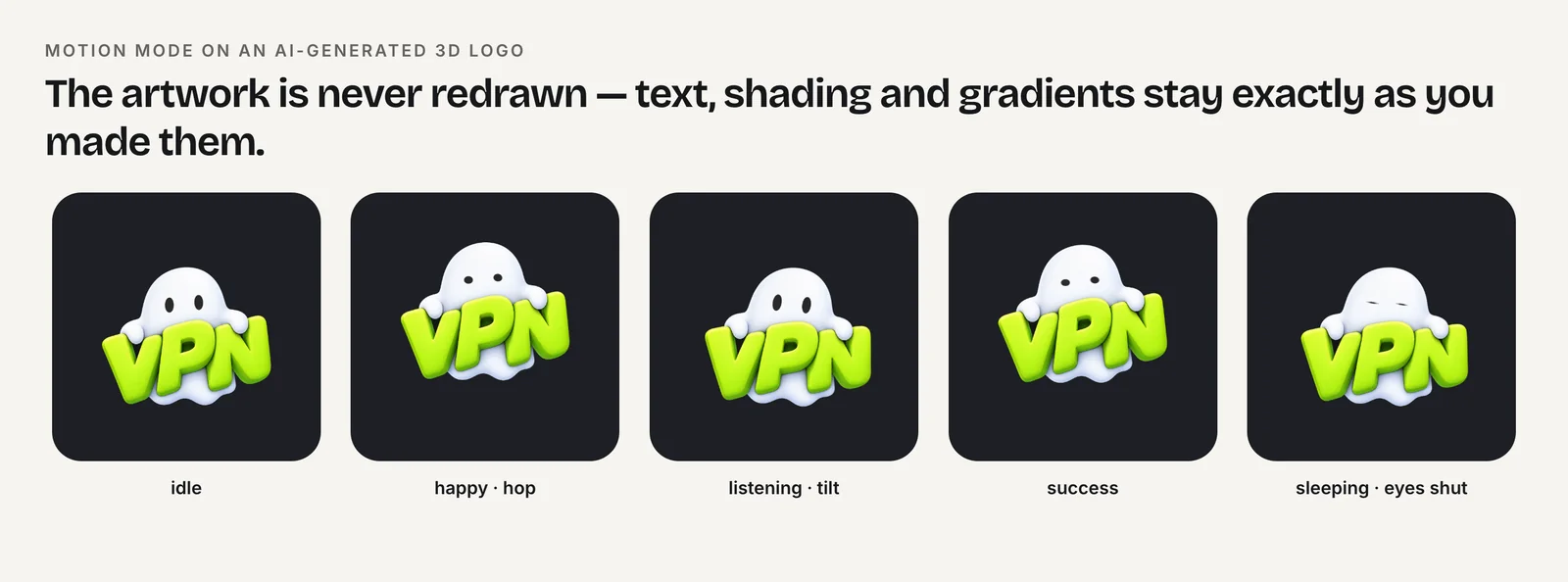
Logo animations built from squash, stretch and tilt suit signatures because every frame still shows the whole mark. Reveals, wipes and particle effects do not, because their first frames are incomplete.
How big should a signature GIF be?
There is no email standard for signature images, so the numbers below are recommendations, not rules. Signature vendor Xink recommends keeping a signature GIF under about 200 KB and short, with roughly 10–15 frames. Litmus, writing about GIFs in email bodies, recommends 1 MB at the largest; a signature repeats on every message, so aim far lower than that.
| Setting | Practical starting point | Why |
|---|---|---|
| Display size | About 100–150 px wide | A signature logo, not a banner |
| File dimensions | 2× display size (e.g. 240 px for 120 px) | Sharp on high-density screens |
| Frame rate | 10–12 fps | Fewer frames, smaller file |
| Length | 1–2 seconds per loop | Short loops stay small |
| File size | Under ~200 KB (Xink's recommendation) | Fast to load on mobile |
To make one from a square MP4 loop with FFmpeg, reduce the palette as well as the frame rate:
ffmpeg -t 2 -i logo-hop.mp4 \
  -vf "fps=12,scale=240:-1:flags=lanczos,split[a][b];[a]palettegen=max_colors=64[p];[b][p]paletteuse" \
  -loop 0 signature.gif
If the file is still too large, try max_colors=32 or fps=10, or shorten the clip.
Does Gmail support GIF signatures?
Yes. Gmail plays animated GIFs on the web and in its iOS and Android apps, according to Can I email. You can insert an image into a Gmail signature from the signature editor in Settings.
The constraint people hit is length. Xink's support documentation describes a "signature too long" error at 10,000 characters, counting the signature's HTML. We could not confirm that number on a Google help page, so treat it as a reported limit. It matters for images because an image pasted as inline data (a base64 data: URI) turns the whole file into text and can exceed that limit on its own. Linking to a hosted image keeps the signature to a single short <img> tag, whatever the GIF's file size.
Should I host the GIF or embed it?
Host it. Put the GIF at a stable public HTTPS URL, such as your website's static files, and reference it with explicit dimensions and alt text:
<img src="https://example.com/email/logo-120.gif"
     width="120" height="120"
     alt="Acme logo"
style="display:block;border:0;">- Width and height stop the layout from jumping and make clients display the 240-pixel file at 120 pixels.
- Alt text is shown when images are blocked, which many clients do by default for unknown senders.
- A stable URL means old emails keep working. Do not delete or rename the file later.
Avoid base64 inline images for the reason above, and avoid video or Lottie files: email clients do not run scripts or video players in signatures, which is why GIF is the format here.
To get a clean source loop, Charmotion animates an uploaded logo in motion mode, which moves the original AI, 3D or text logo without redrawing it, and exports 1080×1080 MP4s plus 480-pixel GIF previews on the Starter plan ($4.99/month). Run the FFmpeg command above on the MP4 to get a signature-sized GIF.
How to add an animated logo to an email signature
- Pick a loop that starts and ends on the full logo. Choose a short hop, tilt or blink whose first and last frames show the complete logo.
- Convert to a small GIF. Use FFmpeg with fps=12, a 240-pixel width and palettegen=max_colors=64, then check the file size.
- Host the file. Upload the GIF to a stable public HTTPS URL that you will not rename or delete.
- Insert it with dimensions. Reference it with an img tag that sets width, height and alt text, or insert it by URL in your mail client's signature editor.
- Test in real clients. Send test emails to Gmail, Apple Mail and desktop Outlook for Windows and check the still frame.
Frequently asked questions
Can I use an MP4 or Lottie in an email signature?
Not reliably. Email clients do not run JavaScript, so Lottie and Rive cannot play, and video elements are not a dependable option in signatures. An animated GIF is the practical choice, with a first frame that works as a static logo for clients that do not animate.
Why does my signature GIF stop after a few loops in Outlook?
Can I email reports that Outlook for Windows with a Microsoft 365 account plays an animated GIF three times, then stops and shows a play button. Design the loop to end on the full logo so the stopped frame looks intentional.
Will a signature GIF hurt deliverability?
There is no official rule tying a small hosted signature image to spam filtering. Keep the file small, host it on a domain you control, and include real text in the signature rather than putting all your contact details inside the image.
What dimensions should I export the signature GIF at?
A common approach is to export at twice the display size, for example 240 pixels wide for a 120-pixel logo, then set width and height attributes to the display size. That keeps the logo sharp on high-density screens without making the file much larger.
Quick answers from this guide
Sources
- GIF image format support in email clients — Can I email
- How to create and add an animated GIF to an email — Litmus
- Recommended GIF specs for email signatures — Xink Support
- Gmail signature too long error (10,000 character limit) — Xink Support
- FFmpeg filters documentation (palettegen, paletteuse, scale, pad) — FFmpeg